
In my previous comparison of six macOS terminals, I said I would introduce a separate terminal for the age of AI agents. This is that follow-up.
When I wrote the previous article, terminal selection came down to speed, features, and polish. In less than six months, the landscape changed completely. Running coding agents such as Claude Code and Codex inside the terminal has become routine, so the key question is now how many agents you can run in parallel, and how comfortably.
Let me start with the conclusion.
I moved from Ghostty to cmux and then to Orca. cmux made parallel work much easier with vertical tabs and notifications alone, but I ultimately settled on Orca, which was designed around parallel-agent workflows from end to end. Depending on your preferences, cmux, Conductor, and Claude Squad are also excellent choices.
In this article, I compare six terminals and orchestrators for the parallel-agent era as of July 2026, and summarize why I settled on Orca.
Why a “parallel-agent” terminal?
There is something you quickly realize when using coding agents: people wait while agents work.
During the five or ten minutes an agent spends refactoring, the developer can only watch the screen. That naturally leads to the idea of giving another agent a different task while waiting—and that is the parallel-agent workflow.
The problem is that doing this in a regular terminal involves a lot of friction.
First, if two agents edit files in the same repository simultaneously, they overwrite each other’s work. You therefore need to isolate workspaces with git worktree, but creating a branch, attaching a worktree, and installing dependencies must be done manually every time.
Second, when five agents are running in five tabs, you cannot tell which tab has finished or which is waiting for approval. You have no choice but to check them one by one.
Every tool introduced today was built to solve these two problems.
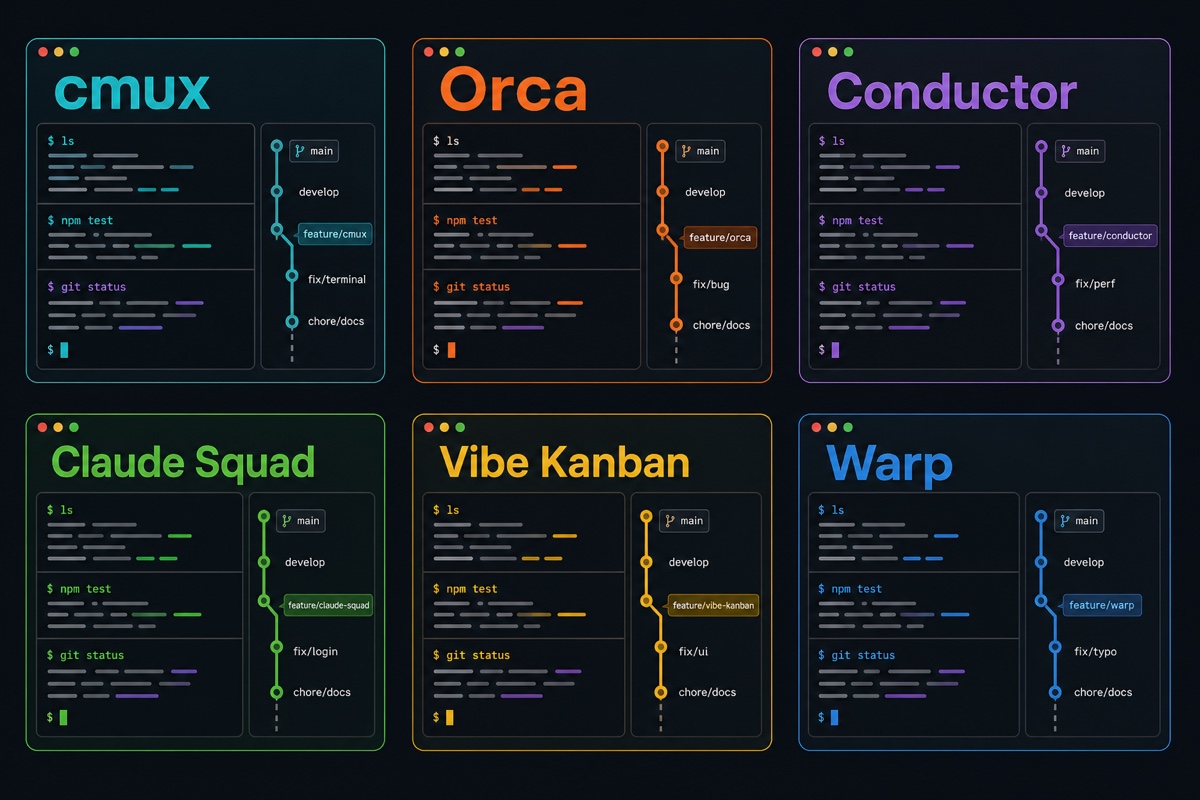
Six tools, six different approaches
cmux is a macOS-native terminal built by Manaflow (YC S24).
It uses Ghostty’s rendering engine (libghostty) as a library and is built with Swift and AppKit. Its vertical-tab sidebar shows each tab’s git branch, PR number and status, working directory, ports in use, and notification badge at a glance. When an agent finishes, a notification ring lights up, so you can assign work to 10 agents before bed and check only the tabs with badges in the morning. It is GPL open source and has surpassed 20,000 GitHub stars. Its biggest limitation is that it is still macOS-only.
Orca is an open-source ADE (Agent Development Environment) built by stably.ai.
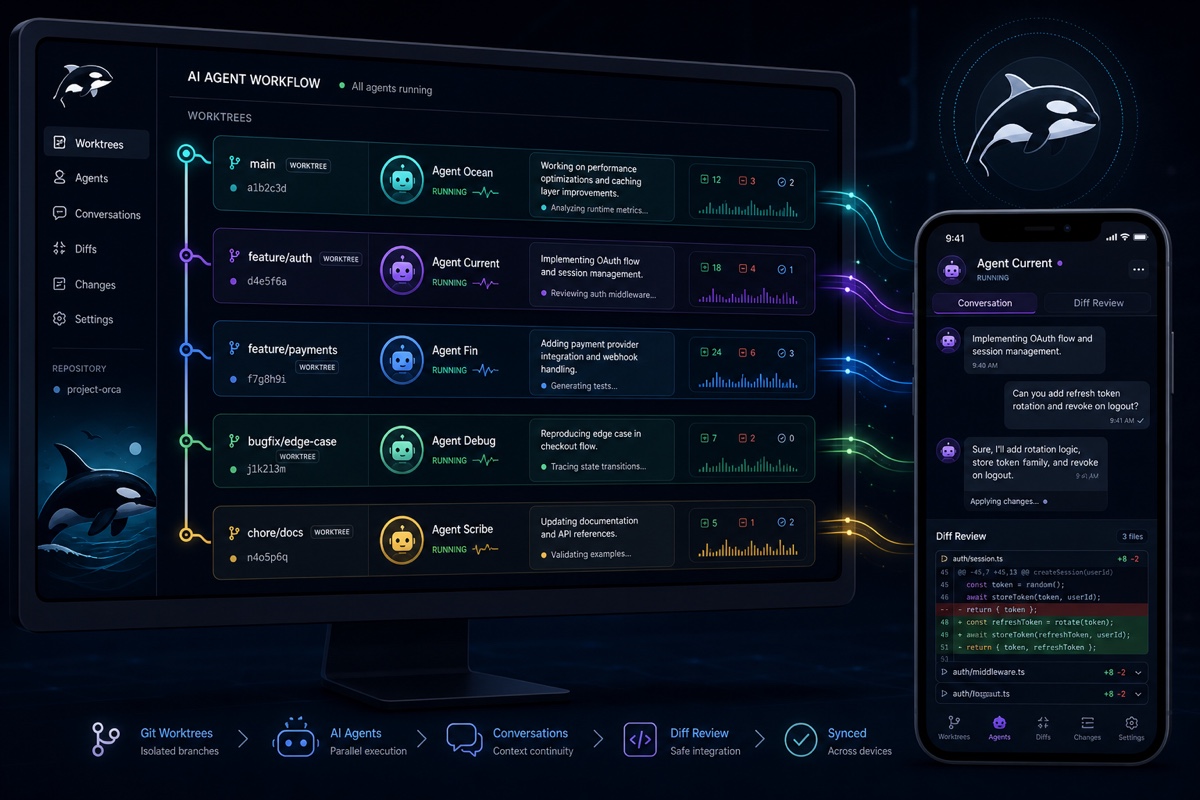
It is closer to an “agent fleet management tool” than a terminal. Register a project and it automatically creates, isolates, and cleans up worktrees; you can run more than 25 agents, including Claude Code, Codex, OpenCode, and Pi, each in its own worktree. It includes a WebGL terminal, a VS Code-based editor, and a built-in browser for each worktree. iOS and Android apps let you check on agents and continue directing them remotely. It uses the MIT license and supports macOS, Windows, and Linux.
Conductor is a free Mac app built by Melty Labs (YC S24).
It focuses on running Claude Code, Codex, and Cursor agents in isolated worktrees, then reviewing and merging their changes. The details are excellent: only git-tracked files are copied when creating a worktree, so node_modules are not duplicated; checkpoints created by automatic snapshots enable rollback; and mult model mode lets you send the same prompt to Claude and Codex for comparison. You use your existing subscriptions.
Claude Squad is a TUI for people who do not want to leave the terminal.
Internally, it combines tmux and git worktree to launch different agents—Claude Code, Codex, OpenCode, Aider, and others—in separate slots and switch between them from one screen. If you want to manage parallel agents using only the keyboard, this is the answer.
Vibe Kanban takes the distinctive approach of an “agent Kanban board.”
When you move a card to In Progress, an agent picks up the task on its own branch. However, Bloop, the developer, discontinued the project in April 2026, and the community now maintains it as open source. Keep that in mind if you adopt it.
Warp was introduced in the previous article as an “AI-native terminal,” but the company has completely changed direction since then.
It now calls itself an ADE rather than a terminal and has also released its source code under dual MIT and AGPL licenses. Since April 2026, it has integrated Claude Code, Codex, Gemini CLI, and OpenCode as first-class citizens rather than ordinary shell processes, giving each agent a vertical tab with a status badge. Its Oz cloud orchestrator can also run remote agents.
Comparison at a glance
| Tool | Form | License | Platform | Mobile | Features |
|---|---|---|---|---|---|
| cmux | Native terminal | GPL open source | macOS | iOS beta (paid early access) | libghostty, vertical tabs + notifications |
| Orca | ADE | MIT open source | macOS·Win·Linux | Free iOS · Android | Automatic worktrees, orchestration |
| Conductor | Mac app | Free (closed source) | macOS | None | Checkpoints, multi-model |
| Claude Squad | TUI | Open source | Cross-platform | None | tmux + worktree, keyboard-focused |
| Vibe Kanban | Kanban board | Apache | Cross-platform | None | Task-focused, community-maintained |
| Warp | ADE | MIT·AGPL | macOS·Win·Linux | Cloud-based | Oz cloud agents |
All of them use a “bring your own” subscription (BYO) model, so the tools themselves rarely cost anything.
Why I switched to Orca
In the previous article, I said I had settled on Ghostty, but afterward I moved first to cmux and eventually settled on Orca. cmux preserves Ghostty’s rendering feel while adding vertical tabs and notifications, making it an excellent entry point for parallel work. As I used it, however, I wanted a tool that handled the entire parallel-agent workflow, from worktree management through mobile monitoring—and that is why I moved to Orca.
You do not need to think about worktrees.
Once you register a project, it recognizes existing worktrees automatically. When starting a new task, you only provide a name; branch creation and setup-script execution happen automatically. Having “worktree management” disappear from your mind is more significant than you might expect.
The mobile app is genuinely useful in practice.
When an agent finishes, your phone receives a notification, and you can inspect the diff and send follow-up instructions on the spot. Leave review comments on your commute and the changes may be finished by the time you get home. iOS is free on the App Store, while Android is distributed as an APK.
You can make agents collaborate.
Orchestration is built into the CLI, so you can create tasks, assign them to agents, let agents exchange messages, and add gates wherever human approval is required. Automations also let agents handle recurring work such as “check for dependency updates every morning.”
It gives agents more hands and feet.
Each worktree has a built-in browser, allowing agents to inspect frontend changes directly. Clicking a UI element adds its HTML, CSS, and screenshot to the prompt. The CLI also exposes computer use based on the macOS Accessibility API, as well as iOS Simulator control. This is especially welcome for app developers.
Diff review and subscription management are handled inside it.
You can add Markdown comments to diff lines, collect them, and send them back to an agent for review. You can also register multiple Claude and Codex accounts, switch between them, and track usage and spending limits.
Of course, it is not magic. If you want the lightweight feel of a native app like cmux, Orca, being Electron-based, may feel heavy, and its many features mean there is more to learn at first.
So which one should you use?
Here is a situation-by-situation summary.
For a lightweight, fast native experience on macOS → cmux
It is best for people who want to preserve the feel of a terminal while adding only parallel agents. Inheriting your Ghostty settings is also appealing for readers of the previous article. I used cmux for a while before moving to Orca, and there is no better first step away from Ghostty.
For an integrated environment from worktrees through mobile → Orca
If parallel-agent work will be your default way of working rather than an occasional experiment, it is the most polished option. That is why I settled on it.
For a Mac app with a clean review-and-merge flow → Conductor
It is a good choice if you want to focus on carefully reviewing and merging agent output.
If you want to stay entirely inside the terminal without a GUI → Claude Squad
It suits people who are comfortable with tmux and work primarily from the keyboard.
If you want to manage work as tasks → Vibe Kanban
It is worth trying if Kanban thinking comes naturally to you, but remember that it is community-maintained.
If you want to run agents in the cloud → Warp
If you plan to move beyond your local machine and extend to remote or background agents, Warp is ahead with Oz.
Wrapping up
In the previous article, I said that “a terminal is best when it is fast and quiet,” but I have to admit that standard changed in just six months. As agents become central to development workflows, terminals are evolving from apps that render text into control towers for commanding agent fleets.
Fortunately, all the tools introduced today are free or open source, so you can install them one by one without much commitment and choose the one that fits your workflow.
How many agents have you run in parallel? Share the tools you use in the comments.