
![Cover image for [Claude Code #7] /background and /tasks, background agents](/assets/images/posts/cfb21e84-7598-4b16-aa89-ef9540b1d1fb/claude-code-background-agents.jpg)
When you assign a long task to AI, the terminal gets held hostage. You can only watch that window while hundreds of tests are being fixed.
Claude Code solves this with background sessions. It moves the entire active task into the background so you can use the terminal for something else.
This installment covers /background (shortened to /bg), /tasks, and agent view for managing background sessions.
If Claude Code Part 6’s /goal was the mechanism for finishing the course, this time it is a mechanism for division of labor.
/bg: Send the current session to the background
Enter /bg in an active session to move the conversation to a background session and free the terminal.
According to Official documentation, even if Claude is in the middle of responding, the response continues in the background. You can also send additional instructions.
/bg Run the test suite and fix all failuresRunning background shell commands and subagents move along with it.
claude –bg: Start in the background from the beginning
You can also start without occupying the terminal at all.
claude --bg --name "flaky-test" "SettingsChangeDetector Investigate the flaky tests"After execution, management commands appear along with the session ID. The shell is immediately ready for the next input.
claude agents: Open the session list viewclaude attach <id>: Open the session in this terminalclaude logs <id>: Check recent outputclaude stop <id>: Stop the session
agent view: The control tower for your workers
Run claude agents to display a screen grouping active sessions by status. Working, waiting for input, completed, and failed states are distinguished by icon colors and animations.
Each row includes a one-line summary. While a task is running, it refreshes from the session output at most once every 15 seconds. When a turn ends, a small fast model writes a new summary.
Select a row and press Space to briefly open its details (peek). Press Enter to fully attach to the session (attach). From an empty input, press ← to return to the control tower.
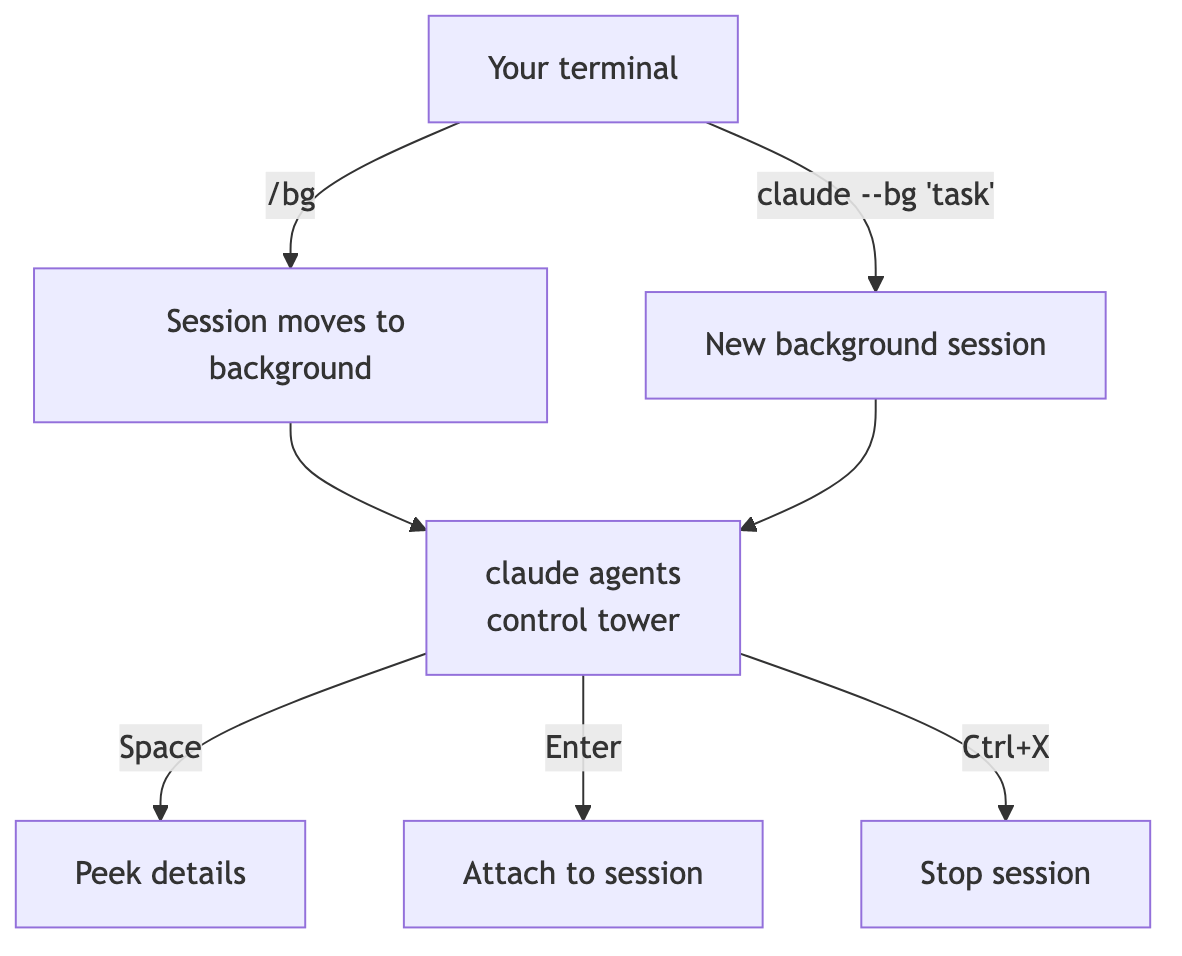
Type a prompt in the input field to dispatch a new background session immediately.
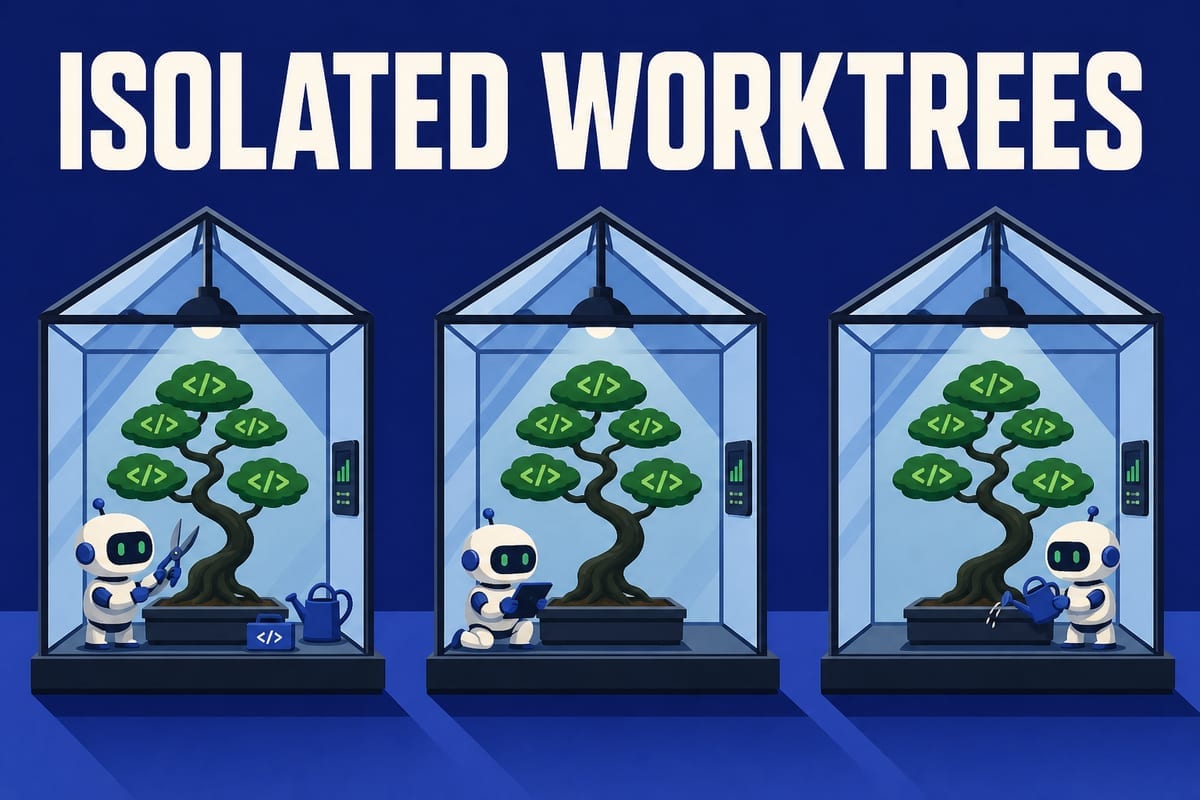
Worktrees prevent file-collision concerns
What happens if multiple background sessions modify the same repository—won’t they conflict?
By default, before editing files, background sessions move into an isolated git worktree under .claude/worktrees/. Each one works in its own copy.
Sessions moved into worktrees commit changes automatically. If a remote exists, they push as well. They do not push directly to main or master, or force-push. If you specify in CLAUDE.md or elsewhere that you will commit manually, git remains your responsibility.
If it is not a git repository or is already inside a worktree, this isolation is skipped. You can also disable it with the worktree.bgIsolation setting.
/tasks: List this session’s background tasks
Based on Official commands documentation, /tasks lists the background tasks running in the current session, including completed subagents.
If agent view is the session-level control tower, /tasks is the task dashboard inside a session.
You are notified automatically when a task finishes
When agent view is open, the terminal notifies you when a background session is waiting for input or completes or fails.
The input area of a regular session also shows the number of agents waiting for input, such as ← 2 agents. You do not need to keep monitoring the screen.
There is no need to worry about permission settings. Moving to the background preserves the current permission mode, such as acceptEdits or auto, and directories added with /add-dir move along as well.
Summary
Send long terminal-blocking tasks to the background with /bg, and dispatch new tasks to the background from the start with claude --bg.
Manage them from the claude agents control tower, and check in-session task status with /tasks. Worktree isolation removes concerns about file conflicts in parallel tasks.
The next installment brings together /model, /effort, /fast, and /advisor for controlling session speed and quality.
Sources and verification criteria
- Claude Code official documentation — Background agents (agent view) (Anthropic, checked 2026-08-14)
- Claude Code official documentation — Commands (Anthropic, checked 2026-08-14)
Continue reading
Claude Code series
- Previous installment: [Claude Code #2] /plan planning mode: Agree on the design before making changes
- Previous installment: [Claude Code #1] /init: Get started with automatic CLAUDE.md generation