
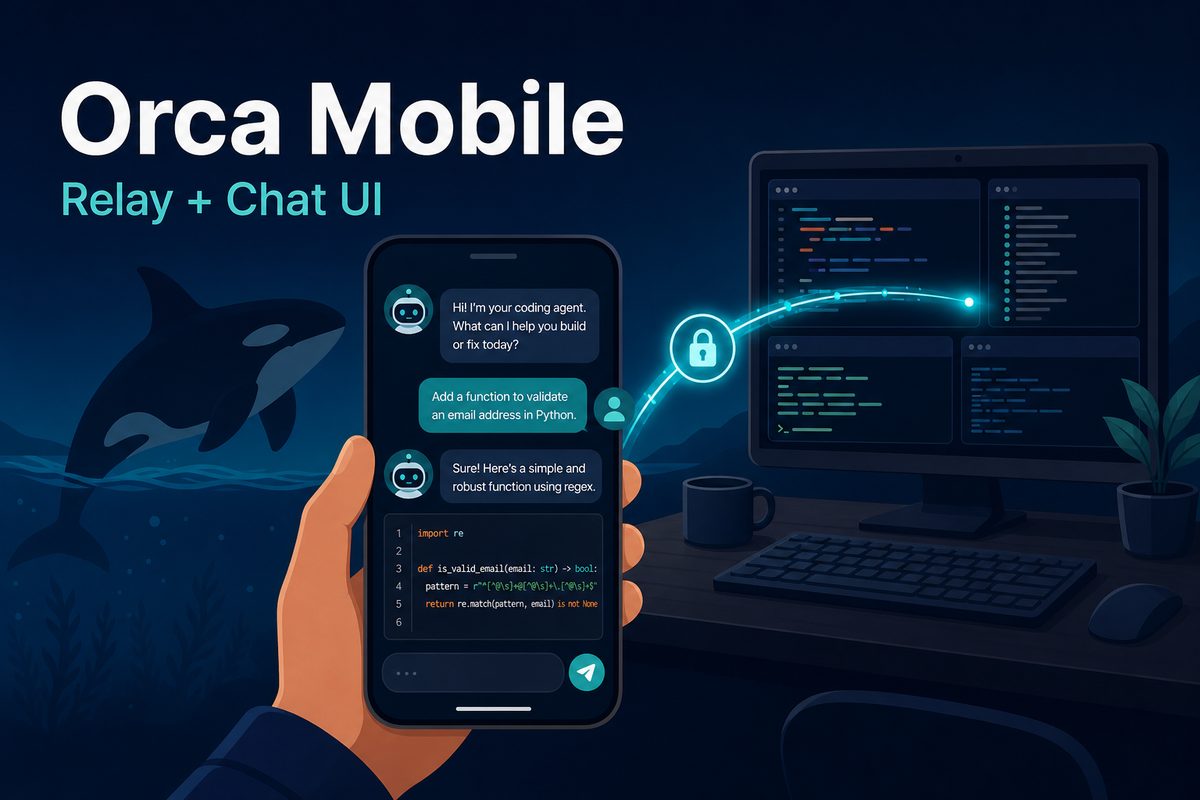
The benefit of delegating work to AI coding agents is that you do not need to stay at your desk. But leaving your desk immediately creates another problem. If an agent stops after asking a question, the entire task waits until you return. You end up unable to leave your laptop—the paradox of delegation.
Orca is an ADE (Agent Development Environment) that has addressed this problem through a mobile companion app. Mobile apps have faced two barriers until now. They had to connect when the desktop and phone were on the same network, such as , and the terminal had to be mirrored directly on the phone. As of July 2026, both barriers are coming down. The introduction of Relay, which connects across networks, and Chat UI, which lets you talk to agents through native chat instead of a terminal, is making that possible.
This article looks at what each feature solves and how mobile agent operations change when they work together. If Orca is new to you, read “What is Orca? An ADE for running multiple AI coding agents in one place” first.
What did the mobile companion originally do?
The Orca mobile app (iOS and Android) is a remote-control-style app paired with desktop Orca. You can list running worktrees and agent statuses, receive push notifications when an agent finishes or awaits input, inspect terminal output, and send follow-up prompts. It also supports file-tree browsing, diff review and commits, photo attachments, and voice input, making it already useful for “checking and directing” work.
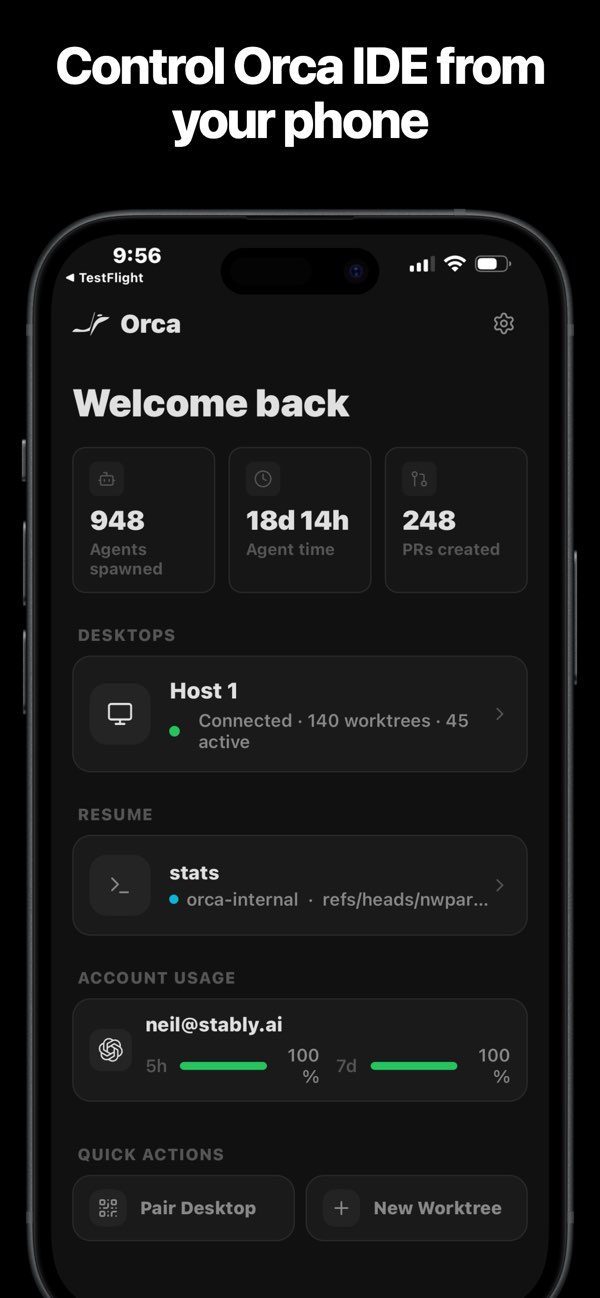
The problem was the connection method. Because pairing relied on the local network, the desktop and phone had to be on the same Wi-Fi or joined as one network through a VPN (Virtual Private Network) such as Tailscale. It worked well from the sofa at home, but when you were actually out—the moment a mobile app was most useful—there was no way to connect without configuring a VPN yourself.
Relay: Connect to your desktop from other networks
Relay solves this connection problem. When the phone and desktop are on different networks, it maintains the connection through a relay server operated by Orca’s developer, Stably AI. Whether you are on café Wi-Fi or LTE while traveling, you can access the session from your phone as long as the desktop is on and connected to the internet.
The architecture looks like this.

Three design points are worth noting.
First, existing local pairing remains the default path. When devices share a network, they connect directly without an account as before; Relay is an additional path when direct connection is unavailable. Using Relay requires signing in to an Orca account on the desktop, but not on the phone. The relay itself is free.
Second, it is designed around end-to-end encryption (E2EE). The phone and desktop verify each other’s encryption keys before communicating, so the relay server only forwards traffic and cannot inspect terminal contents or code. The security-audit checklist in the introductory PR details pairing verification, replay-attack prevention, and token-scope restrictions, making it useful when evaluating whether remote connectivity is suitable for company code.
Third, the desktop initiates the connection. The desktop first opens an outbound connection to the relay server, so you do not need port forwarding or firewall configuration for a home desktop behind a router. The same approach works not only for local machines but also for WSL (Windows Subsystem for Linux) and remote worktree environments accessed over SSH.
Chat UI: Stop squeezing the terminal onto your phone
Once connected, the next problem is the screen. The existing mobile app mirrored the desktop terminal directly onto the phone. Seeing the screen makes the issue clear.
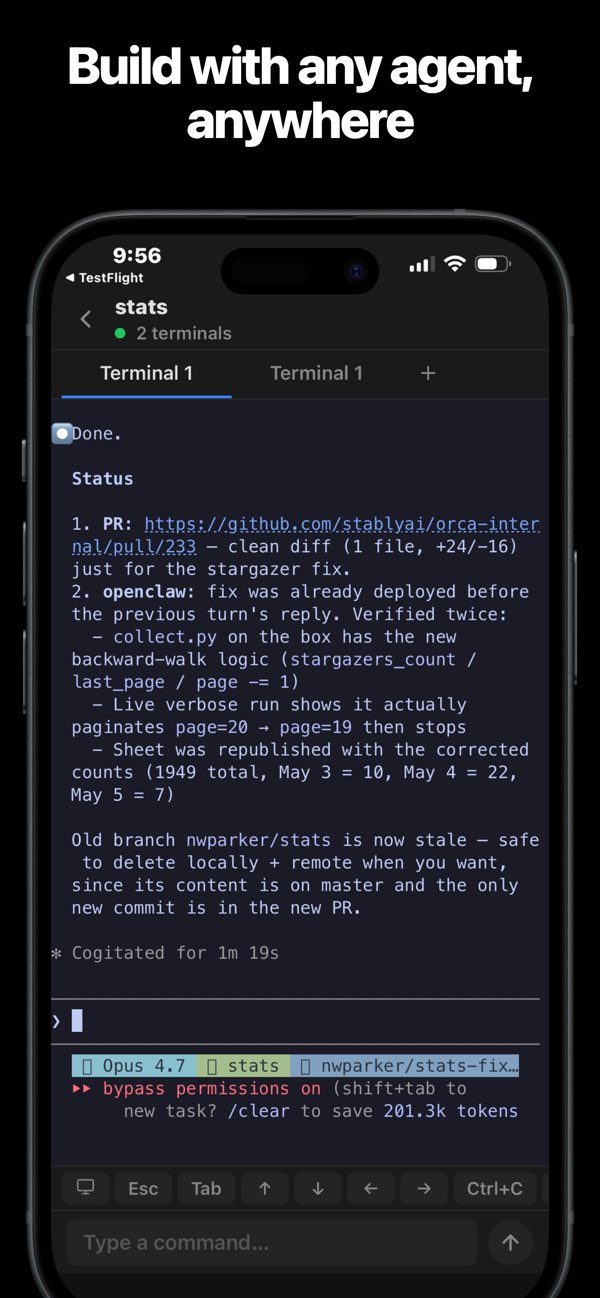
It is readable. But a TUI (Text-based User Interface) is designed from the outset for a wide monitor and keyboard. On a phone, text is small, long output must be followed by scrolling, and answering an agent’s choices requires tapping buttons that imitate arrow keys. It was sufficient for a quick status check, but difficult to call it “working with an agent from your phone.”
Chat UI redesigns this experience. Instead of moving the terminal screen pixel by pixel, it reads the transcript produced by the agent and redraws it as a native chat screen, like a messenger. It was initially called native chat in the early beta before being standardized as Chat UI. The changes are as follows.
- Agent responses stream as chat bubbles, while intermediate steps such as tool calls and execution logs are organized in collapsed sections.
- When an agent asks you to choose—for example, through Claude Code’s AskUserQuestion—a card that lets you answer by tapping appears instead of a terminal menu. Permission requests are also shown as cards.
- Messages sent from the input field are delivered directly to the agent’s desktop terminal. You can attach images or change the model and reasoning effort within the chat screen. The skill picker for selecting and running skills arrived first in desktop Chat UI, and mobile support is being rolled out.
- A single tap switches between the original terminal and chat screens, so you can return to the terminal whenever you need detailed logs.
Interestingly, Chat UI is not mobile-only. The same chat screen is also available in the desktop and web clients, so the agent conversation looks consistent wherever you view it. Support starts with agents whose transcript formats are understood, such as Claude Code and Codex, and the beta is currently available through the TestFlight and Android APK channels.
How the workflow changes when both features work together
Viewed separately, Relay improves connectivity and Chat UI improves the interface. Together, they form one story. Consider the commute-home scenario.
- Before leaving work, you assign two refactoring tasks and one bug fix to agents in separate worktrees.
- A push notification arrives on the subway. The bug-fix agent is paused, asking whether it may modify the tests.
- You open your phone, Relay connects to the desktop session, and a question card appears in Chat UI. Tap an option, and the agent resumes.
- Before you arrive, a notification says one refactoring task is complete. You skim the diff and send a follow-up prompt about anything that concerns you.
- When you get home, all three tasks are ready for review; only the final review and commits remain on the desktop.
The time an agent spends waiting falls from “until the person returns to their desk” to “until the person takes out their phone.” That is the change these two features create together.
What to know before trying it
- The mobile app is still a companion. Sessions run on the desktop—or a remote machine managed by it—so the connection ends when the desktop app is closed. It is not a cloud service that runs agents independently on your phone.
- Relay requires a desktop login. If you want to use Orca without an account, direct pairing on the same network or configuring a VPN such as Tailscale yourself remains available.
- Both features are rolling out gradually. Chat UI is a beta arriving first through the TestFlight (iOS) and APK (Android) channels, while Relay is being added sequentially in recent releases. As a result, the official mobile documentation still describes local pairing. Release notes show active work on message-delivery status, conversation ordering, and Relay reconnection, so details may vary by version.
- Agent compatibility requires verification. Because Chat UI interprets and renders an agent’s transcript, support levels may differ by agent, unlike terminal mirroring.
Summary
Until now, Orca’s mobile app was closer to “a helpful auxiliary screen.” Relay removes the location constraint, while Chat UI removes the screen constraint, bringing it closer to “a tool that lets you move half of agent operations to your phone.” The more you run agents in parallel, the more human response latency determines overall throughput; reducing that latency with the phone in your pocket makes this a well-directed update.
If you want to learn more about operating agents in parallel, also read “What is Orca? An ADE for running multiple AI coding agents in one place” and “Comparing 6 Parallel AI-Agent Terminals.”