
![Cover image for [Vibe Coder #3] Why Git if AI writes all code? (1-min rollback)](/assets/images/posts/3004f618-521a-42fb-a09d-2ad092c241ed/git-save-point-1.jpg)
Vibe coding inevitably brings this day. You ask AI to add one feature to an app that worked fine yesterday, and it changes things everywhere until the entire app stops working. Even if you ask, “Put it back the way it was,” AI cannot restore it precisely. It changed twenty places, and even AI itself does not know which one is causing the problem.
Git exists for this day. Many people ask, “Why do I need Git if AI remembers all the code?” The conclusion is AI cannot remember code. It forgets when the conversation gets long, and a new conversation starts with a blank slate. Git, not AI, remembers the code’s past.
Git is the game’s save point
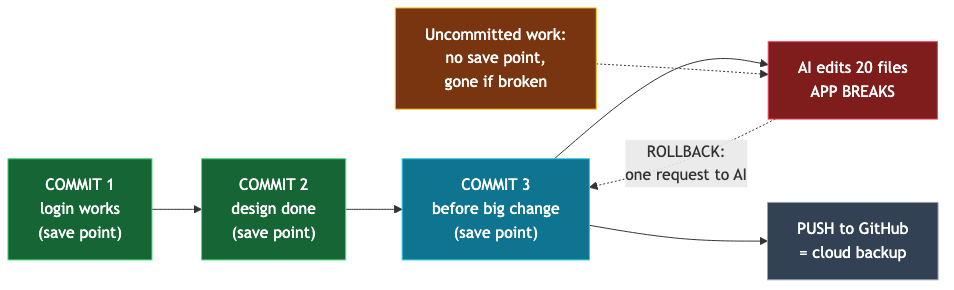
Git’s concept is exactly like a game save. You save before entering a boss fight because, even if you die, you can restart from the save point. Git’s commit(commit) is that save. Each commit permanently preserves a snapshot of every project file at that moment.
Commits accumulate just like save files. There is a commit from when “login was complete” and one from “before adding payments.” You can return to any point at any time. That is exactly what you need when AI breaks the app. Instead of finding the problem among twenty changes, return the entire project to the last save point.
You only need to know four words
Git has dozens of commands, but vibe coders need only four concepts. You do not even need to memorize the commands. You will just ask AI to run them in plain language.
- repository(repository): The “save-data storage” attached to the project folder. AI coding tools usually create it at the start.
- commit(commit): A save. It records a snapshot of this moment in the storage.
- push(push): Backing up save files to the cloud. The backup server is GitHub. That is why your code survives a computer failure.
- rollback(restore): Reverting the entire project to a past save point.
One warning about backing up to GitHub was covered in part 2. If you leave a repository Public, bots scan it within minutes. Unless there is a special reason, making it Private(Private) is the default.
The practical rhythm: “one feature, one commit”
Using Git boils down to one habit: save whenever something starts working correctly.
- Login finally works → “Commit the current state.”
- Before polishing the design → “Commit before making changes.”
- Workday over → “Commit and push to GitHub.”
Whether you use Cursor or Claude Code, AI coding tools understand these requests and handle them for you. You never need to type the commands yourself. What matters is timing. If you do not save before the boss fight (a major change), you have nowhere to return after dying. The commit made before asking AI for a major change is the most valuable commit.
The most common failure is the opposite: working for days without committing, then having AI break the app. With no save point to return to, the code from when everything worked disappears forever. Git cannot protect changes you have not committed.
When things break: a 1-minute rollback
If AI breaks the app, proceed as follows.
- Calmly tell AI: “The app broke after the recent change. Restore the last committed state.”
- When AI performs the rollback, every change after the commit disappears and the project returns to the save point.
- After confirming the app works again, retry the failed change in smaller pieces. Do not have it change twenty places at once; change one thing at a time.
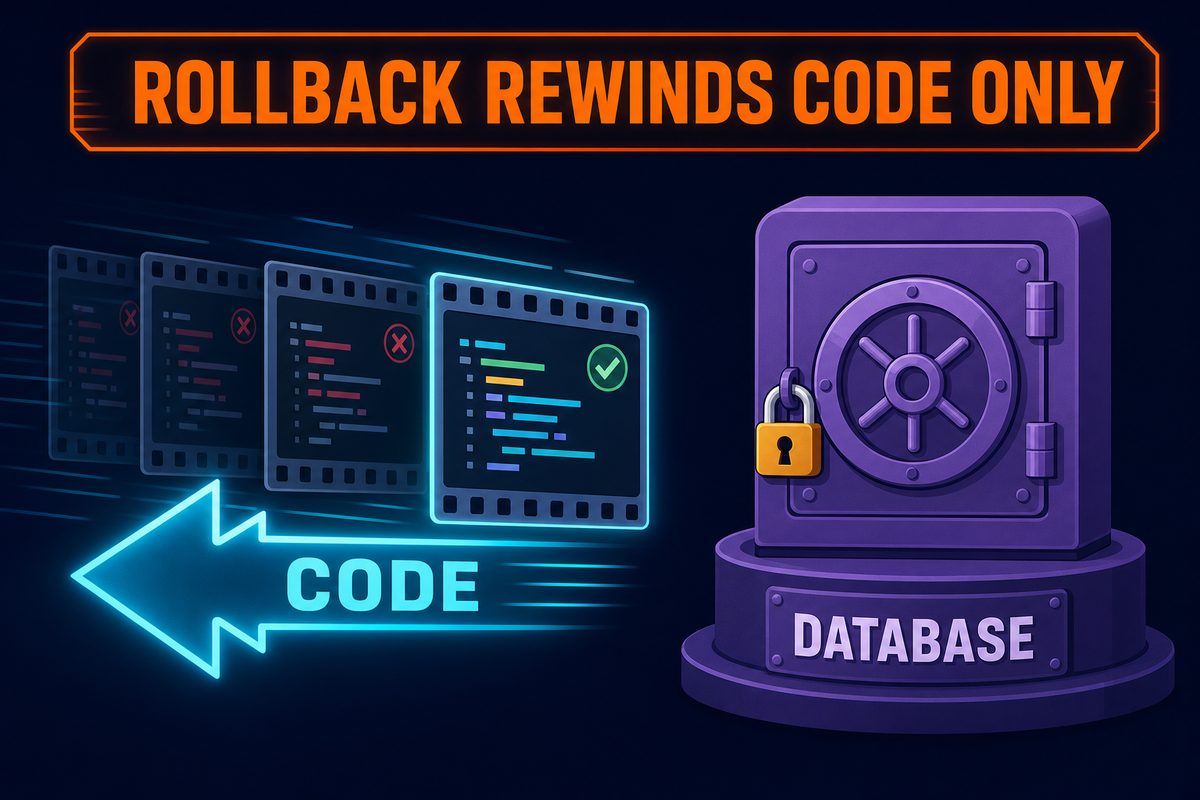
The distinction from part 1 matters again. Rollback restores only code. Data accumulated in the DB remains unchanged and is unrelated to Git. Restoring the code to yesterday does not remove members who signed up today. Conversely, Git cannot restore data deleted by mistake. Git handles the past of code; DB backups handle the past of data.
.envThe same applies to the file. In part 2, it was added to .gitignore so Git would ignore it; Git therefore does not protect this file. If you reissue the key, record it separately somewhere safe, such as a password manager.
A self-check you can do today
Ask AI the following.
- “Has a Git repository been created for this project? When was the last commit?” — If there is no repository or the last commit was a week ago, now is the time to commit.
- “Is it being backed up (pushed) to GitHub? Is the repository public or private?” — If there is no backup, ask AI to create one; if it is public, consider making it private.
- “How many uncommitted changes have accumulated?” — If everything works, ask AI to commit them immediately.
Summary
- AI cannot remember the past of code. Remembering is Git’s job.
- A commit is a save, a push is a cloud backup (GitHub), and a rollback is returning to a save point.
- The rhythm is simple: whenever things work, and before major changes, say, “Commit it.”
- Rollback restores only code. DB data and
.envbelong to the world outside Git. - Unless there is a special reason, private repositories are the default.
The next part is deployment. We will explain why an app that works perfectly on your computer fails online, and what localhost, servers, domains, and environment variables each mean.