
![Cover image for [Open Source Finds #2] oh-my-design: Giving coding agents a brand](/assets/images/posts/7a855f56-283c-465d-b072-3e16af7791ae/oh-my-design-ai-design-workflow-1.jpg)
This is the second installment in a series about finding and opening overlooked repositories. In Open Source Finds, Part 1, we examined a desktop app that lets AI run a Threads account; this time, the project is by a Korean developer. oh-my-design installs a design system in coding agents.
The problem is clear. Ask an AI agent to build a UI and every screen gets a different brand. Blue buttons yesterday, purple gradients today. DESIGN.md solves this through a file convention, as covered in separate article. Based on the specification published by Google Stitch, it puts design tokens and brand rules in a Markdown file in the repository for the agent to read every time. oh-my-design brings that convention down to the practical question: “So what do I type on Monday morning?”
repository was released in April 2026, has now passed 400 stars, and uses the MIT license. Its creator is Korean, which may explain why the catalog has unusually many local services such as Toss, Baemin, Danggeun, and Bunjang. That is one of the project’s practical differentiators, which we will revisit later.
One-line install, four agents
That is the entire installation.
npx oh-my-design-cli@latestThe interactive installer detects which agents are present in the project and installs channel-specific bundles. The supported scope summarized in README is as follows.
| Agent | Installed components |
|---|---|
| Claude Code | Full bundle — 20 skills, 18 subagents, hooks, and catalog data under .claude/ |
| Codex | Skills under .agents/skills/, subagent roles under .codex/agents/, and a local catalog |
| OpenCode | The same bundle under .opencode/ |
| Cursor | One project rule file plus a shared catalog. Skills, subagents, and hooks are not installed |
Cursor clearly gets different treatment. Because it has no channel for running skills or subagents, it is intentionally a rules-only channel that adds only the contract “prefer DESIGN.md” through a rule file. It is honest that the documentation does not hide this difference and explains it separately under “Cursor’s exact usage path.”
After installation, restart the agent and diagnose it with npx oh-my-design-cli@latest doctor. That is where the CLI’s role ends. It installs and diagnoses; all subsequent design work happens naturally in plain language inside the agent session. There is no separate API key, resident daemon, or MCP (Model Context Protocol, a standard for connecting external tools to agents) server. The catalog was initially provided through MCP but has since been removed. The decision was that having skills read local files directly was simpler; the earlier implementation remains only as an archive in packages/mcp/.
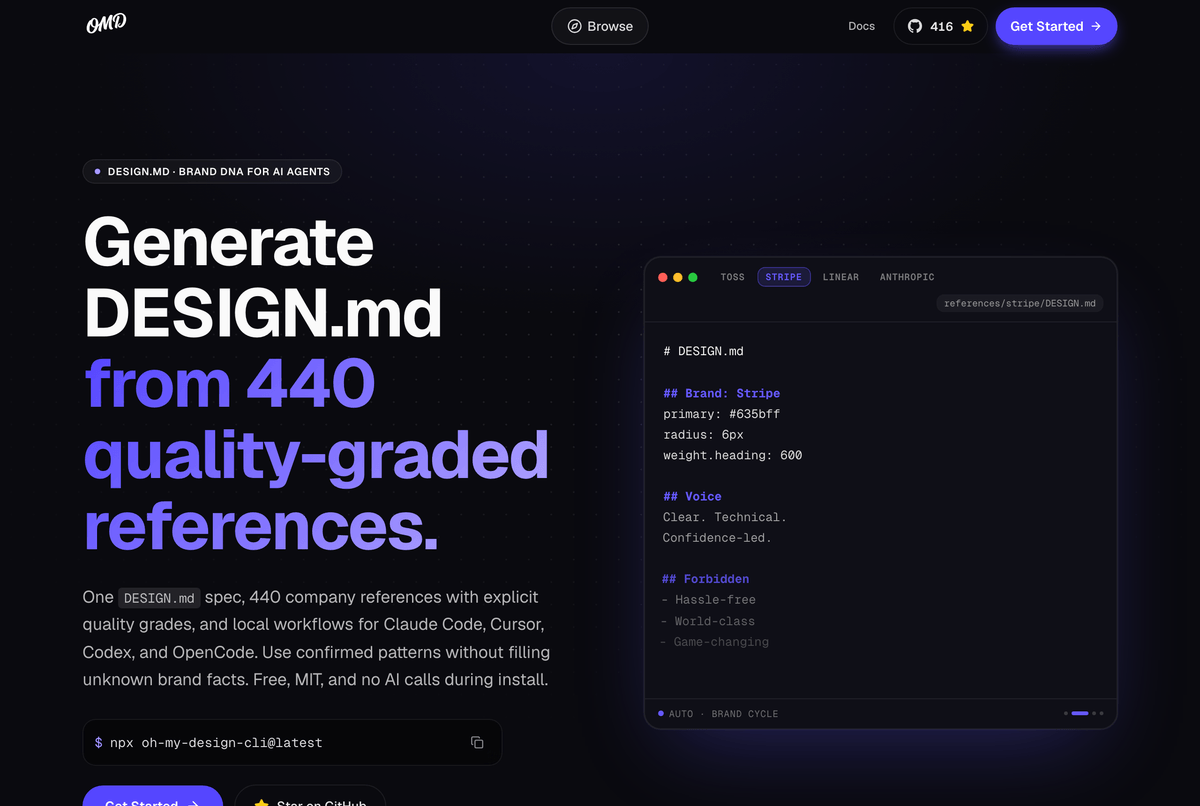
440 enterprise references: evidence matters more than the count
The package contains 440 references reconstructed as DESIGN.md files from corporate design systems—from Toss, Stripe, and Linear to Apple and Airbnb. You can inspect them all at catalog site, and each reference also provides a raw Markdown twin at oh-my-design.kr/<id>/design.md that an agent can fetch directly by URL. A Builder page lets you choose a reference on the web and download its DESIGN.md, which is the recommended path for Cursor, where skills cannot be installed.
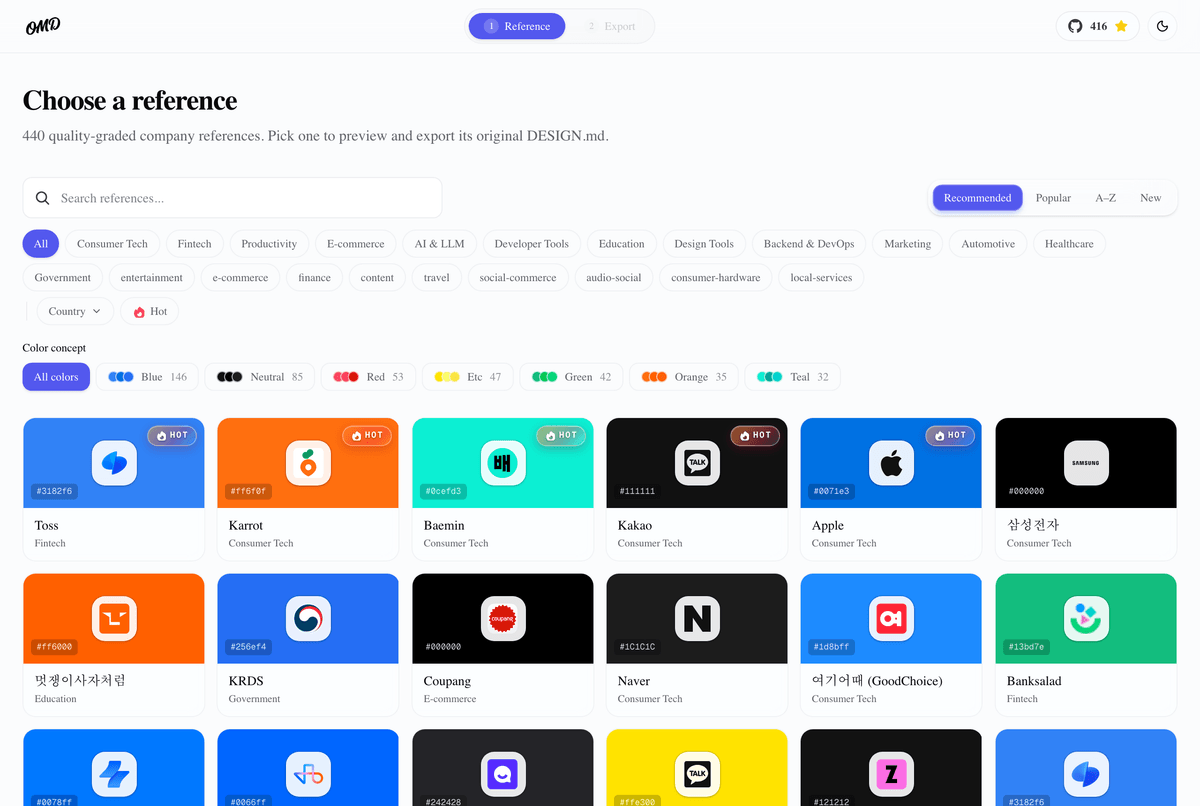
At a glance, you might think, “They scraped the web and made 440 of these,” but opening the files changes that impression. The front matter of the Toss reference attaches evidence to every claim. Next to tokens.colors.primary: #3182f6, it records which screen (the TDS mobile button documentation), which method (computed-style capture checked against official documentation), and when (2026-07-11) it was verified. The body is equally specific: it records observation counts, such as “Toss Product Sans was observed as the first font in 810 visible elements,” and warns not to mix the blue of the brand logo with the blue of the actual UI (#3182f6). It even leaves unknowns unknown, stating that no official source specifies redistribution rights for the font.
That does not mean all 440 have this level of detail. The catalog publishes its own grades: as of writing, 141 are Verified v2, 159 Partial, and 140 Legacy snapshots. In other words, only about one third has passed the new validation pipeline. The repository spec says “verified dates are timestamps, not quality grades,” and the catalog page insists that trust is calculated from evidence, freshness, and conflicts—not inferred from a date stamp. Exposing the limits of its own data through grades is an uncommon virtue in a catalog-style project.
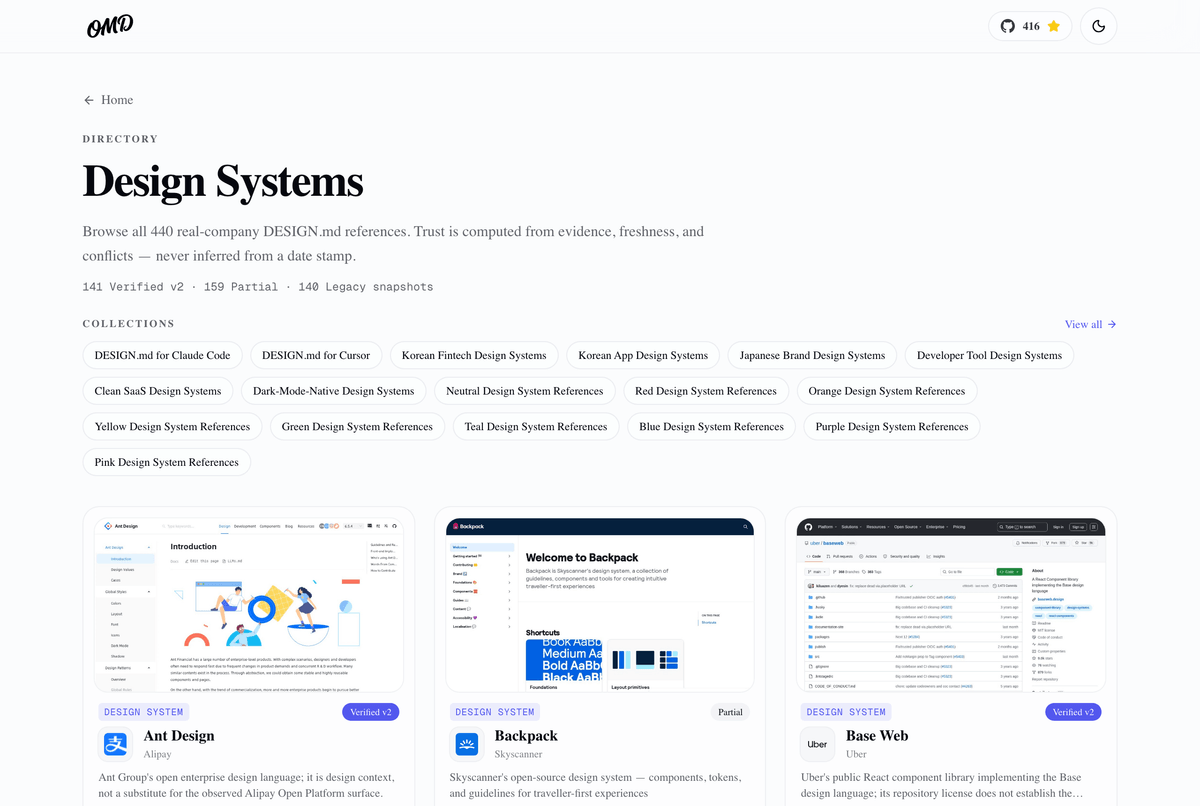
Beyond tokens: Voice
The original DESIGN.md specification centers on tokens such as color, typography, and spacing. oh-my-design lays Google Stitch specification as its foundation and adds Voice, Narrative, Principles, Personas, States, and Motion sections. This is where it captures how a brand speaks—something color codes alone cannot express.
The official site demonstrates the difference neatly. It gives the same prompt to the same model, then places the resulting UIs side by side with and without DESIGN.md. The default CTA “Get Started” becomes “Start in 3 seconds” with the Toss reference, while the “Error 500: Internal Server Error” toast becomes “Sync paused — we’ll retry in 4 seconds” with Linear. Even “No data available” becomes “Nothing here yet — and that’s a good place to begin” through the Anthropic reference.
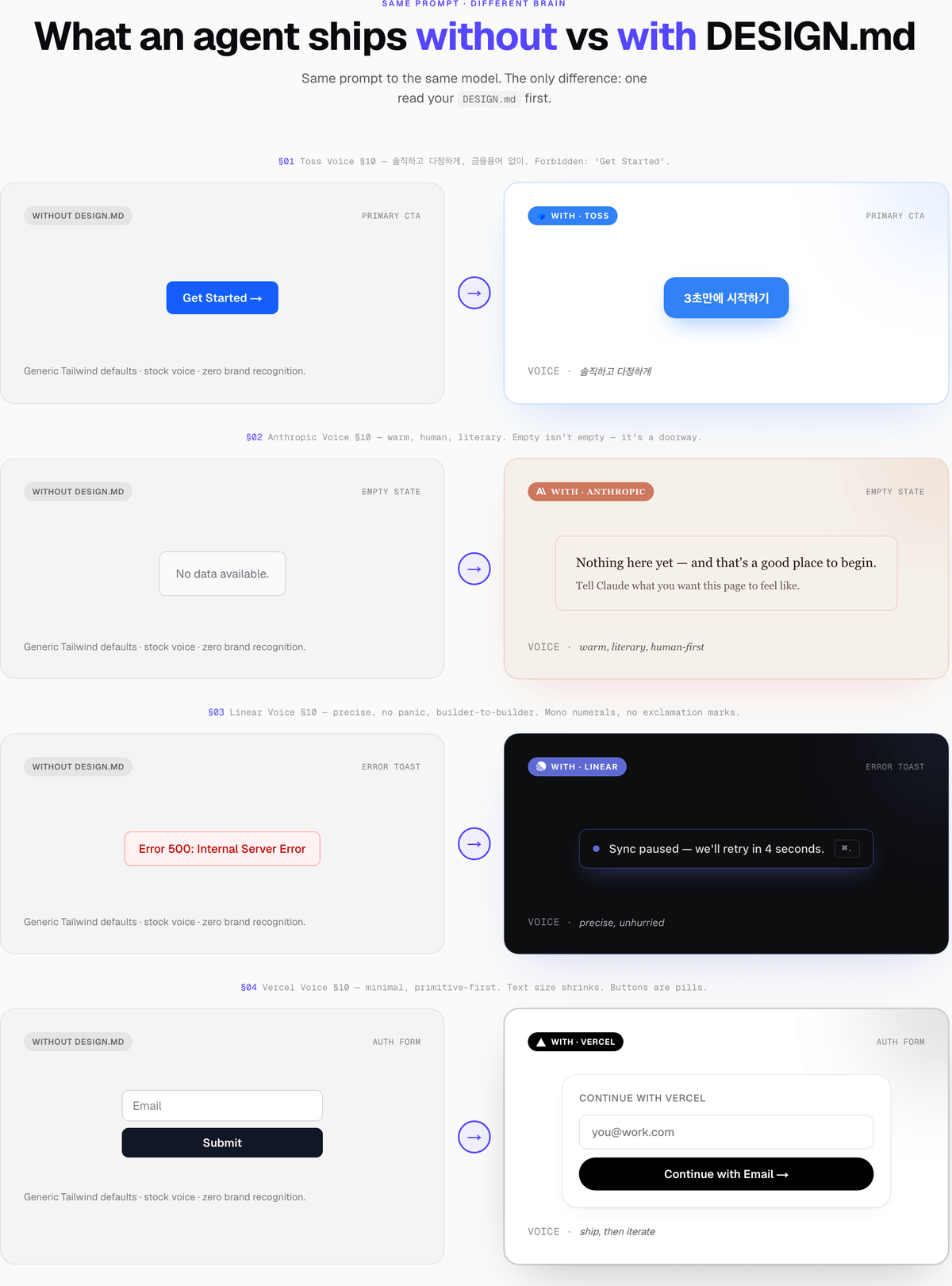
It is not a difference in token values, but entirely in voice. The homepage summarizes it as “Tokens get you halfway. Voice takes you home.” Tokens get you halfway; voice completes the rest.
How 20 skills work
Skills are the core of the bundle. The main flow is omd:init. Say, “Create a DESIGN.md for a family meal-tracking app. Use Toss as a reference, but import only verified values,” and the skill recommends references from the catalog → asks for confirmation → writes a DESIGN.md at the project root that reflects the project context while preserving the selected reference’s tone. Interestingly, it never calls a CLI subcommand. Even recommendation scoring is handled inside the session by having the agent read local files.
There is also omd:feel for checking interface quality, omd:slop-audit for catching AI-flavored blandness, and a preference loop (omd:learn / omd:remember / omd:taste). The preference loop stores corrections made during work—“make the buttons more angular”—in .omd/preferences.md and applies them next time. Say “show me my preferences” and it displays everything learned so far and everything pending in one view.
Hooks are what make these skills activate through natural language without slash commands. During installation, UserPromptSubmit, SessionStart, and PostToolUse hooks are registered in the project’s .claude/settings.json, and a Node script decides whether to activate a skill whenever a prompt arrives. The convenience adds another layer that runs on every prompt.
The subagents consist of omd-master plus 17 specialists covering UX research, accessibility audits, persona testing, copy refinement, and more. The detailed list is in official documentation.
What to know before writing
Here are the points that still give me pause.
Do not misunderstand the legal status of the references. As the README’s license section states, the code is MIT, but the references are each company’s assets, reconstructed for educational reference. “In the Toss style” is a starting point for inspiration, not a license to copy Toss’s colors, fonts, or wording. That is why the Toss reference itself says redistribution rights for Toss Product Sans have not been confirmed.
The values grow stale. Reference colors and typography are snapshots measured on specific dates. Once a company rebrands, they begin drifting immediately. You need the habit of checking the front matter’s verified date; as noted earlier, the v2 validation schema still covers only part of the catalog.
The project installs a fair number of files. Skills, subagents, hooks, and the catalog go into .claude/ in the repository (or channel-specific paths). That is fine for a personal repository, but a team repository needs agreement before committing them. Management is thoughtful, though: managed files receive markers and hashes for in-place updates on reinstall; files modified by the user are skipped rather than overwritten (skipped-drift); and doctor provides a scoped restoration command.
The release pace is fast. From npm reference, the first release in late April 2026, it reached 1.9.0 in three months. The interval also included structural changes such as removing MCP, and there is even a separate MIGRATION.md for 0.1.x users. Positively, it is active; cautiously, there is no guarantee the workflow will look the same six months from now.
Inference quality ultimately belongs to the agent. This tool only supplies better context; Claude Code or Codex still draws the UI. Anyone who has used file conventions like these knows there are days when the agent ignores DESIGN.md anyway. That is why validation tools such as omd:harness and doctor are included as a set.
Summary
- oh-my-design is an open-source CLI that installs a DESIGN.md-based design workflow in coding agents (Claude Code, Codex, OpenCode, and Cursor). It is an MIT-licensed project by a Korean developer.
- It includes 440 corporate references, with evidence for where, how, and when each value was verified. However, the new validation schema still covers only part of them (about 140).
- It extends Google Stitch’s DESIGN.md specification with Voice, Narrative, Personas, and more, specifying brand voice that tokens alone cannot capture.
- It is based on local files. It works inside existing agent sessions without API keys, a daemon, or an MCP server, and deliberately removed its initial MCP approach.
- References are each company’s assets and must not be copied wholesale; as measured snapshots, they can become outdated. Team repositories need agreement before committing the installed files.
The repository is https://github.com/kwakseongjae/oh-my-design, and the catalog and documentation are at oh-my-design.kr. In the next installment, I’ll choose and open another overlooked repository.
Continue reading
Open Source Finds series
- Previous: [Open Source Finds #1] AutoThreads, an open-source desktop app that lets AI run a Threads account
Related topics
Sources and verification
- oh-my-design READMEkwakseongjae · Official documentation · Checked August 9, 2026Supports: Four supported agents and channel-specific installs; 20 skills, 18 subagents, and over 440 references; no API keys, daemon, or MCP server required; archived MCP implementation; MIT license and the legal status of references
- Design Systems 카탈로그oh-my-design · Official data · Checked August 9, 2026Supports: Quality distribution (141 Verified v2 · 159 Partial · 140 Legacy) and the principle that “trust is calculated from evidence, freshness, and conflicts”
- oh-my-design 공식 문서oh-my-design · Official documentation · Checked August 9, 2026Supports: Detailed skill and subagent composition and installation options
- Google Stitch DESIGN.md OverviewGoogle · Official documentation · Checked August 9, 2026Supports: Source of the DESIGN.md specification that oh-my-design uses as its foundation for extension
- oh-my-design-cli — npmnpm registry · Official data · Checked August 9, 2026Supports: Release history: first published in late April 2026, currently 1.9.0 (2026-07-21)