
![Cover image for [Vibe Coder #6] It worked yesterday, not today—why, when I didn’t touch the code?](/assets/images/posts/2b464497-056e-46c0-9685-7296bcdf8cf7/it-worked-yesterday-suspects-1.jpg)
“I didn’t touch a single line of code, but the app that worked fine yesterday doesn’t work today.” It’s the most common complaint in vibe-coding communities—and one of the most mysterious situations. It feels like a ghost story, but the suspects are actually limited. Investigate them in order, and you can usually catch the culprit before noon.
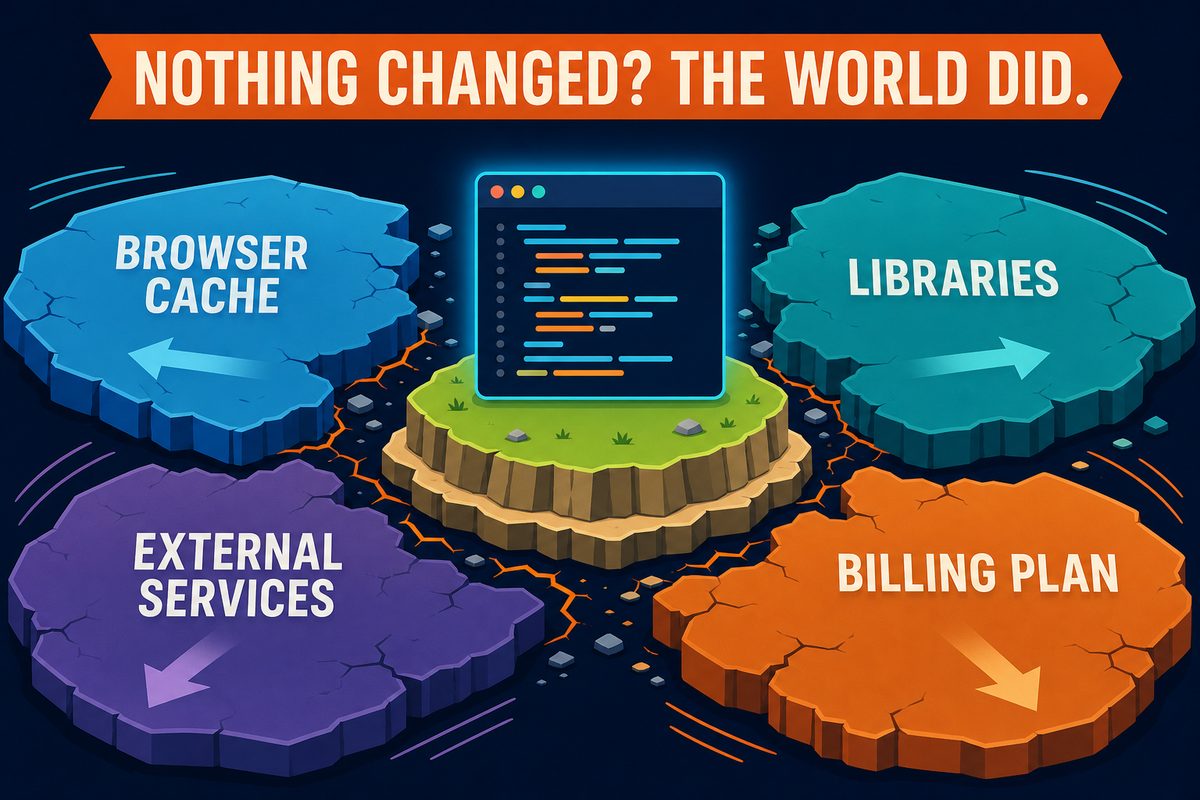
First, let’s correct one assumption. “I changed nothing” only means “I didn’t change my code.” My app doesn’t run in a vacuum. It runs on a browser, hundreds of external libraries, other companies’ servers (such as OpenAI and Supabase), and a billing plan. Even when I stand still, the world changes. This episode is a list of the things that change.
Suspect 1: Browser cache — you’re viewing an old copy
Browsers save files they have downloaded once and reuse them for speed. This saved copy is the cache. Problems occur when the app has moved to a new version but the browser insists on using the old copy. New and old code get mixed together, producing strange behavior.
Fortunately, the check is simple: open it in an incognito window (private-browsing window). Incognito windows don’t use the cache, so if everything works there, the cache is the culprit. Ignore the cache and download fresh files with a hard reload (Cmd+Shift+R on Mac, Ctrl+Shift+R on Windows). This 30-second test comes first because surprisingly many incidents end right there.
Suspect 2: Dependencies — someone else’s code changed
Most of my app’s code isn’t actually mine. For common features such as login, rendering screens, and date calculations, I use libraries built and published by developers worldwide. Hundreds are usually connected, and we call them dependencies. The huge node_modules folder in the project directory is their warehouse.
The problem is that these libraries update independently. If you moved the project to another computer, reinstalled something, or an AI added a new library that pulled existing ones forward, the code may be unchanged while the ground beneath it shifted. The symptom is usually a sudden, unfamiliar build error. In that case, send the full error to the AI and say, “Dependencies may have changed since yesterday. Check them.” Use the same handoff method from Part 5.
Suspect 3: External services — someone else’s server is down
The external services my app relies on run on other companies’ servers. Those servers fail, undergo maintenance, and change their policies.
- Outage: Services such as OpenAI, Supabase, and Vercel all operate status pages. Search for “OpenAI status” to immediately check whether there is an ongoing incident. If there is, there’s nothing for me to do. I just need to wait.
- Limits and expiration: These are quieter suspects. Free credits may run out, a free plan may exceed its monthly usage, or the card on file may expire. A service quietly withdraws yesterday’s goodwill today. Open each service dashboard’s Usage and Billing sections to see it immediately.
Suspect 4: Yesterday’s me — I changed something
The final suspect is the person I’d rather not identify: me. Maybe I fixed “just one small thing” before bed, or an AI-requested change pulled in more files than expected. Fortunately, Git from Part 3 keeps an alibi log. Ask the AI, “Show me the commits and changed files since yesterday,” and you’re done. Records are more honest than memory.
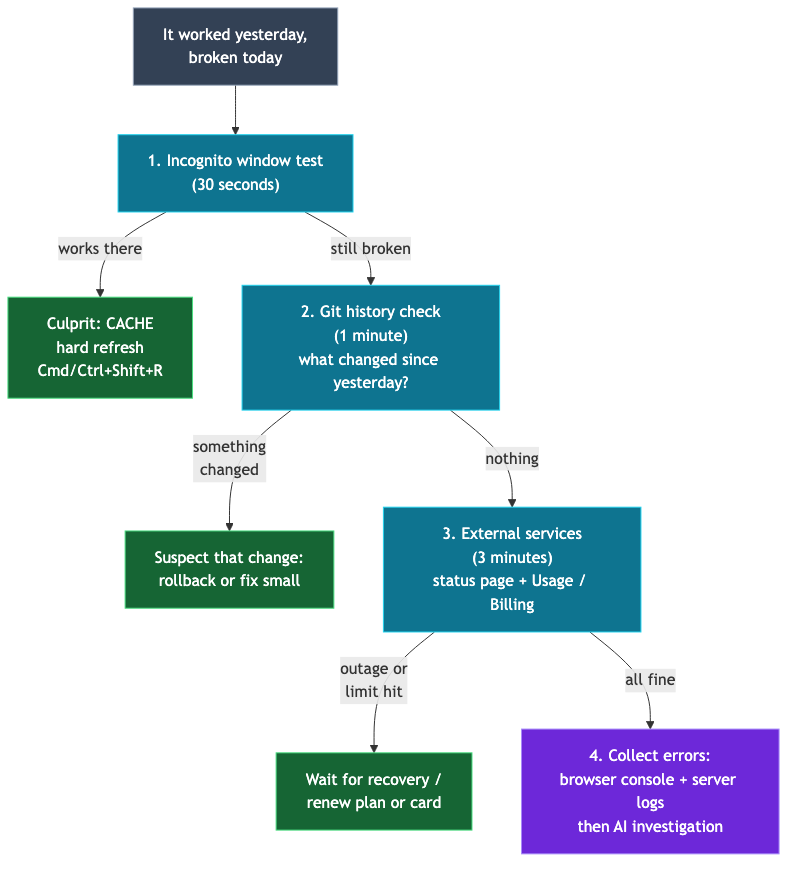
Investigation order: start with the cheapest
The key is the order: start with checks that are cheap and fast, then move to those that are expensive and slow.
- Incognito-window test (30 seconds): If it works, it’s the cache. Finish with a hard reload.
- Check Git history (1 minute): “What changed since yesterday?” If something changed, it’s the prime suspect.
- External-service status and usage (3 minutes): Check the status page and Usage/Billing in the dashboard.
- Collect errors, then investigate with AI (after that): If all three are cleared, follow the Part 5 routine: gather browser-console and server logs and ask the AI to investigate.
If you skip this order and start at step 4, the AI may “repair” healthy code and accidentally create the real problem. Changing code is always the last resort.
Summary
- “I changed nothing” only means “I didn’t change my code.” Browser caches, libraries, external services, and plans keep changing.
- If it works in an incognito window, it’s the cache. A hard reload fixes it.
- When an unfamiliar build error appears suddenly, suspect a dependency change.
- The status pages and Usage/Billing menus for external services are worth bookmarking.
- Investigate from cheapest to costliest: incognito window → Git history → external status → collect logs and investigate with AI. Code changes come last.
The next episode covers the topic everyone fears: a billing explosion. We’ll examine how AI API, DB, and hosting charges are each calculated, along with the safeguards that prevent an explosion at the source.