
![Cover image for [AI User Guide #8] The AI Agent Era: A Complete Overview](/assets/images/posts/cc615a3e-0f23-4345-893d-dd4a207a885f/ai-agent-era-1.jpg)
The AI covered in the previous seven installments was ultimately a “ask-and-answer” tool. People drove the conversation: refining questions, providing materials, and verifying answers. But the next step the AI industry has pursued for the past two years is different in kind. AI agents take on the work itself, not just conversation. In this final installment, we examine what this change means and what will be different for ordinary users, then summarize the entire series on a single page.
Chatbots vs. agents: what’s the difference?
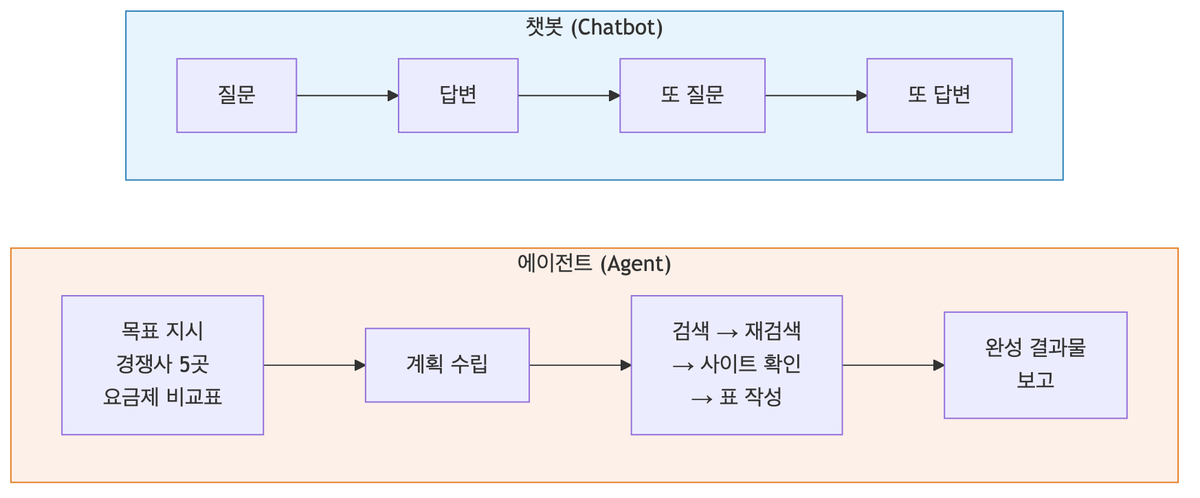
A chatbot gives you an answer; an agent gets the work done.
An AI agent is an AI that, given a goal, creates its own plan, uses tools such as search, files, program execution, and website interaction, reviews intermediate results, adjusts its next action, and works toward the goal. The difference becomes clear when you compare it to an employee.
- Chatbot: A smart colleague who answers when asked. “Tell me everything you know about our competitors’ pricing plans.”
- Agent: Someone you assign work to. “Research the pricing plans of five competitors and create a comparison table.” → It searches on its own, opens each site to verify the details, organizes them into a table, and brings it back.
The key is that it carries out multiple steps on its own. A chatbot ends after one question and one answer, but an agent independently continues through dozens of actions: “Search → this is insufficient, try another keyword → open three sites and verify → organize into a table.”
Agents you can already use
This is not a story about the future. Agents are already built into services for ordinary users.
Research agents. Features such as ChatGPT and Gemini’s Deep Research are representative examples. Give them a topic and they search and cross-check dozens of web documents, then produce a sourced report. Unlike answers that arrive in seconds, this takes several minutes to tens of minutes because the AI is actually running a multistep investigation.
Computer and browser-control agents. They look at the screen and click and type like a person. They are becoming capable of comparing prices across multiple sites or filling out forms for you. Many areas still fall short of human speed and accuracy, but the direction is clear.
Coding agents. This is currently the most mature field. Even non-developers can say, “Build an app like this,” and have an agent write, run, and fix the code—the practice known as Vibe Coding. This blog’s Vibe Coder series covers exactly that topic.
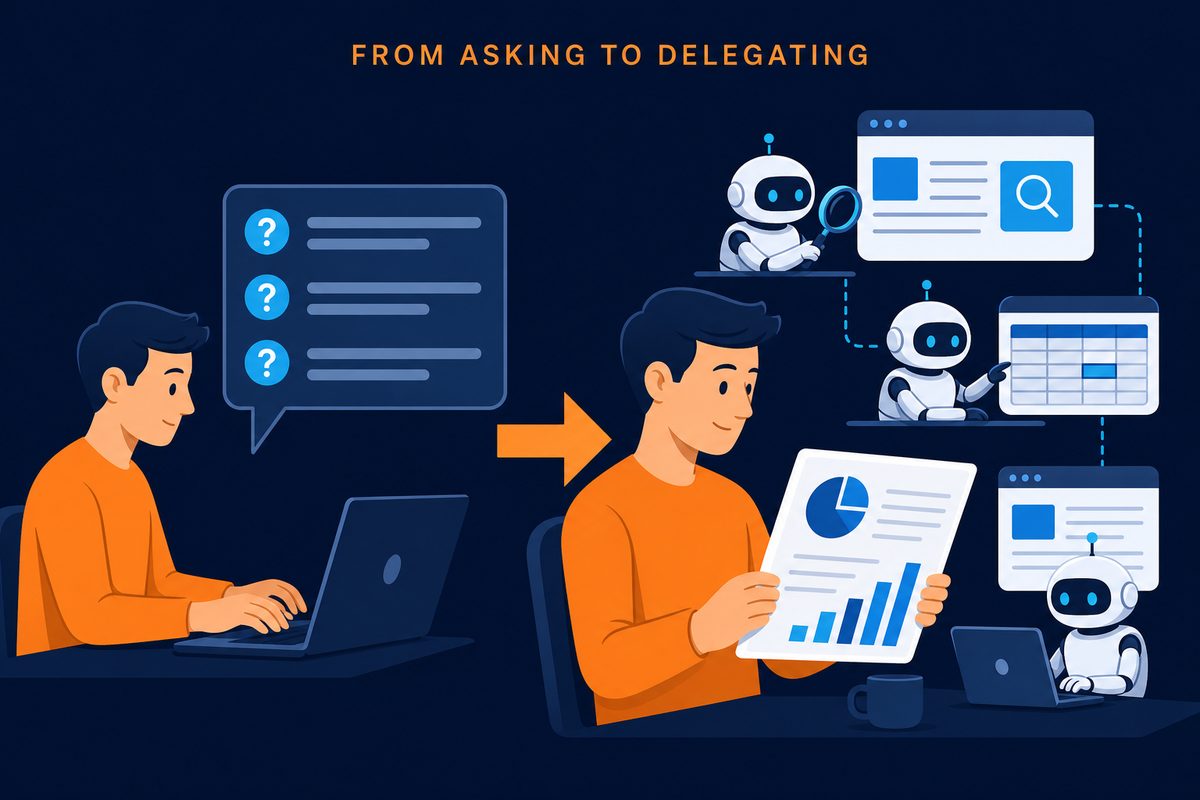
What changes: from asking skills to delegating skills
The skills users need in the agent era shift slightly. Two more are added to what you learned in this series.
First, the skill of assigning work. The prompt fundamentals from Part 3 expand directly. Remember the new-hire analogy? You must assign work to an agent as if you were writing an actual task brief—not only the goal, but also completion criteria (“five companies, tabular format, sources included”) and constraints (“look up the budget, but don’t make the purchase”).
Second, the skill of reviewing. The larger the agent’s output, the more there is to verify. Trusting a report it spent 30 minutes producing is like multiplying the hallucination risk warned about in Part 2 by 30 minutes. Fortunately, the better the agent, the more likely it is to leave sources and a process trail, so the habit of checking supporting links from Part 4 still applies.
The safety rules from Part 7 become even more important in the agent era. Unlike chatbots, which only read, agents take action. Deciding how much authority to grant for hard-to-reverse actions such as payments, sending, and deletion is a new safety challenge.
The series, summarized on one page
| Part | Key takeaway |
|---|---|
| 1. How answers work | AI generates rather than searches. It produces the most plausible next word |
| 2. Hallucinations | A confident tone ≠ fact. Verify proper nouns, numbers, and sources |
| 3. Prompts | Context, role, examples, and format. Explain as if assigning work to a new hire |
| 4. Providing materials | Use file attachments, web search, and NotebookLM to reduce AI’s reliance on memory |
| 5. Long conversations | AI rereads everything each time. Start a new chat for a new topic |
| 6. Choosing tools | There is no universal number one. Choose by use case and start free |
| 7. Safety | Don’t enter anything you couldn’t email externally. Responsibility remains with the person |
| 8. Agents | The next step is delegation, not questions. Briefing and review are the essential skills |
Wrapping up
The principle running through the series was ultimately one thing: Treat AI not as a mysterious万能 box, but as a tool with underlying principles. Once you understand those principles, both overconfidence and distrust fade, and you can see where to use it and where to be careful.
Within those boundaries, AI is a reliable tool for saving time. Delegate “zero-to-one” tasks such as drafting, summarizing, reviewing, and researching to AI, while people spend their time on judgment and finishing touches. As of 2026, this is the most validated way to use it.
If you enjoyed this series, I recommend two next destinations. If you want to build something yourself with AI, check out this blog’s Vibe Coder series. If you want to explore context management in AI coding tools in depth, see the AI Context series.