
![Cover image for [Claude Code #5] /rewind: Restore Broken Code to a Checkpoint](/assets/images/posts/4ec0d8c7-c3a4-4b3f-88bc-6a11a605c143/claude-code-rewind-checkpoint.jpg)
We have all made a change request to AI and regretted it 30 minutes later. If you have not even committed, cold sweat starts running down your back.
Claude Code has a rewind button for situations like this. It is /rewind.
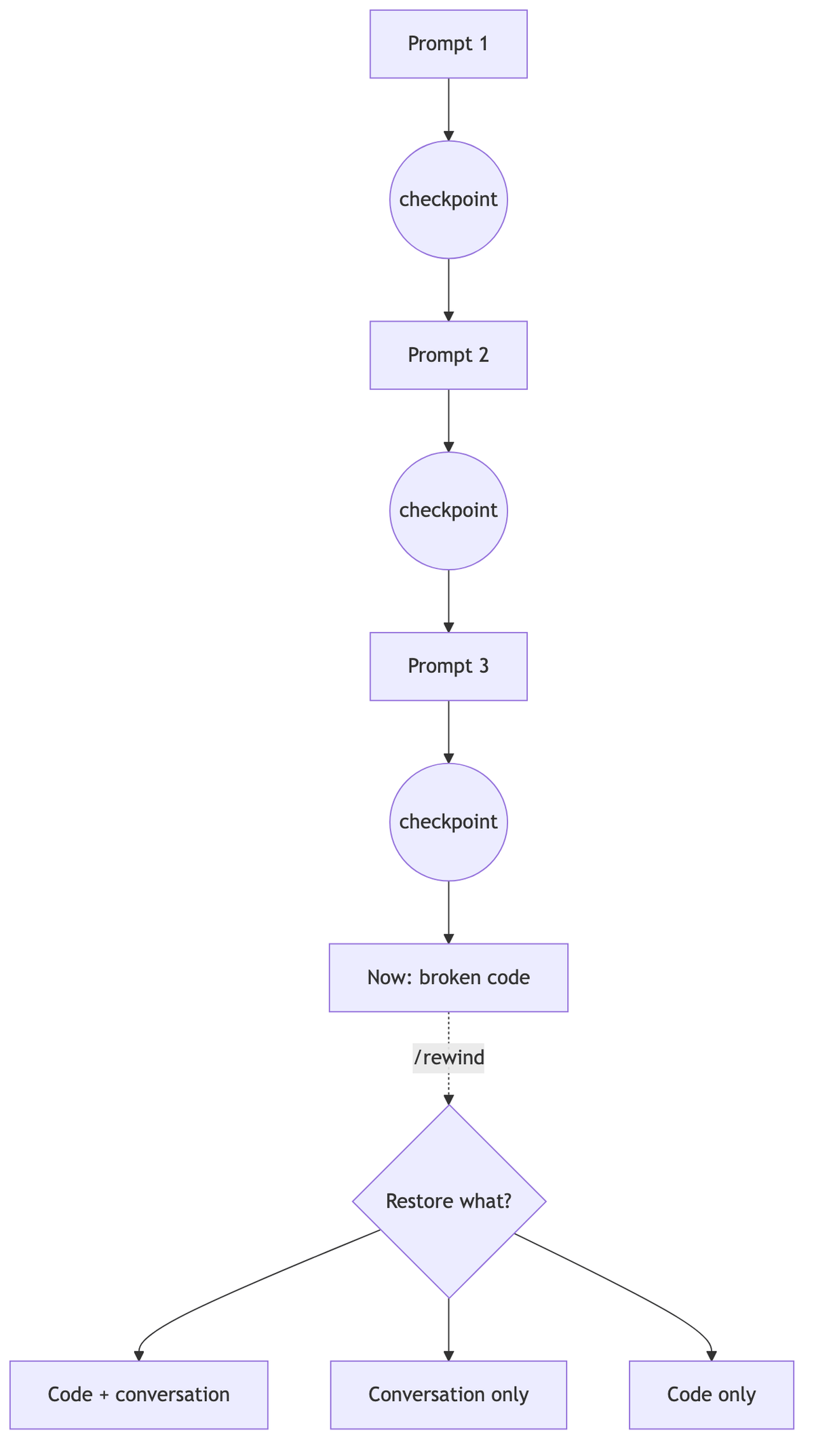
Every prompt creates a checkpoint of the code state, so you can restore both the code and conversation to that point at any time.
If Claude Code Part 4’s /branch is about branching, this part is about going back.
Checkpoints Accumulate Automatically
As of Official Checkpointing Documentation, it works as follows.
A checkpoint is created every time you send a user prompt. There is no need to enable anything or press a Save button.
File snapshots retain the 100 most recent checkpoints per session. Because checkpoints are saved with the conversation, /rewind is still available after resuming a session.
Open the Rewind Menu
Enter /rewind, or press Esc twice while the input field is empty, to open the menu.
The menu lists prompts sent during the current session in chronological order. Select the point to return to, and the available options appear.
- Restore both code and conversation: Restore everything to that point
- Restore conversation only: Keep the code as it is and rewind only the conversation
- Restore code only: Keep the conversation and revert only file changes
The two code-restore options appear only when tracked file changes exist after that point.
When you restore the conversation, the original prompt from that point is repopulated in the input field. Edit the instruction and send it again.
You Can Summarize Instead of Rewinding
The same menu also offers two summary options.
Summarize from here compresses the conversation after the selected point into a summary. It is useful for folding away a verbose debugging process and reclaiming context space.
Summarize up to here does the opposite: it compresses the earlier portion while keeping the recent conversation intact.
Summarization does not touch files, and the original messages remain in the session history. Think of it as /compact for pinpointing a point in the conversation.
What Cannot Be Rewound
/rewind is not omnipotent. It tracks a specific scope.
First, it does not track side effects from shell commands. Files Claude changed with rm or mv cannot be restored by rewinding. Only edits made through file-editing tools are tracked.
Files modified by subagents are generally outside the restoration scope as well. The exception is a fork skill running in the foreground; edits by the default background subagents must be reverted with git.
Changes made manually outside the session, as well as files connected through symlinks or hard links, are treated the same way. During restoration, these paths are skipped and a warning reports how many were skipped.
Checkpoints may also be deleted after 30 days along with the session. That is why the official documentation emphasizes the point: they are for quick session-level recovery, not a replacement for version control such as git.

Return to a Conversation Cleared with /clear
You may also think “oops” immediately after clearing the conversation with /clear.
Within the same Claude Code process, the top of the rewind menu shows an option to return to the previous session (v2.1.191 or later). Select it, and the conversation from before /clear returns intact.
Summary
/rewind is a safety net that restores code and conversations through prompt-level checkpoints. Press Esc twice to open it.
Just remember that shell-command side effects cannot be reverted. Use /rewind for experiments within a session and git for permanent history.
The next part covers /goal, which sets completion criteria for Claude. Once a goal is configured, a separate model checks whether the criteria are met at the end of each turn, and the work continues if they are not.
Sources and Verification Criteria
- Official Claude Code Documentation — Checkpointing (Anthropic, checked 2026-08-14)
Continue reading
Claude Code Series
- Previous part: [Claude Code #2] /plan planning mode: Agree on the design before making changes
- Previous part: [Claude Code #1] /init: Get started by automatically generating CLAUDE.md