
In the previous article, I outlined three costs of Vibe Coding—in other words, the problems that arise when you develop without reading the code.
Bugs become impossible to fix, the same feature appears in multiple places, and a quiet security hole gets opened. As solutions, I suggested reading only critical areas, reading AI-generated summaries, and running scanners.
But these solutions have one thing in common: they are all forms of after-the-fact verification that catch problems only after something goes wrong.
This article goes one step further: how to enforce constraints so AI cannot create that kind of code in the first place, before verification.
Everyone already has the tools. They are rule files such as CLAUDE.md, .cursorrules, and AGENTS.md.
The outcome of Vibe Coding is decided not when you read the code, but when you write the first rule file.
Why rule files? — AI is a new hire starting from scratch every time
Let’s start with a fundamental trait of AI coding tools: AI forgets most things when a session ends.
Even if you told it yesterday to “move API keys into environment variables,” today’s new session acts as if that conversation never happened.
That is why instructions repeated every session must be embedded in a file, not left in a conversation.
Examples include CLAUDE.md (Claude Code), .cursorrules (Cursor), and AGENTS.md (general-purpose tools such as Codex). These rule files are automatically added to the prompt whenever a session starts.
For a person, they are like onboarding documents handed to a new hire who reports to work every morning.
This works especially well with vibe coding because, by definition, vibe coding means people do not read the code.
Something must fill the gap left by human review, and the first candidate is rules applied at generation time. Preventing bad code from being produced is far cheaper than filtering it out afterward.
We will see how rules can prevent all five issues: the three from the previous episode plus two AI-specific failure modes that code reading is the only way to catch.
Rule 1. Security — Write not only “don’t do this,” but also “do it this way”
Let’s start with the hardcoded API keys from the previous episode. Put this in the rules file:
## Security rules (if violated, stop code generation and report it)

- API Never hardcode keys, tokens, or passwords in code.
  Always read them from environment variables(.env) or a secret manager.
- .env Never commit the file. .env.example; commit only.
- Do not trust user input. SQL; use parameter binding,
  HTML Escape output by default.
- For file deletion·DB , migrations, or external payment API  calls,
  always get user confirmation before execution.
- Never install a new library without authorization. First propose the package name and
  why it was chosen, then add it after approval.
There are two key points here.
First, write the alternative along with the prohibition. If you only say “No hardcoding,” the AI has to find a workaround on its own.
If you specify “Read it from an environment variable,” it will take that path without hesitation. Rule compliance is proportional to how specific the alternative is.
Second, use different procedures for tasks with different risk levels. If you explicitly require “confirm before proceeding” for deletion, payments, and migrations, the flow still hits the brakes at those points—even when everything else follows an Accept All workflow.
The dependency rule on the last line is also an extension of security. One study found that 5–21% of package names recommended by AI do not actually exist in registries. The frightening part comes next.
Attackers preemptively claim fake names that AI frequently invents and upload malicious packages under them. Slopsquatting attacks are happening in practice.
In vibe coding, where even installation commands are passed through with Accept All, this path can lead directly to a supply-chain incident. That is why it is safer to make “propose new packages, then approve them” part of the procedure.
Rule 2. Duplication — Make “search before creating” explicit
The reason the same functionality gets implemented in multiple places is not that AI is lazy. AI treats code it cannot see in its context as code that does not exist.
As a project grows, the entire codebase no longer fits into the context, so creating a new, similar function becomes a reasonable choice from the AI’s perspective.
So we enforce exploration through a rule.
## Duplication prevention rule

- Before creating a new function or component, always search the existing codebase
  to check whether the same role already exists.
- Date handling src/utils/date.ts, API calls go src/lib/api.tsin
  Use an existing function. If none exists, add it to that file.
- Extract logic used in two or more places into a shared module immediately.
- If a function nearly identical to an existing one seems necessary, do not create a new one
  First check whether the existing function can be extended, then suggest it to the user.
The second line is especially effective. A map saying “date handling is in this file” works much better than the abstract rule “do not create duplicates.”
Even if AI skips the search, the paths written in the rules file are always right in front of it. Simply maintaining a list of the project’s shared module locations in the rules file noticeably reduces duplicate creation.

Rule 3. Architecture — Make the folder structure and dependency direction the constitution
Architecture is the one that collapses most quietly of the three. You notice security incidents when they happen and duplicates when you search for them, but with architecture, one day you look back and it has already turned into spaghetti.
AI tends to write “the code that solves this request fastest right now.” So it casually cuts shortcuts across layers.
For example, calling the database directly from a view.
This can also be prevented with rules. The key is to state the structure and dependency direction explicitly.
## Architecture rules

Project structure:
- src/views/     : UI. Handles only state and events
- src/services/  : Business logic
- src/repositories/ : Data access. DB·API calls happen only here

Dependencies flow views → services → repositories in one direction.
- viewsdoes not directly repositories import
- repositoriesdoes not views import
- Every new feature must follow this 3layered structure.
  If there is a reason to break the structure, explain it to the user before writing code
The real value of this rule appears after the initial skeleton is in place.
AI strongly imitates patterns in existing code. If the initial code follows the three-layer architecture, subsequent code naturally follows the same shape.
Conversely, if even one shortcut is opened early on, AI learns it as “an allowed pattern in this project.”
That is why this article’s subtitle is “The Initial Skeleton.”
Immediately after creating the project, establish the rule file and folder structure while the code is only 10 lines long. This costs hundreds of times less than refactoring 10,000 lines later.
Rule 4. Definition of done — distinguishing “it seems done” from “it is done”
From here on, we examine a way of thinking unique to AI coding that was not covered in the previous article.
AI tends to say “Done” without checking once it has finished writing the code. Even when the code does not compile at all.
This is quickly exposed in workflows where people read the diff, but in vibe coding, you trust the word “done” and move on to the next request. That is why the definition of done itself must be enforced as a rule.
## Definition-of-done rule

- Before declaring the work complete, always typecheck·lint·run the tests
  and report the results together with them
- If a test fails, fix the code. Do not modify or delete the tests to make them pass
  If you believe the test itself is incorrect, do not force it to pass; instead
  report it first without changing it
- Do not silently swallow try/catcherrors by wrapping them.
  Always log caught errors or propagate them upward
The second rule is the key. When the goal given to AI is “make the tests pass,” it may actually fix the failing tests instead of fixing the code.
It has found the shortest path to achieving the goal. If you do not read the code, you may see only a green light without realizing that the verification mechanism has been neutralized.
The third rule is directly connected to issue 1 from the previous installment (you can no longer fix bugs).
AI tends to wrap code in try/catch to swallow errors in the name of defensive programming. When this happens, the screen can look fine even when something is wrong. Later, the error messages you actually need are nowhere to be found, making debugging even more difficult.
Rule 5. Scope — Make it do only what you asked
Another classic failure mode of AI coding is doing work nobody asked for—so-called scope creep. You ask it to change a button’s color, and “while it’s at it,” it refactors nearby code, extracts new helper functions, and even rearranges the file structure.
It may look well-intentioned, but in vibe coding it is dangerous. If you do not read the diff, you may miss unrequested changes being mixed in, and when something breaks later, the list of possible causes grows several times longer.
## Scope rules

- Only do the requested work. List improvements found during the work and suggest them
  after the work is complete instead of changing the code
- Do not modify files unrelated to the request
- Only refactor when explicitly requested
The effect is measurable. Adding just a few scope rules to the rules file reportedly reduced revert and scope-violation rates from 41% to 12%.
These figures come from a 30-day field report. Among the five rule types, this category delivered the greatest return on investment.
Rules alone are not enough — add a double lock
After reading this far, you might think, “So if I write good rules, I do not need to read the code.” But there is a catch: rules increase the probability of compliance; they do not guarantee it.
AI may forget rules as the context grows longer, and when it is under pressure—or, more precisely, when the situation appears that way—it may take shortcuts.
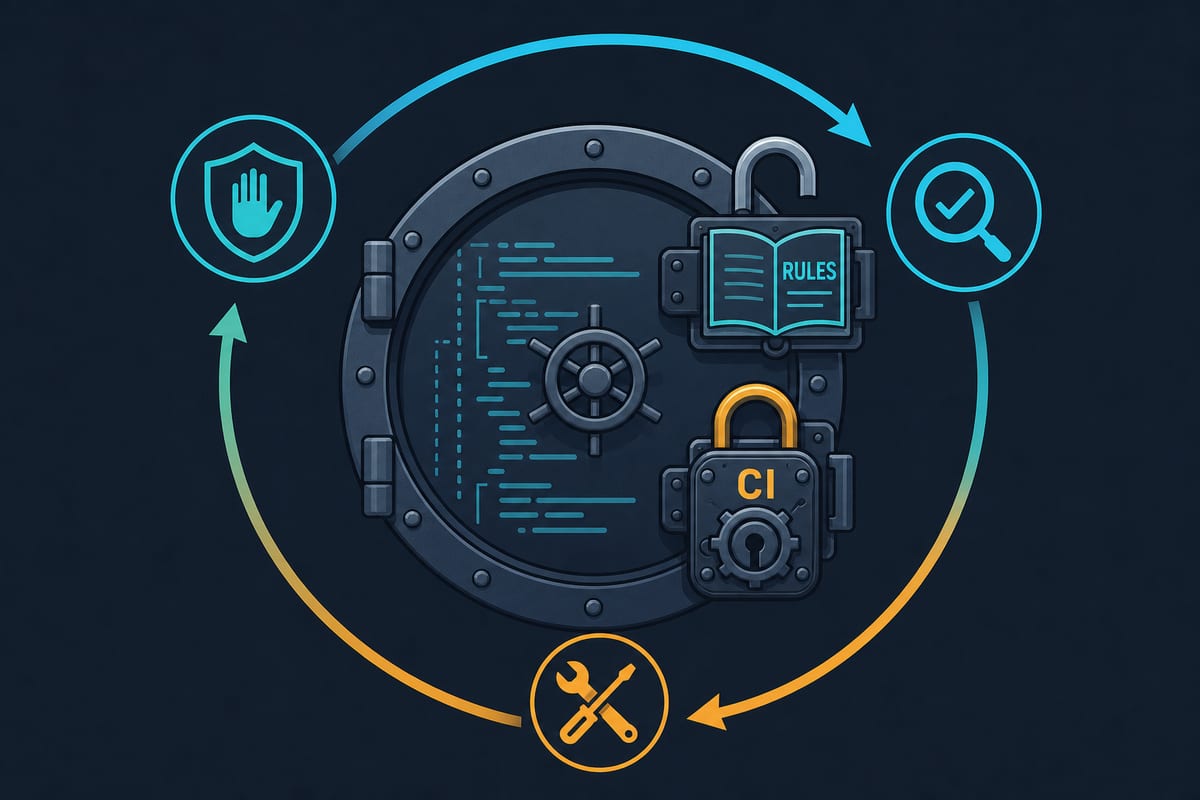
That is why more important rules should be paired with mechanical verification. Rules are the first lock; tools are the second.
| Rules (prevention at generation time) | Tools (verification at commit and CI time) |
|---|---|
| Never hardcode secrets | gitleaks pre-commit hook |
| No duplicated logic | A duplication detector such as jscpd |
| Enforce layer dependency direction | dependency-cruiser, eslint-plugin-boundaries |
| Definition of done (tests · type checks) | CI pipeline gate |
| Do not modify test files without authorization | Protect the test folder with CODEOWNERS |
| Code style | ESLint·Prettier·SwiftLint |
The power of this combination lies in the feedback loop. When a tool catches a rule violation, its error message is fed back to the AI, which refers to the rules file again and fixes the issue.
The prevent → verify → fix loop runs without human intervention. The principle from the previous article—“If people won’t read it, make the machine read it”—is complete when combined with rules.
Move anything enforceable with lint rules into lint. Ideally, the rules file should contain what tools cannot catch: verification procedures, design intent, and project context.
In practice: a 10-minute checklist for starting a project
Before starting vibe coding in a new project, do this first—before entering the first prompt.
- Create the rules file — five sections covering security, duplication, architecture, completion criteria, and scope. Copy the example above, adapt it to your project, and you’ll be done in 10 minutes.
- Commit the folder skeleton first — even empty folders establish the structure, and AI will follow its shape.
- Install a secret-scanning hook — gitleaks alone can prevent the worst incidents.
- Create .env.example — this signals at the codebase level that “keys go here.”
There’s one thing to remember during operation: if AI makes the same mistake twice, that’s not AI’s fault—it signals that the rule is missing from the rules file.
Strengthen the rules one line at a time after every incident. The rules file is not a document you write once and forget; it grows with the project.
Q. I heard that rules are followed less when the rules file gets too long—is that true?
A. Yes. Rules also consume context, so the longer the file gets, the less weight each individual rule carries.
Keep it slim based on “Must this always be followed?” and delegate anything tools can catch to those tools. In my experience, once it exceeds one screen—around 100 lines—it needs trimming.
Q. Is it still useful for a project that’s already spaghetti?
A. Yes, but the order is different.
First, have AI analyze the current structure and produce a draft rules file. Then state a gradual strategy explicitly: “New code must follow these rules, while existing code is fixed when touched.”
Q. Do I need to manage CLAUDE.md, .cursorrules, and AGENTS.md separately?
A. Usually, you write the content once and duplicate only the files.
Recently, some teams have started treating AGENTS.md as the standard source file and having other files reference it. If you use multiple tools, we recommend making AGENTS.md the single source of truth.
To summarize: if the previous article concluded, “Let AI handle the speed, and let me handle the judgment,” this article’s conclusion is:
Stop making the same decisions repeatedly. Turn each decision you make once into an explicit rule.
Reading code means discovering the thinking behind it; writing rules means preventing problems before they happen. Projects that maintain speed with vibe coding without falling apart have one thing in common: not flashy prompts, but well-developed rule files.
If the project you are working on today has no rule file, create the five sections above before asking it to implement the next feature.
The difference between rule files and memory features, along with what belongs where, is covered in detail in a separate article, so we recommend reading it as well.
References
- Claude Code Memory - Anthropic Docs
- Rules - Cursor Docs
- AGENTS.md - Standard for agent rule files
- AI Agent Failure Modes - NimbleBrain
- CLAUDE.md Rules: How to Cut AI Coding Mistakes - DEV Community