
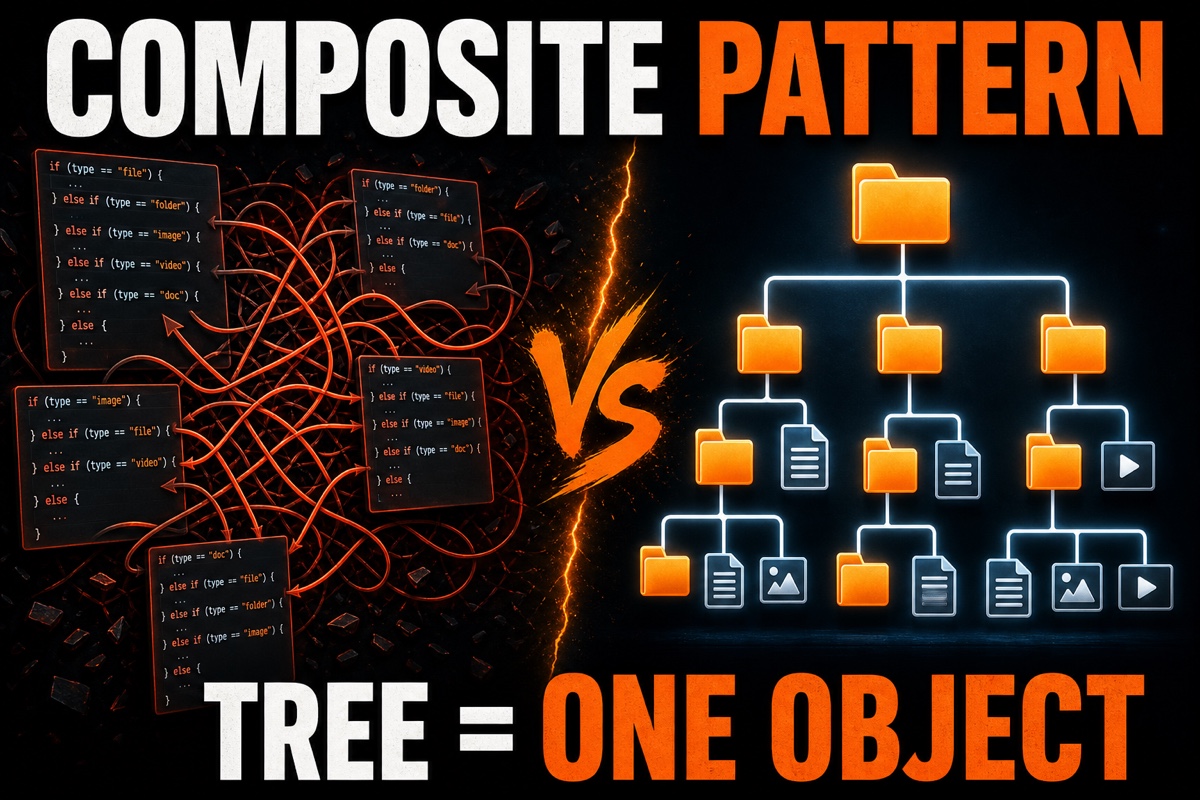
A folder inside a folder, with more files inside. If you’ve handled this kind of tree structure in code, you’ve probably felt stuck at least once.
If you keep splitting things with if to ask, “Is this a folder or a file?”, the code quickly becomes messy.
It’s a common nightmare when building something like a file explorer. The tool to reach for here is the Composite Pattern.
The Composite Pattern treats individual objects (files) and groups of objects (folders) as the same type, letting you handle the entire tree like a single object.
Today, I’ll walk through how to implement this pattern in Swift using code I wrote myself.
Key Summary First
- Composite Pattern = grouping leaves and composites under the same protocol
- The client calls them the same way without distinguishing files from folders
- Folder calculations use recursion by asking their children again
- In Swift, it can be implemented cleanly with just
protocol
What Is the Composite Pattern?
It means “composition” in the literal sense: combining small things into one larger unit.
The most familiar analogy is a file system.
A file is a leaf that ends on its own. A folder, on the other hand, is a branch that can contain files or other folders.
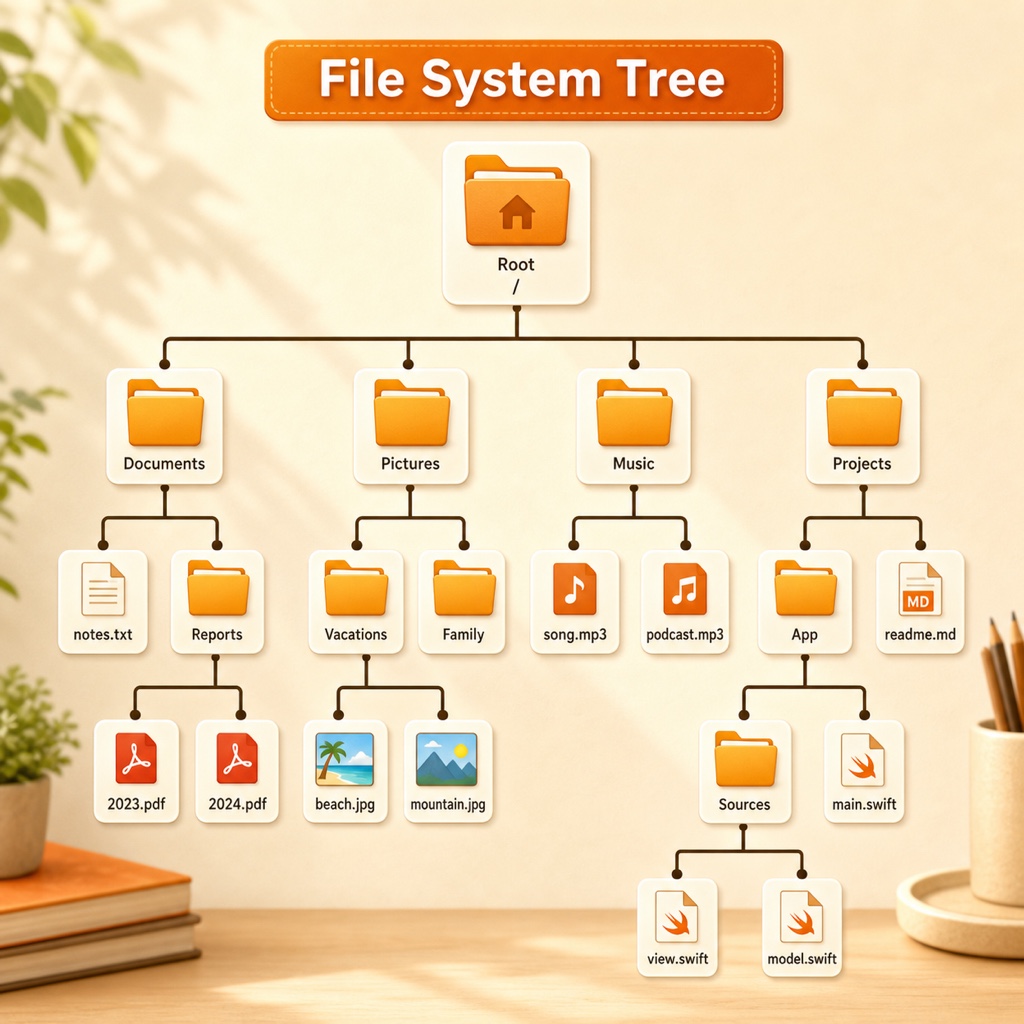
But the user’s perspective is different. Whether opening a folder or a file, we simply issue the command, “Open.”
The Composite Pattern aims to let us handle individual elements and groups in the same way.
The components fall into three categories.
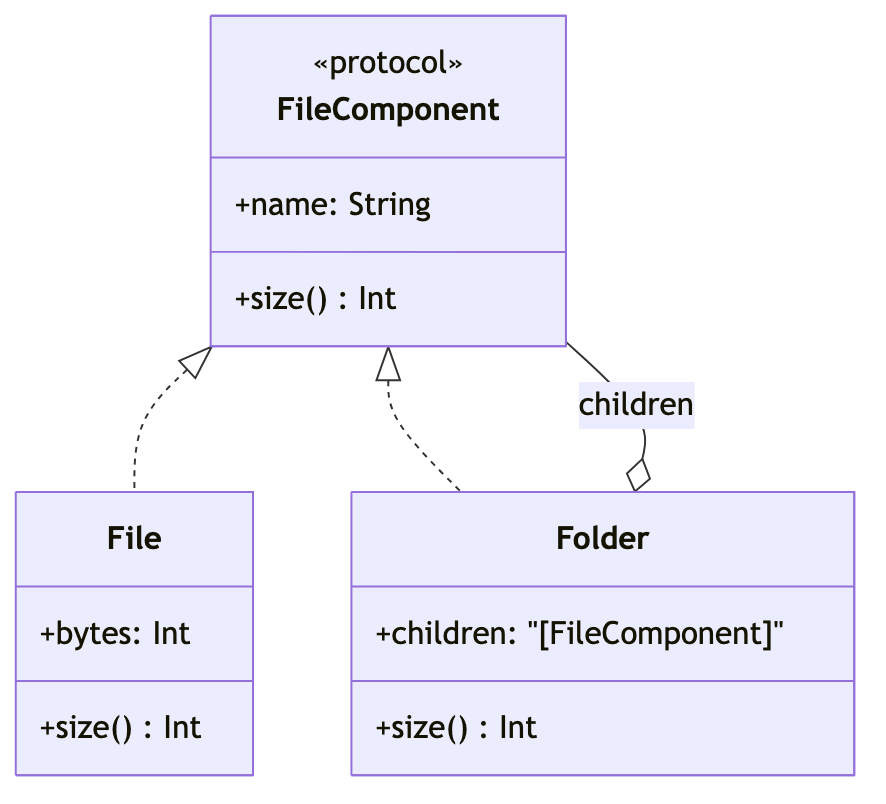
- Component: the shared interface (protocol)
- Leaf: a terminal object with no children (file)
- Composite: an object that contains children (folder)
How Do You Implement It in Swift?
First, define the shared protocol so you can ask for a name and size.
The following is the rule (Component) shared by files and folders.
protocol FileComponent {
    var name: String { get }
    func size() -> Int   // return the size in bytes
}
Here is the file corresponding to the leaf. It’s simple: just return its own size.
struct File: FileComponent {
    let name: String
    let bytes: Int
    func size() -> Int { bytes }  // return its own size as is
}
The key is the folder (Composite). It stores its children in an array and asks them for their sizes.
struct Folder: FileComponent {
    let name: String
    var children: [FileComponent] = []
    func size() -> Int {
        children.reduce(0) { $0 + $1.size() }  // sum the children recursively)
    }
}
The key point is that size() calls itself again, creating a recursive structure.
No matter how many layers of folders there are, this one line traverses everything down to the bottom.
What It Looks Like in Practice
Now let’s build a tree by mixing files and folders.
let root = Folder(name: "Documents", children: [
    File(name: "Notes.txt", bytes: 100),
    Folder(name: "Photos", children: [
        File(name: "Travel.jpg", bytes: 2000)
    ])
])
print(root.size())  // 2100 print
See? A single root.size() call sums the sizes of every file in the folder.
This was the part that impressed me most when I ran it myself.
The client code never asks, even once, “Is this a folder or a file?”
You just call size(). Each object handles the rest on its own.

How Is This Different from Handling It with Branching?
You may be thinking, “Can’t I just split the types with an if statement and handle them?”
You can. The difference becomes much larger as the tree gets deeper.
| Category | Branching (if/switch) | Composite Pattern |
|---|---|---|
| Type identification | Check manually every time | Not needed |
| Adding a new type | Modify branches in many places | Adopt the protocol |
| Recursive processing | Write traversal code yourself | The objects handle it |
| Code readability | More complex as depth increases | Remains consistent |
With branching, adding a new kind (such as a shortcut link) means adding if in multiple places again.
With Composite, creating one new type that adopts FileComponent is enough. Existing code stays untouched.
Frequently Asked Questions
Q. Do the leaf and branch interfaces have to be exactly the same?
Ideally, yes. But a function such as “add child” feels awkward for a file. In that case, keep only shared behavior (such as size) in the protocol and manage children only in folders.
Q. Can I use class instead of struct?
Yes, the example works perfectly well with a value type. However, if you frequently modify the tree and need to share references, class may be more convenient.
If tree structures have thrown you into if hell, try reaching for the Composite Pattern.
It works well anywhere with nested structures, including file systems, view hierarchies, menus, and organizational charts.
Paste today’s example into a Playground and run it as is—the idea will click.