
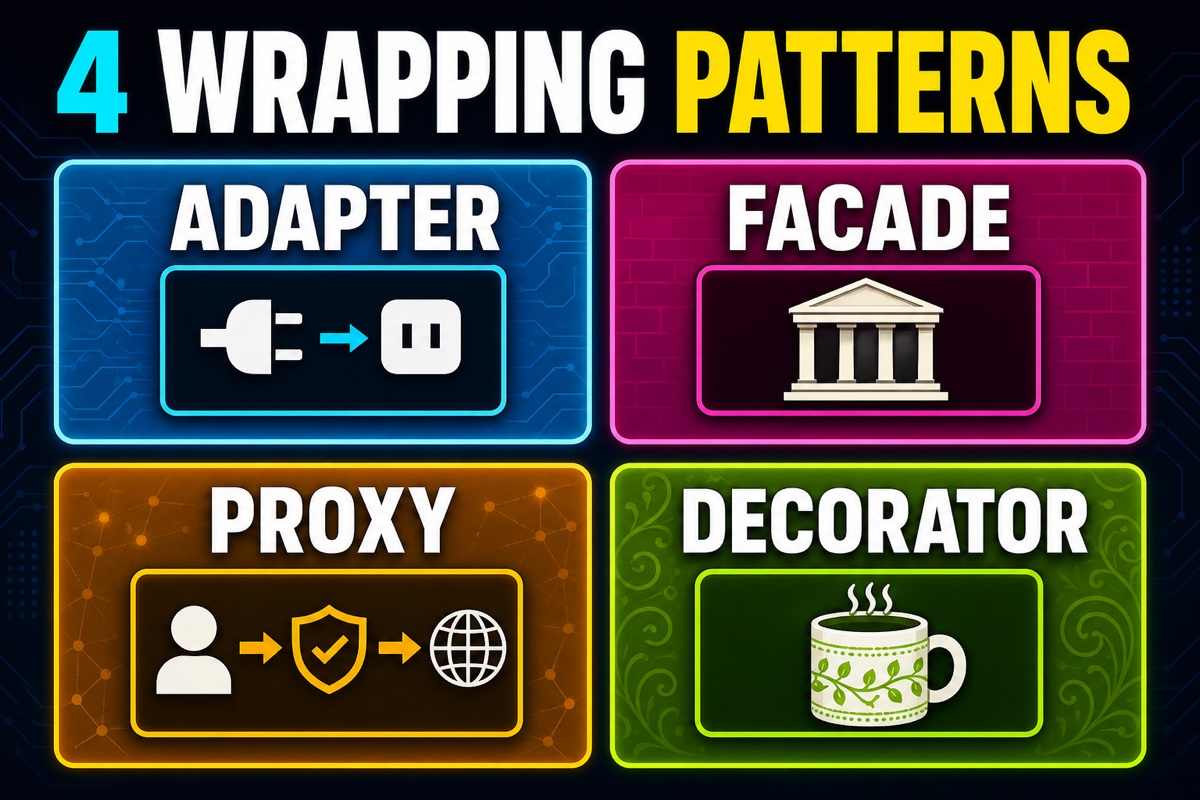
Why Are the Four Wrapping Patterns So Confusing?
When studying design patterns, you inevitably hit a frustrating wall.
Adapter, facade, proxy, and decorator. These four are easy to mix up.
It’s natural to think, “Don’t they all just wrap another object?” All four contain another object and stand in front of it, so they look similar on the surface.
That’s why many people memorize the names but still cannot tell them apart in code.
Here’s the key point.
All four patterns wrap objects, but they wrap them for different “purposes.”
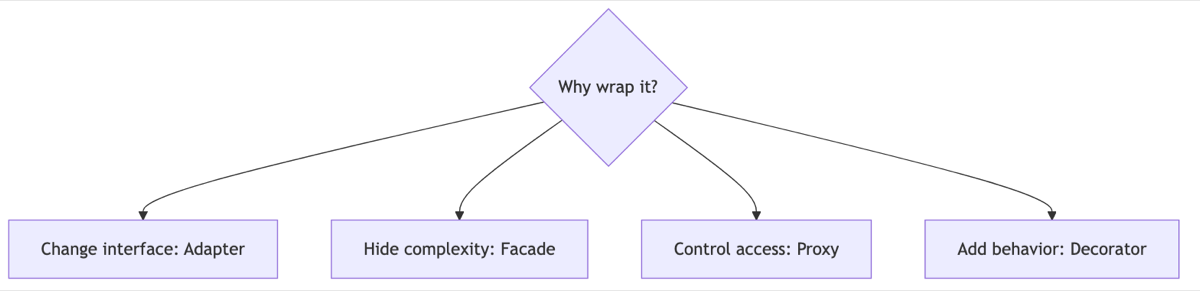
An adapter changes the interface, a facade hides complexity, a proxy controls access, and a decorator adds functionality.
Keep that one line in mind and the rest follows. This article separates the four siblings clearly so you can leave knowing exactly which is which.
If you need a concrete implementation after the comparison, continue with Wrapping a Legacy API with a Swift Adapter and Simplifying a Subsystem with a Swift Facade.
A Quick Comparison of the Four Siblings
Before explaining them in prose, let’s look at a table. I kept this table in front of my desk and checked it whenever I got confused.
| Pattern | Purpose | Interface | Wrapped target |
|---|---|---|---|
| Adapter | Makes an incompatible interface fit | Changes | Usually one |
| Facade | Provides a simple entry point to complex subsystems | Creates a new one | Multiple |
| Proxy | Controls, delays, or caches access to the original | Same | One |
| Decorator | Adds functionality to the original | Same | One |
The most important test is whether “the interface stays the same.”
Proxies and decorators have the same interface as the original, so clients do not need to know that something is wrapped.
Adapters intentionally change the interface, while facades create an entirely new entry point.
Adapter vs. Decorator: What’s the Difference?
This is the pair people confuse most often. The difference becomes obvious in code.
An adapter is a plug converter that makes an incompatible fit work. Yes, the kind that lets a 220V device plug into a 110V socket.
// The existing library only has legacyPrint(text:)
// When our code expects draw()
protocol Renderer { func draw() }

struct LegacyLabel { func legacyPrint(_ t: String) { print(t) } }

struct LabelAdapter: Renderer {
    let legacy: LegacyLabel
    func draw() { legacy.legacyPrint("Converted call") }
}

LabelAdapter(legacy: LegacyLabel()).draw()
// Output: converted call
The key is that the interface changes from legacyPrint to draw.
A decorator leaves the interface unchanged and layers on functionality—like adding an extra shot to coffee.
protocol Coffee { func cost() -> Int }

struct Americano: Coffee { func cost() -> Int { 4000 } }

struct ShotDecorator: Coffee {
    let base: Coffee
    func cost() -> Int { base.cost() + 500 }
}

ShotDecorator(base: Americano()).cost()
// Output: 4500
Both contain a base object, but the adapter changes names while the decorator enriches behavior. Their purposes are completely different.
What About Proxy vs. Facade?
A proxy has exactly the same interface as the original. It controls things in the middle.
For image loading, it does not load the real image immediately; it waits until the image is needed. That is lazy loading.
Caching, authorization checks, and logging are also common proxy responsibilities. Clients think they are calling the original, but they are actually calling a stand-in.
A facade is different. It does not wrap one object; it hides several objects behind it.
With a home theater, it bundles turning on the projector, turning on the speakers, dimming the lights, and starting playback into one watchMovie() call. One button works without exposing the internals.

In short, a proxy is “a gatekeeper at the same door,” while a facade is “a help desk that opens several doors for you.”
When to Use Them—and When to Avoid Them
Patterns are tools, so use them according to the situation. Forcing one into place only makes the code more complex.
| Situation | Choice |
|---|---|
| An external library’s interface does not fit | Adapter |
| You want a simple entry point to several complex modules | Facade |
| You need access control, lazy loading, or caching | Proxy |
| You want to compose and attach functionality flexibly | Decorator |
There are also clear cases where you should avoid them.
- If there is no reason to wrap something, adding a pattern just because you used one only adds layers.
- Stack too many decorators and debugging becomes hell: you can no longer track where a value changed.
- If a facade takes on too much, it becomes a giant blob itself.
I ask myself, “Which of the four purposes explains this wrapping?” If I cannot answer, I remove the pattern.
This Is How It Comes Up in Interviews
Q. Both proxies and decorators wrap objects with the same interface. How are they different?
A. Their purposes differ. A proxy controls, delays, or caches access to the original while leaving its functionality unchanged. A decorator keeps the original interface and adds functionality. Think of it this way: a proxy decides “whether to call,” while a decorator decides “what else to do after calling.”
Q. What is the difference between an adapter and a facade?
A. An adapter usually wraps one target to make an incompatible interface fit, while a facade wraps several subsystems and provides a simple new entry point. An adapter “translates” an interface; a facade “summarizes” one.
Wrapping Up
The difference between the four siblings comes down to one question: why are you wrapping it? To change, hide, control, or add to the interface?
With that question, you will no longer be confused in front of your code. Save today’s comparison table and keep it handy when you need it.