
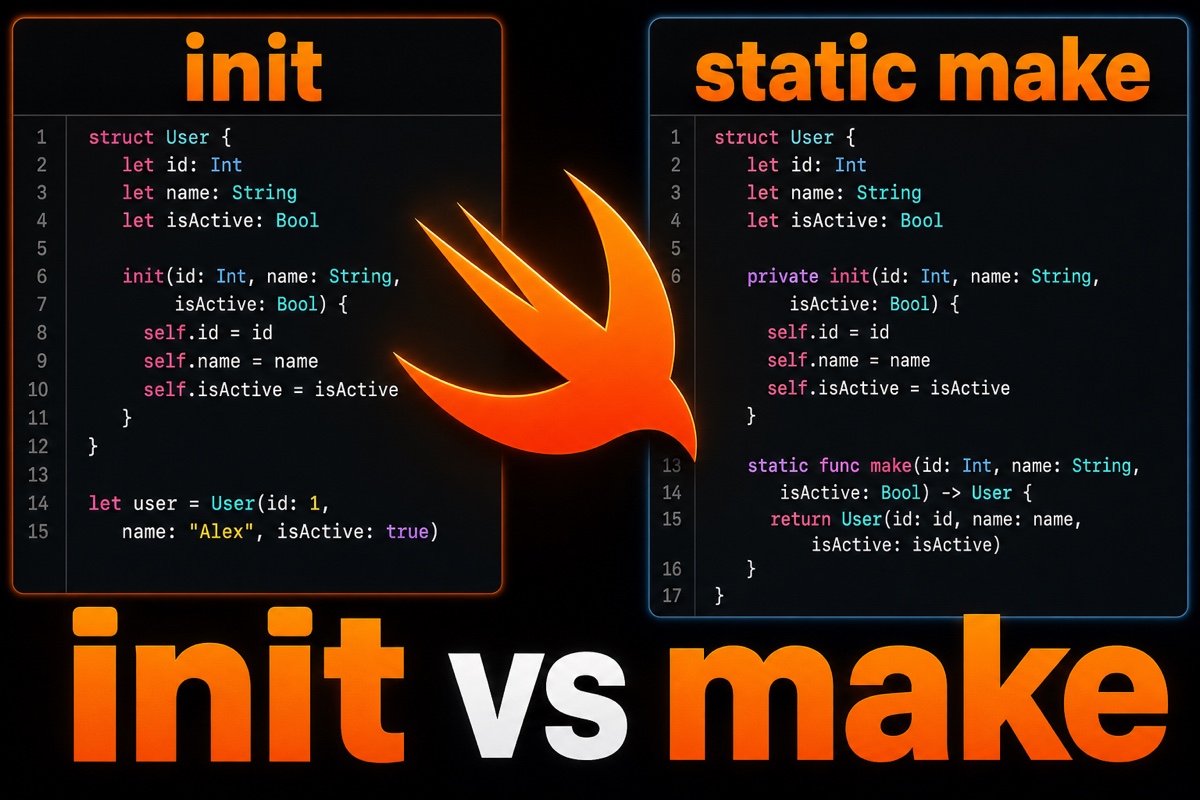
While developing for iOS, you may have encountered init(...) instead of static func make(...) in someone else’s code and wondered why.
Let’s start with the conclusion.
Swift static factory methods name the creation process, allow flexible return types, and control object reuse—an option when init alone feels limiting.
Today, I’ll explain from a practical perspective why you might use static func make instead of init.
The static factory in this article merely resembles the GoF Factory Method Pattern by name; in that pattern, subclasses decide how objects are created. More Swift examples are in How to separate creation logic with factory functions, and the GoF pattern’s boundaries are discussed in Factory Method vs. Abstract Factory.
What exactly is a static factory method?
The name sounds grand, but the concept is simple.
It’s a static method that creates and returns an object. Instead of calling a constructor directly, you add a function that wraps creation.
It looks like this.
struct Button {
    let title: String
    let style: Style

    // init wrapped in a static factory method
    static func makePrimary(title: String) -> Button {
        Button(title: title, style: .primary)
    }
}
The call site looks like this: Button.makePrimary(title: "확인").
The result is the same as calling Button(title:style:) directly. The difference is that the name reveals “which button is being created.”
This small difference matters quite a bit in production code.
4 reasons to use make instead of init
Here are the benefits I’ve noticed in real projects.
1. Reveal intent through the name
Every constructor has the same name: init. They differ only by parameter combinations.
Several similar init overloads can be confusing. Names such as make(fromJSON:) and make(withDefaults:) make the creation intent clear at a glance.
2. You don’t need to create a new object every time
init always creates a new instance when called.
A factory method can return a cached object or an existing singleton. For fixed values such as the true or false values of Bool, reuse is much more efficient.
3. Return types can be flexible
Personally, I find this the most powerful benefit.
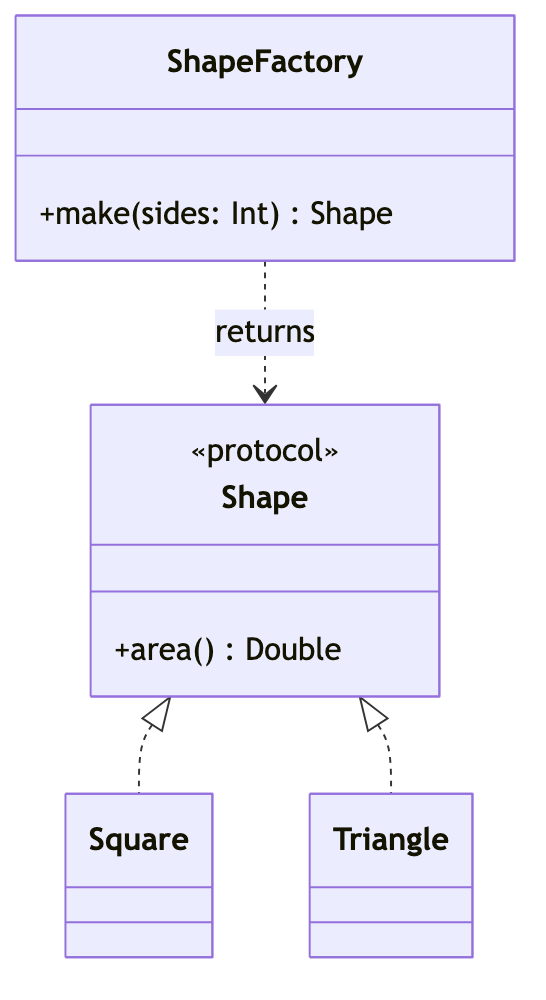
A factory method can return a subtype of the declared type or a protocol implementation. Callers do not need to know the concrete type.
protocol Shape { func area() -> Double }

enum ShapeFactory {
    // return different implementations based on conditions
    static func make(sides: Int) -> Shape {
        sides == 4 ? Square() : Triangle()
    }
}
make(sides:) has only Shape as its return type, but the implementation returned at runtime fits the situation.
4. Failures can be handled gracefully
You could use init? or throws, but a factory makes it easy to use an optional return value or wrap the result in Result. This keeps complex creation flows clean.

How does it differ from init? A quick comparison
Here’s a table to make the differences clear.
| Category | init (constructor) | static func make (static factory) |
|---|---|---|
| Name | Always fixed as init | Can be chosen freely |
| New instance | Always created | Reuse and caching possible |
| Return type | Only its own type | Subtype or protocol allowed |
| Failure handling | init? / throws | Flexible: optional, Result, and more |
| Downside | Names cannot distinguish cases | Subclassing constraints; lower discoverability |
Let’s also be honest about the downsides.
If a type has only a factory method and no public init, it is difficult to extend through inheritance.
Constructors appear directly in autocomplete, but make is easier to find when you know its name, so discoverability is lower. I recommend conventional names such as make, create, and from.
So when should you use it?
Here’s how I decide in practice.
- Just filling stored properties → use
init - Multiple creation paths that need distinct names → use
make - Returning different types based on conditions → use
make - Reusing or caching objects → use
make

In short, factory methods shine when creation becomes a decision process rather than simply “filling in values.”
But wrapping every creation in make makes code verbose. The key is to use it selectively.
It may feel unfamiliar at first, but once the intent clicks, code becomes more enjoyable to read. Try make next time you see a similar case—it should help 🙂