
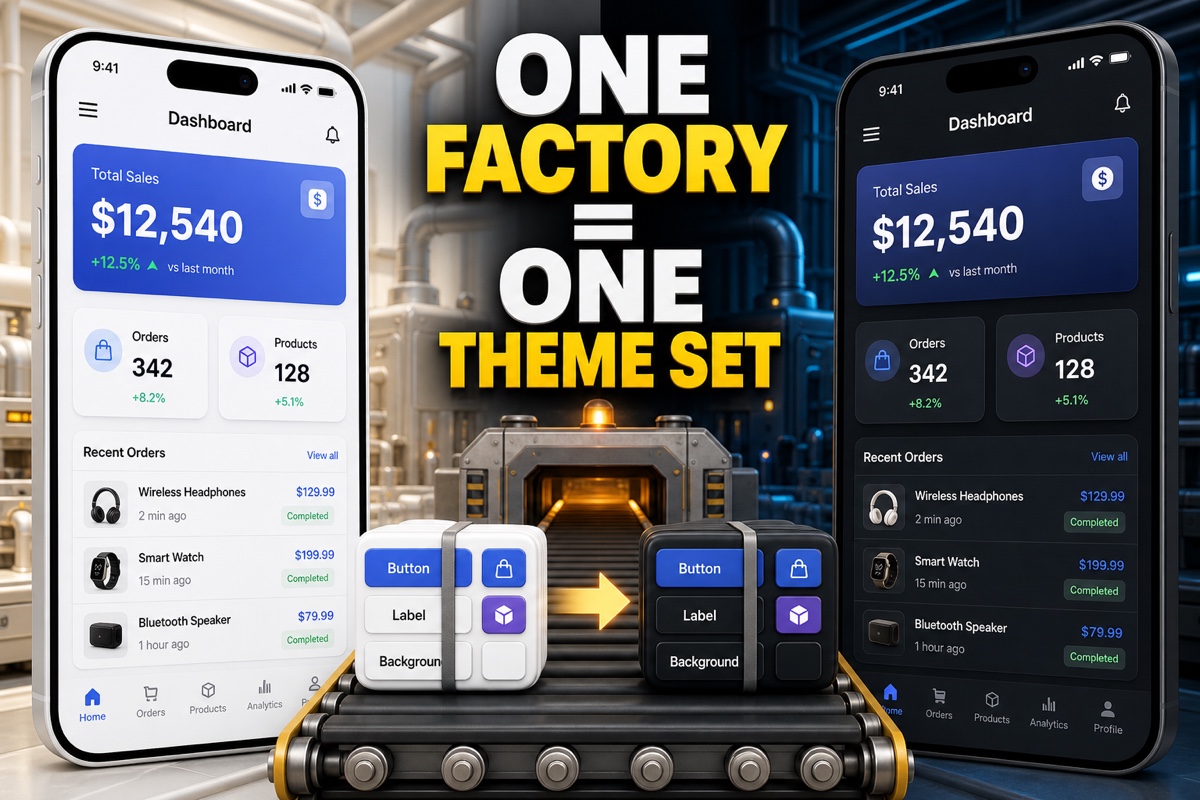
Have you ever switched an app’s entire UI theme from light to dark?
When you replace button and label colors one by one, something is bound to be missed. For example, the button may have a black background while the label keeps a white one.
That is exactly where Swift’s Abstract Factory Pattern fits. Group related objects into one set, then swap the entire set.
A pattern that changes the creation point for one object and a pattern that creates an entire product family have different scopes. If you want to define that boundary first, see Factory Method vs. Abstract Factory.
This article summarizes what the Abstract Factory Pattern actually solves, how to replace related objects as a set in Swift code, and when to use or avoid it.
What Is the Abstract Factory Pattern?
In one sentence:
It lets you swap the entire factory that creates compatible objects as a group, depending on the situation.
The key is “objects that must be used together.” Mixing a dark-theme button with a light-theme background would be a problem.
Abstract Factory prevents these composition mistakes.
Once you choose a factory, its parts are automatically compatible. Choose the light factory, and you get a light button, light label, and light background.
You choose the entire factory instead of selecting parts individually.
That is the whole idea behind Abstract Factory.
How to Swap Related Objects as a Set in Swift
The idea becomes much clearer in real code. Let’s use UI themes as an example.
First, define the contracts (protocols) for the parts to create and for the factory that produces them.
protocol Button { func render() -> String }
protocol Label  { func render() -> String }

// The factory owns the complete set of compatible parts
protocol ThemeFactory {
    func makeButton() -> Button
    func makeLabel() -> Label
}
Now create separate light-theme and dark-theme factories. Each factory produces only parts that match its theme.
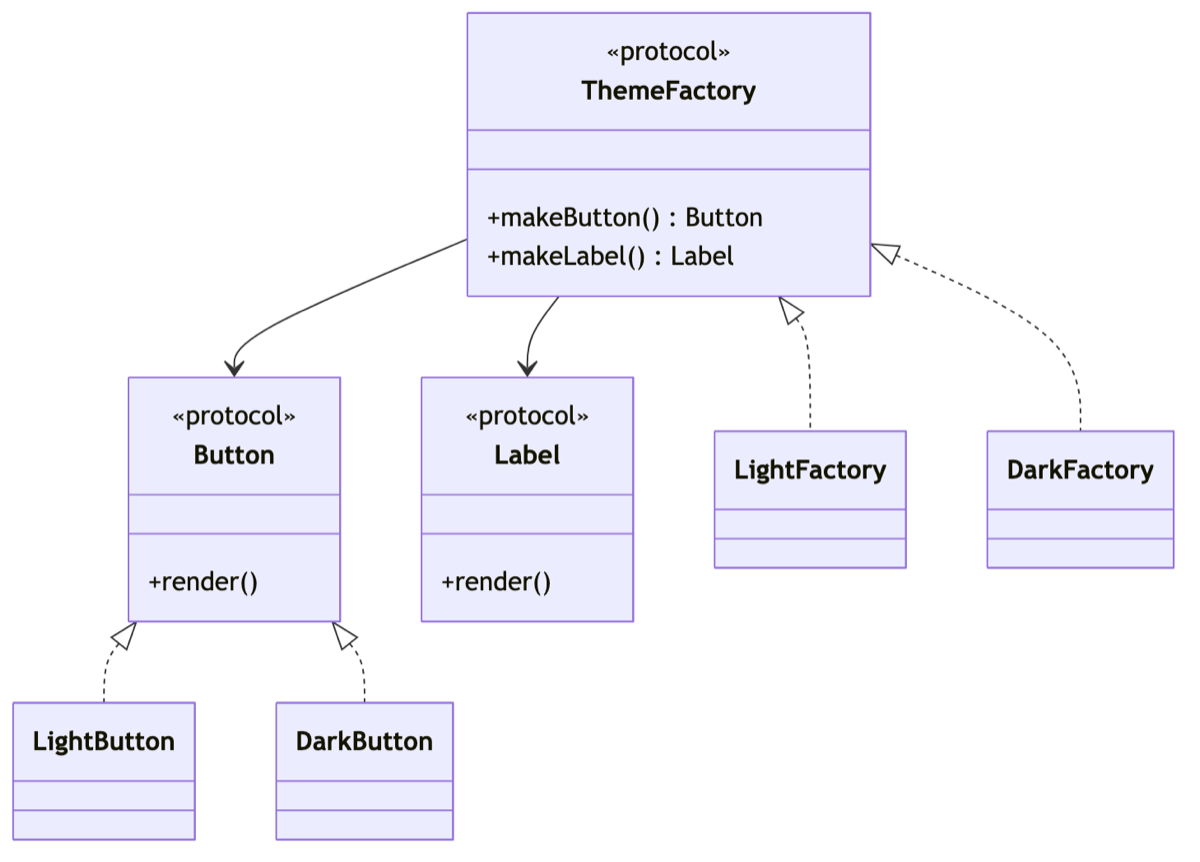
struct LightFactory: ThemeFactory {
    func makeButton() -> Button { LightButton() }
    func makeLabel() -> Label  { LightLabel() }
}
struct DarkFactory: ThemeFactory {
    func makeButton() -> Button { DarkButton() }
    func makeLabel() -> Label  { DarkLabel() }
}
The rendering code only needs to receive one factory. It does not care which factory it is.
func buildScreen(with factory: ThemeFactory) {
    let button = factory.makeButton()
    let label  = factory.makeLabel()
    print(button.render(), label.render())
}

// Changing the theme takes only one factory-line change
buildScreen(with: DarkFactory())
The moment you replace LightFactory() with DarkFactory(), the button and label switch to dark together.
You no longer need to fix the button and label colors separately.

How Is It Different from Factory Method?
The names are similar and easy to confuse, so let’s clarify the distinction.
| Category | Factory Method | Abstract Factory |
|---|---|---|
| What it creates | One kind of object | Several related kinds of objects (a set) |
| Focus | “What should we create?” | “Group compatible objects together” |
| Typical example | Creating one button | A button, label, and background as one set |
Simply put, Factory Method is a way to create one part, while Abstract Factory groups those parts into one set.
It is fair to think of Abstract Factory as containing several Factory Methods.
When to Use It—and When to Avoid It
After using it firsthand, I found a clear divide between situations where it fits and situations where it is overkill.
Good fit
- When the thing that changes is clearly a “set,” such as a theme, platform, or country
- When an entire UI component family must be swapped, such as between iOS and macOS
- When payment methods or database drivers need to be replaced as complete sets
Overkill when
- When there are only one or two kinds of objects to create
- When composition rules change often, making the set itself unstable
If there is only one object but you introduce Abstract Factory, the code gets longer and harder to read.
Use it when there is a clear reason to group objects into a set.
Two Frequently Asked Questions
Q. What if I need to add a new part type later?
Add a method to the protocol and implement it in every factory. This becomes laborious when there are many factories, so consider it in advance if part types are likely to grow frequently.
Q. Is it used with SwiftUI too?
Of course, but SwiftUI already provides injection mechanisms such as Environment and @Observable, so those are often more concise for themes. Abstract Factory is more useful with UIKit or when a pure logic layer needs set-level replacement.
Abstract Factory is ultimately a pattern for giving one handle to things that must not operate independently.
Once you experience an entire screen falling into place after changing the theme in one line, the reason to use this pattern becomes obvious. Try translating a small example into code yourself.