
![Cover image for [iOS Architecture #2] MVVM and Binding: Key Takeaways](/assets/images/posts/f493544a-c1fe-4846-88cc-edd9a3879c4c/1.jpg)
In the previous article, we covered why Massive View Controllers emerge. Because a view controller serves as both View and Controller, all code with nowhere else to go ends up there.
The most widely used solution is MVVM (Model-View-ViewModel). Yet many codebases that claim to use MVVM look like this: a class named ViewModel, while the view controller still pulls out each value and applies it to the UI.
Today, let’s clarify the ViewModel’s actual role and why MVVM without binding is only half an implementation.
A ViewModel Is a Factory for Screen State
MVVM’s three axes are divided as follows.
- Model: Data and business logic (same as MVC)
- View: Displays the UI. In iOS, both UIView and UIViewController belong here
- ViewModel: Transforms Model data into a form suitable for display and holds the screen’s state
There are two key points.
First, in MVVM, UIViewController belongs on the View side. The view controller’s ambiguous position from the previous article is firmly classified as View. It only draws the screen and delegates all decisions to the ViewModel.
Second, the ViewModel must not know about UIKit. That means import UIKitthere should be no UIKit dependenciesDate. Receiving a Date and converting it to a string such as “3 minutes ago,” or tracking whether loading is in progress with a Bool, is the ViewModel’s job. Deciding which UILabel receives that string belongs to the View.
This separation lets you test the ViewModel without a screen. You can verify, using pure logic and no UIViewController, that “an empty post list shows an informational message.”
Why Is It Only Half-Complete Without Binding?
If you stop here, the code looks like this.
// “MVVM in name only” without binding MVVM"
final class ProfileViewController: UIViewController {
    let viewModel = ProfileViewModel()

    func refresh() {
        viewModel.load()
        nameLabel.text = viewModel.displayName   // Read values directly
        statusLabel.text = viewModel.statusText  // Apply them one by one
        emptyView.isHidden = !viewModel.isEmpty
    }
}
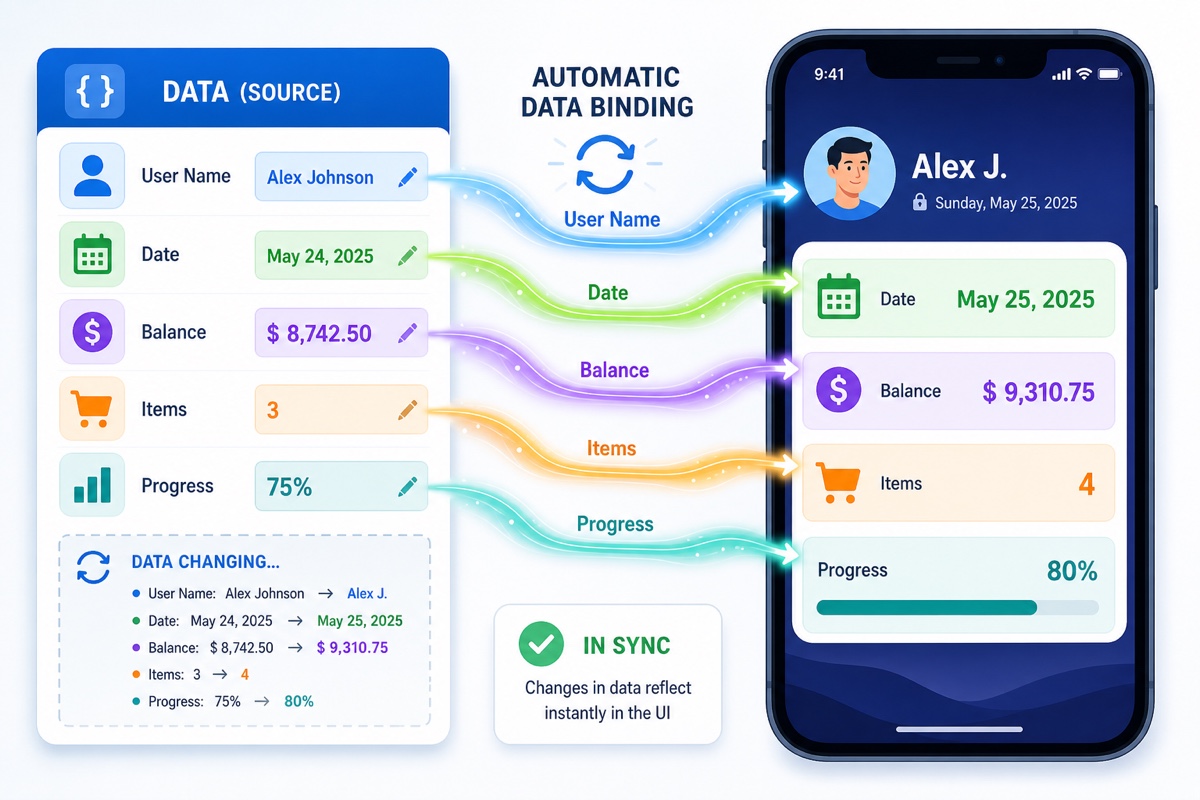
Whenever the ViewModel’s state changes, the view controller must remember to call refresh(). Miss even one invocation timing, and the UI and state drift apart. You moved the state, but the “responsibility for synchronizing state and UI” still remains in the view controller.
This is why MVVM was designed around data binding from the beginning when it was born in Microsoft’s WPF. It is only complete when “the View updates as the ViewModel changes” is guaranteed automatically.
Bind with Combine in UIKit
UIKit has no built-in binding, so attaching Combine is close to the standard approach.
final class ProfileViewModel {
    @Published private(set) var displayName = ""
    @Published private(set) var isLoading = false

    func load() { ... }  // On completion, @Published  update the value
}

final class ProfileViewController: UIViewController {
    private var cancellables = Set<AnyCancellable>()

    override func viewDidLoad() {
        super.viewDidLoad()
        viewModel.$displayName
            .assign(to: \.text!, on: nameLabel)
            .store(in: &cancellables)
        viewModel.$isLoading
            .sink { [weak self] in self?.spinner.isAnimating = $0 }
            .store(in: &cancellables)
    }
}
Once the subscription is set up, the UI follows regardless of when or how the ViewModel changes. The question “When should I call refresh?” disappears entirely.
In SwiftUI, this binding is built into the language. When a View simply reads a property on an object marked with @Observable, that View automatically redraws when the value changes. You do not even need subscription code.
The Massive ViewModel Trap
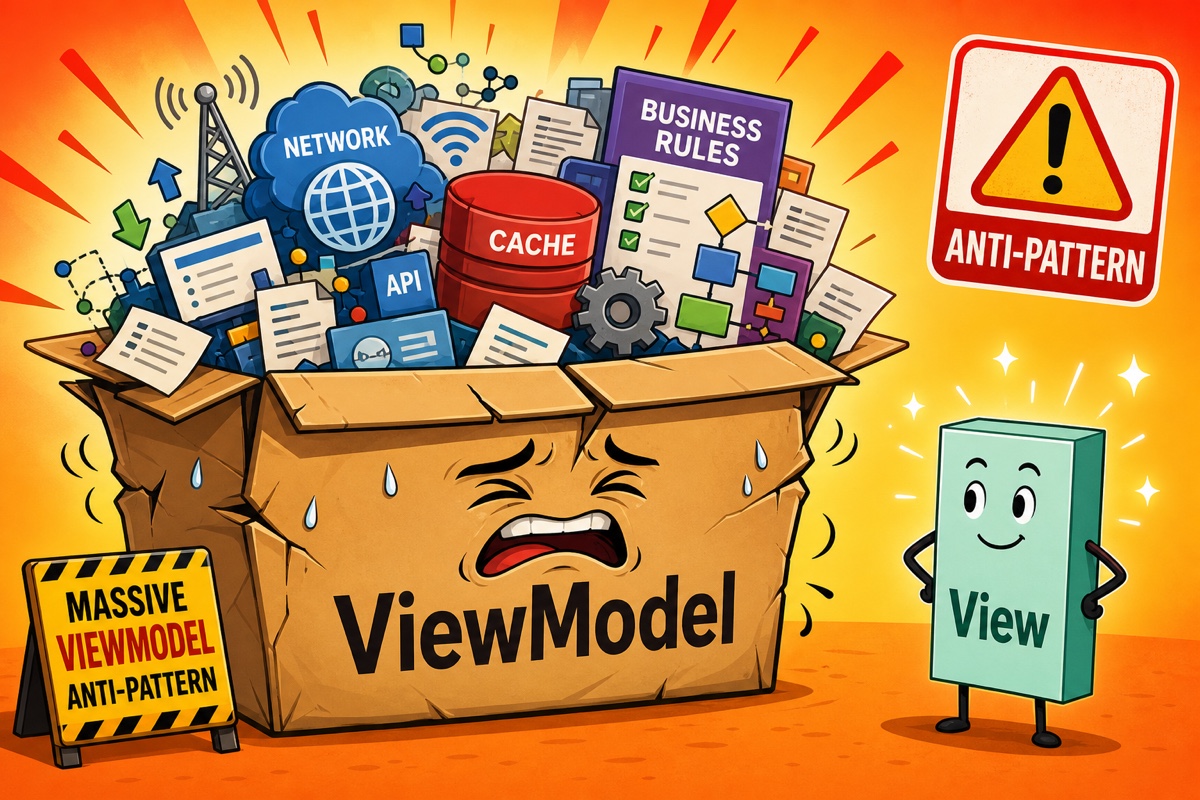
A few months after adopting MVVM, you encounter a new problem: the ViewModel becomes bloated. If network requests, caching, and business rules all go into the ViewModel, you have only moved the monster.
The ViewModel’s role is strictly presentation logic (transforming screen state). Data fetching belongs in a Repository or Service, and business rules should move down to the Model layer. MVVM separates the View from the rest; it does not tell you to put everything else in the ViewModel.
Summary
- A ViewModel transforms Model data into screen-ready state and must not know about UIKit. That is what makes testing without a screen possible.
- If you move only the state without binding, synchronization responsibility remains with the view controller. MVVM is complete only with binding.
- In UIKit, Combine handles binding; in SwiftUI, @Observable does.
- Put all logic in the ViewModel and you get a Massive ViewModel. Limit it to presentation logic.
In SwiftUI, however, the View itself declaratively reflects state, so the claim that “a ViewModel is unnecessary” is gaining traction. We will address this debate directly in the next article.
Further Reading
- [iOS Architecture #5] Why large apps adopted and abandoned iOS VIPER architecture (including RIBs)
- [iOS Architecture #4] MVP vs. MVVM: What is the difference between Presenter and ViewModel? (Interview prep)
- [iOS Architecture #8] Guide to choosing an iOS architecture by team size, app lifespan, and state complexity