
![Cover image for [iOS Architecture #3] Does SwiftUI Need ViewModels? A Complete Debate on MV Patterns](/assets/images/posts/7bedf164-d196-4a13-815a-c43b2968f9f4/1.jpg)
The iOS community has been debating a hot topic for years.
“Does SwiftUI need ViewModels?”
In the previous article, we concluded that binding is the core of MVVM. SwiftUI has binding built into the framework. This led to the argument that the ViewModel layer itself is redundant. This is the MV (Model-View) pattern camp.
In this final article of the series, we will examine both sides fairly and summarize the criteria you can actually use to decide.
SwiftUI Views Already Resemble ViewModels
Looking back at why UIKit needed MVVM, the reasons are straightforward.
- UIViewController became bloated, so state and logic needed to move out.
- Binding was needed to synchronize state with the UI.
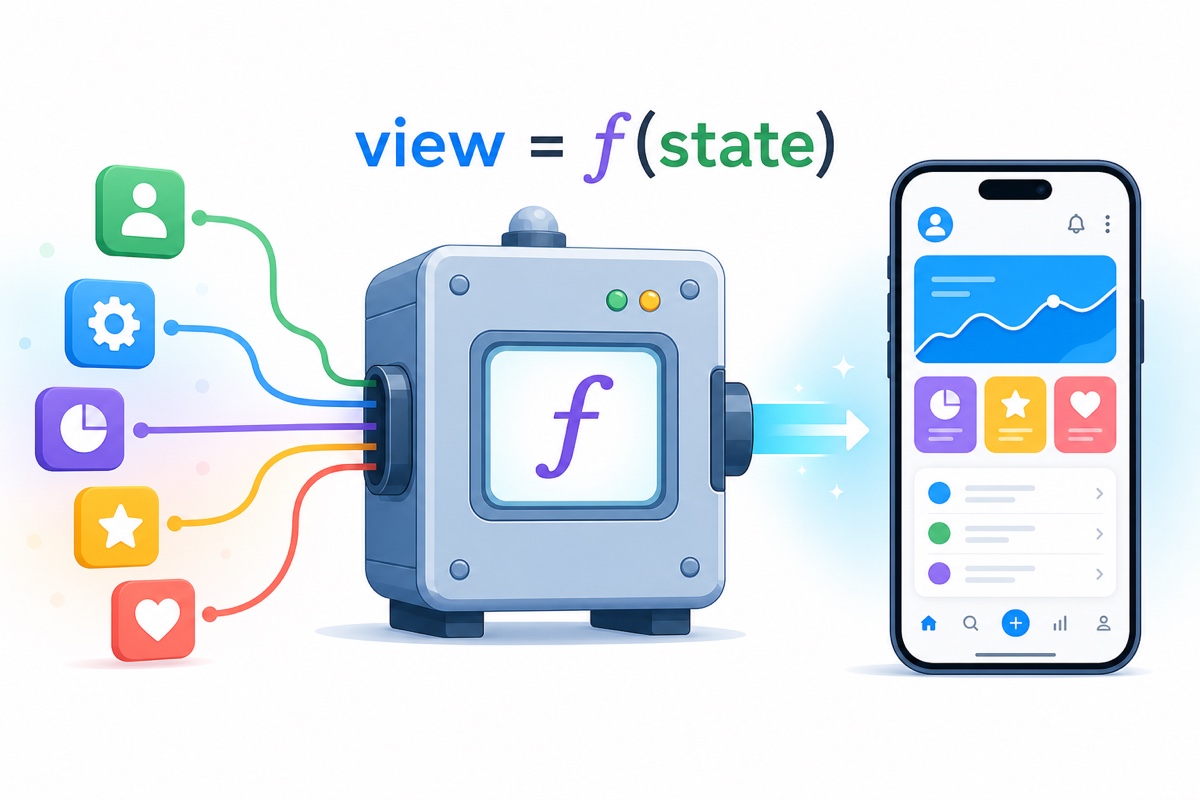
SwiftUI’s View, however, is inherently a function of state. bodyIt only takes state and returns a view declaration, and when @State the value changes, the framework redraws automatically. There is no need to write Combine subscription code for binding.
Moreover, a SwiftUI View is a value-type struct, not a class. Rather than a lifecycle-heavy object that can grow to thousands of lines like UIViewController, it is closer to a lightweight blueprint recreated for each render.
This is where the MV camp starts: if Views do not become bloated and binding is free, isn’t creating a ViewModel class for every screen just carrying UIKit habits forward by inertia?
The MV Argument
With MV, each screen has no ViewModel; the View uses state-management tools directly.
- State confined to one View goes
@Statethere - State shared by multiple screens is injected as
@Observablea model@Environment - Stores or clients in the Model layer handle server data.
struct ProfileView: View {
    @Environment(UserStore.self) private var store
    @State private var isEditing = false

    var body: some View {
        List(store.posts) { PostRow(post: $0) }
            .task { await store.loadPosts() }
    }
}
Apple’s official sample code, such as Fruta and Food Truck, generally follows this structure. Instead of screen-specific ViewModels, multiple Views share one domain-level @Observablemodel.
The benefits are clear: boilerplate from creating one class per screen disappears, and framework tools such as @State and @Binding can be used directly.
The MVVM Counterargument
The opposing arguments are substantial too.
First, logic seeps into the View. When conditions such as “show an informational message if there are zero posts, loading has finished, and there is no error” start piling up as ternary operators inside body, the code is still hard to read even as a value type.
Second, testing. A View’s body is difficult to execute in unit tests. When presentation logic lives in the View, it also falls into a testing blind spot. Extracting it into a ViewModel makes it a plain Swift object that can be verified directly.
Third, scale. In an app with dozens of screens and several developers, consistent rules are needed for where state and logic live. Having a defined place called ViewModel for each screen can reduce collaboration costs.
Dependency Direction, Not Names
Looking at both arguments, this debate is really about where logic and state live, rather than whether a class called ViewModel exists. Using this as the criterion resolves most cases.
- UI state confined to one View, such as toggles, focus, and sheet presentation, belongs
@Statein the View. Extracting it into a ViewModel is overengineering. - Domain state shared by multiple screens should be created as
@Observablea model and injected. Whether you call it a Store or a ViewModel, the essence is the same. - When screen-specific transformation logic becomes complex—formatting, display conditions, sorting, and filtering—extract it into a testable type outside the View. That is effectively a ViewModel.
- Either way, as long as you maintain the dependency direction so that the View does not access the network or database directly, MV versus MVVM is largely a difference in naming.
Ultimately, “SwiftUI does not need ViewModels” can be summarized as follows: You do not need to create a ViewModel mechanically for every screen. But that does not mean the logic that should leave the View disappears.

Series Summary
Here is the three-part iOS architecture series compressed into one line per topic.
- MVC: UIViewController combines View and Controller, concentrating responsibilities. It is still effective for small screens.
- MVVM: Move screen state into a ViewModel and synchronize it through binding. Without binding, it is only half an architecture.
- The MV debate: SwiftUI has built-in binding, so there is no reason to mandate a ViewModel for every screen. However, the placement of logic and dependency direction still require design.
Architecture is not a trend; it is a trade-off chosen to fit the team and app’s scale. If there is enough interest, we will also cover heavier options such as VIPER and TCA.