
![Cover image for [AI Guide #7] Can You Use AI at Work? Privacy, Secrets, Copyright](/assets/images/posts/0cc740b6-2866-4052-aec3-5bef2135e0fe/ai-at-work-safety-1.jpg)
Throughout this series, I urged you to attach materials. This time, we apply the brakes. Can you paste company documents into AI? Customer lists? Can you use AI-written copy directly in ads? This is not legal advice; it is a practical guide to the boundaries every general user should know.
What Happens to My Input?
The concern that “anything put into AI will leak” is half exaggerated and half real. More precisely, there are two possible paths.
Path 1: use in training. Many consumer AI services may use conversations for model improvement (training) by default. This does not mean your exact sentence suddenly appears to another user, but the possibility is enough to concern companies. Fortunately, ChatGPT, Claude, and Gemini all offer settings to disable training use. If you use AI for company work, check this first. Disabling it cannot undo content already submitted.
Path 2: account or service incidents. Regardless of training, conversation histories are stored on servers. If your account is hacked, those histories can be exposed too. In 2025, one sharing-link setting even led to thousands of conversations being indexed by search engines; that feature was later removed. This is not a risk caused by “AI,” but by “cloud services.” Manage it like email or cloud storage.
Enterprise plans such as ChatGPT Enterprise and Claude for Work typically contractually guarantee that data is not used for training. Company-approved AI and AI on a personal account have different security levels.
Three Filters Before You Paste
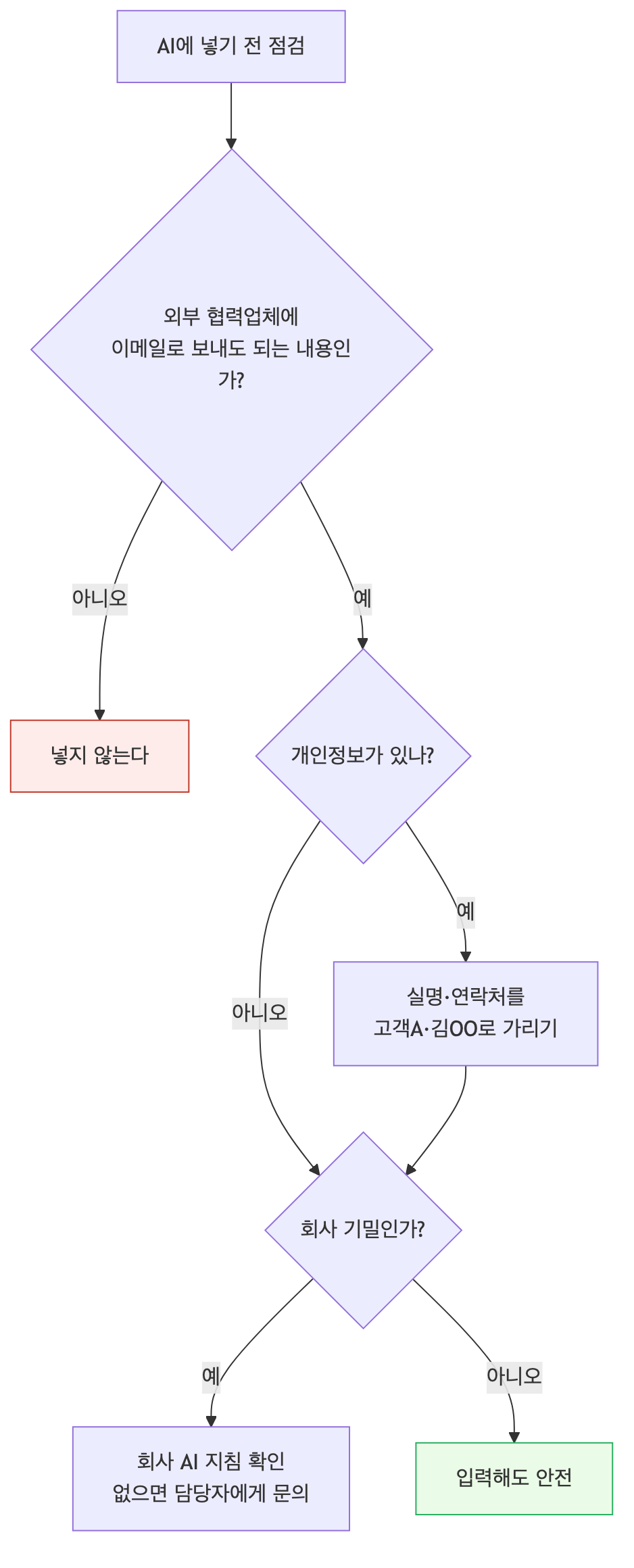
Even after changing the settings, filter your input first. The rule is simple: only enter content safe to email to an external contractor.
1. Redact personal information. Uploading files containing customers’ real names, contact details, or national ID numbers is risky. Sending customer data to an external server may violate privacy law. Replacing them with “Kim OO” or “Customer A” barely changes the work output.
2. Follow company policy for confidential information. Unreleased results, new-product specifications, source code, and contract terms are governed first by your company’s AI guidelines. If none exist, that does not mean “use it freely”; it means “the rules are not settled.” Ask your manager or security team. Making that request also protects you.
3. Be careful with other people’s copyrighted works. Uploading a paid ebook or a full subscriber article for summarization is not copyright-clean. Personal reference and company use carry different weight.
Who Owns AI-Generated Work?
There is also the issue in the opposite direction: rights in text and images produced by AI.
From a copyright-registration perspective. Current practice in both Korea and the United States takes the same view: an output created by AI without human creative contribution is unlikely to qualify as a copyrighted work. The parts a person creatively edits or transforms may be protected. Put simply, it is difficult to claim “exactly as AI generated it” as your own creation.
From an infringement-risk perspective. The more practical risk is here. AI output may accidentally resemble an existing work. If you use it commercially as-is and trouble follows, the user bears responsibility. Images prompted in a specific artist’s style and copy resembling famous phrases are especially risky.
The practical rule is this: use internal documents, drafts, and materials freely, but for public or commercial content, have a person review and refine the AI output before publishing. The process is necessary for quality anyway.
Responsibility Never Passes to the Tool
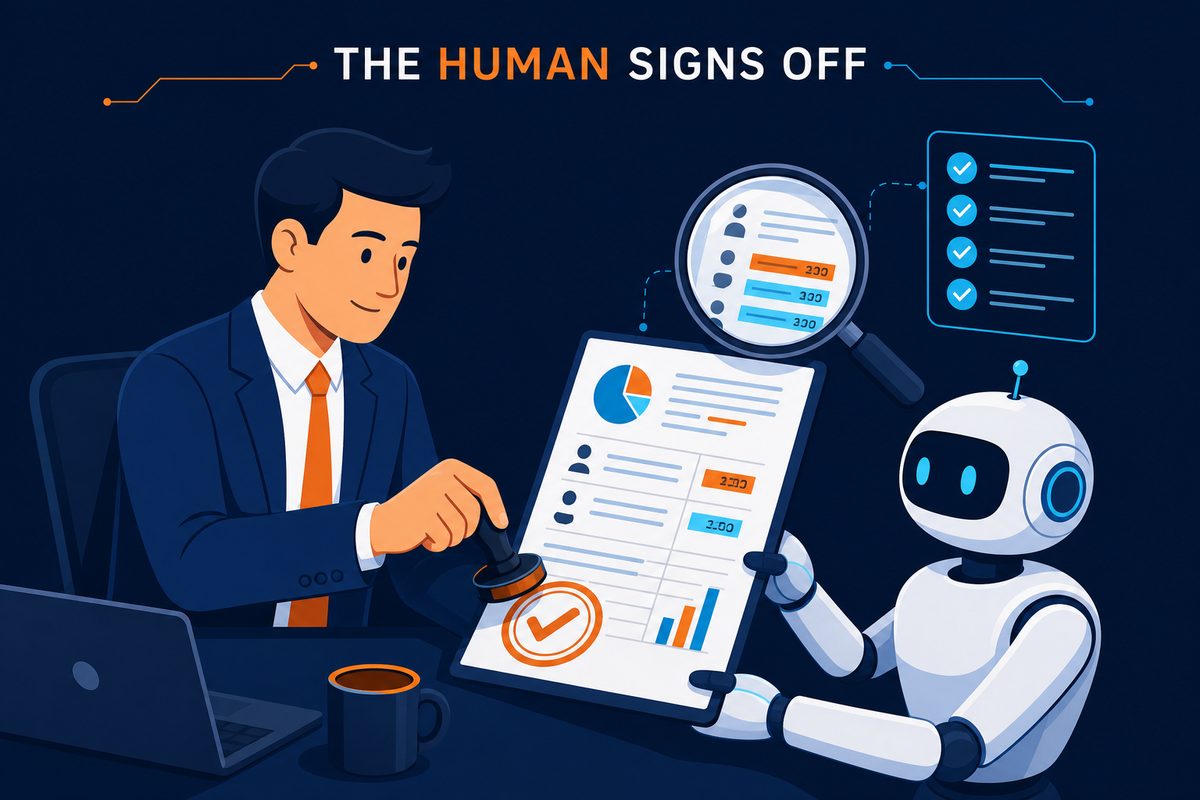
Finally, the most important principle: even if an AI ruins a report with incorrect figures, responsibility belongs to the person whose name is on the approval line. No organization accepts “the AI said so” as an excuse.
That is why hallucination checks, covered in Part 2, are mandatory at work rather than optional. Verify numbers, dates, names, laws, and quotations against the original before publishing. AI can make drafting ten times faster; it cannot assume review responsibility for you.
Summary
- First, disable “use conversations for training” in settings. Company-approved AI and personal accounts have different security levels.
- One rule: if you cannot email it to an external contractor, do not enter it into AI.
- Pseudonymize personal data, follow company guidance for secrets, and be cautious when entering others’ copyrighted works in full.
- Have people review and transform AI output before public or commercial use. Responsibility always remains with people.
That concludes “how to use today’s AI safely and intelligently.” The final installment looks slightly ahead. The era of AI agents that take on entire tasks, beyond answering questions, has already begun. We will wrap up the series in the next installment with a complete recap.