
If you’ve grown an iOS app beyond the basics, you’ve probably encountered this moment.
A screen has five or six views: when A changes, B must change too, and when B changes, C needs updating.
Before long, the views directly reference one another and become tangled like a ball of thread.
That’s exactly what the Mediator pattern helps organize.
The Swift Mediator pattern lowers coupling by making objects communicate only with a Mediator instead of referencing one another directly.
This article explains what the Mediator pattern is, when to use it, and how to implement it in Swift with example code.
What Is the Mediator Pattern?
In one sentence:
Place a Mediator between objects that need to communicate and route every conversation through it.
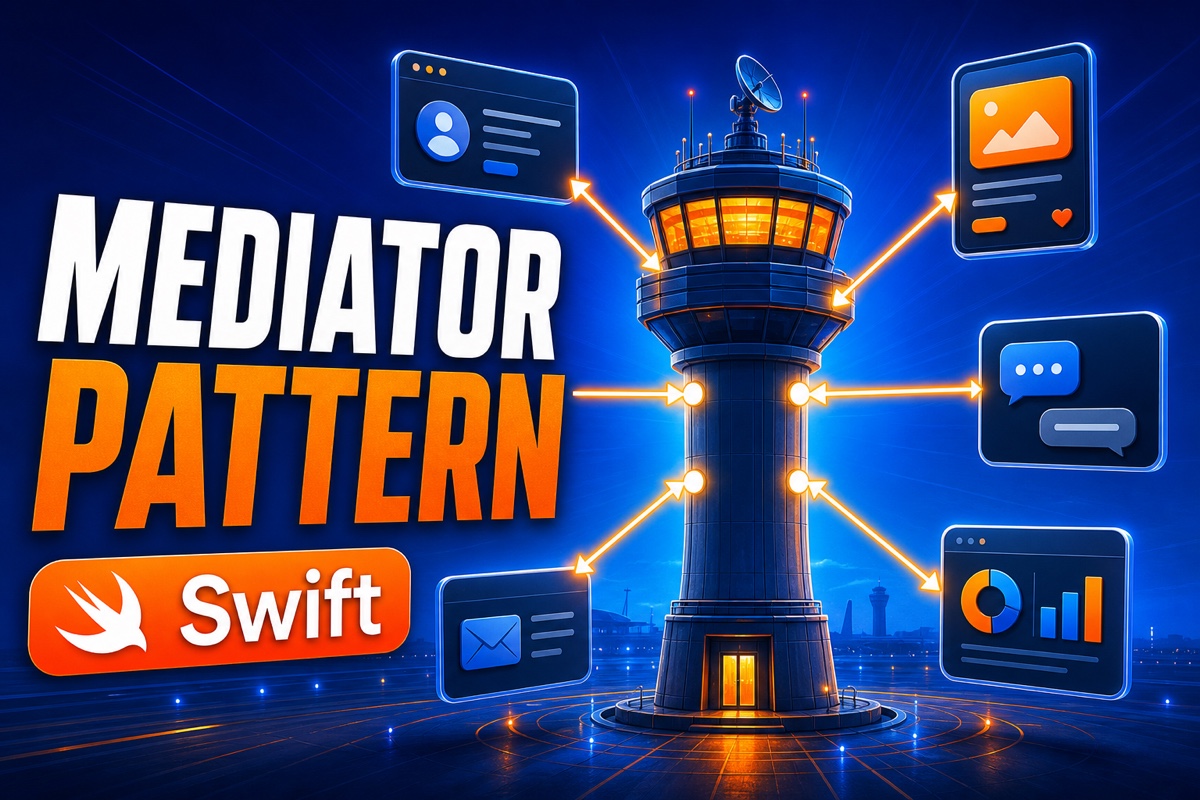
Think of an airport control tower.
If airplanes radioed one another saying, “You land first” and “I’ll go first,” it would cause a major accident.
So every airplane talks only to the control tower, which organizes the order.
The airplanes are the objects in our code, and the control tower is the Mediator.
The Mediator pattern addresses three core concerns:
- Remove direct references: Object A no longer needs to know B, C, and D individually
- Centralize communication logic: Complex interaction rules are gathered in one Mediator
- Improve reusability: Independent objects are easy to reuse on other screens
When Should You Use the Mediator Pattern?
It isn’t ideal for every situation. I consider it when I see signals like these.
When objects know too much about one another—opening one class reveals a long chain of references to other objects.
Another signal is needing to modify several connected objects at once to change a single piece of logic.
Typical use cases include:
| Situation | Example |
|---|---|
| Complex screen UI | Several buttons and labels react in sequence to form input |
| Component coordination | Relaying messages among chat-room participants |
| Workflow control | Managing view state at each payment step |
Conversely, if there are only two or three objects with simple relationships, it’s better not to use it.
The Mediator can grow unnecessarily large and turn into a God Object.
How Do You Implement the Swift Mediator Pattern?
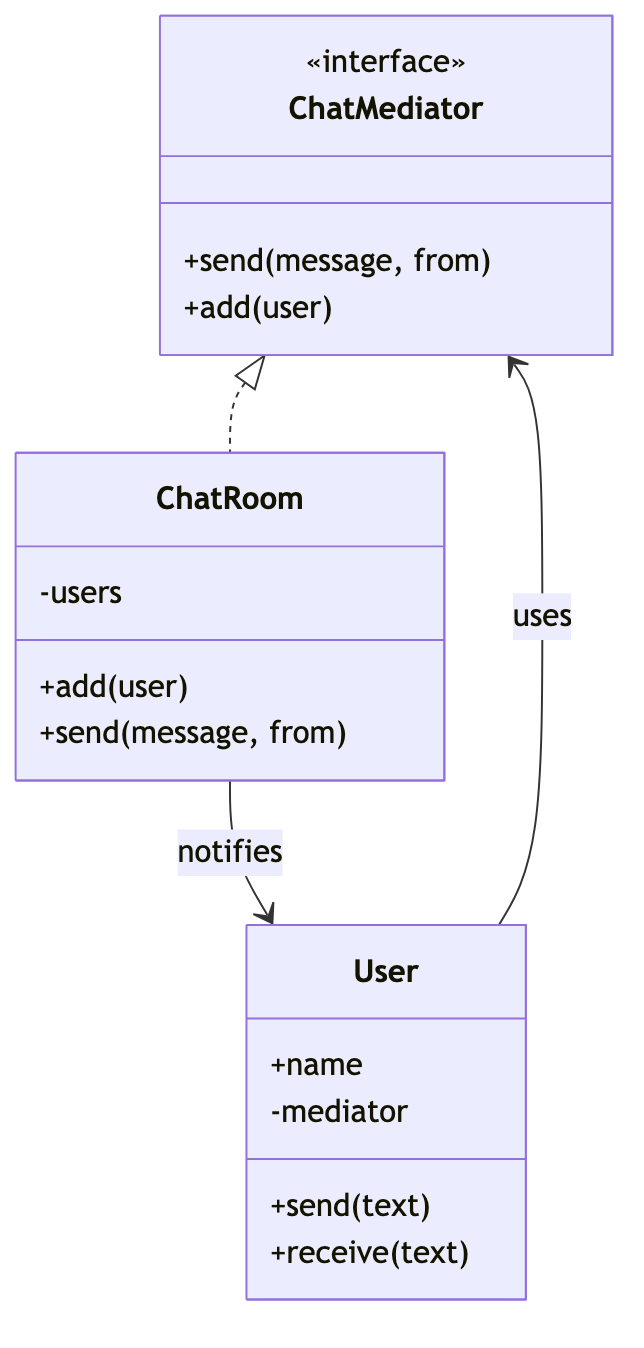
Let’s use a chat room example. Participants exchange messages through the chat room (the Mediator) instead of messaging one another directly.
First, define the protocol the Mediator must follow and the participants.
// Rules the Mediator must follow
protocol ChatMediator {
    func send(_ message: String, from user: User)
    func add(_ user: User)
}
The key point is that each participant knows only the Mediator and never directly references another participant.
class User {
    let name: String
    weak var mediator: ChatMediator?  // Prevent circular references

    init(name: String) { self.name = name }

    func send(_ text: String) {
        mediator?.send(text, from: self)  // Delegate to the Mediator
    }
    func receive(_ text: String) {
        print("\(name) Received: \(text)")
    }
}
Finally, the Mediator handles the actual delivery rules: it broadcasts the message only to everyone except the sender.
class ChatRoom: ChatMediator {
    private var users: [User] = []
    func add(_ user: User) { users.append(user); user.mediator = self }
    func send(_ message: String, from user: User) {
        users.filter { $0 !== user }
             .forEach { $0.receive("[\(user.name)] \(message)") }
    }
}
No matter how many users you add, the User class needs no changes. Only ChatRoom knows the delivery rules.

Mediator vs. Observer: What’s the Difference?
Many people find these two confusing.
Here’s the short version.
| Category | Mediator | Observer |
|---|---|---|
| Direction | Centralized many-to-many communication | One-to-many notification (publish-subscribe) |
| Relationship | Objects interact through the Mediator | The subject notifies observers |
| Focus | Complex mutual coordination | Propagating state changes |
In simple terms, an Observer one-sidedly announces, “I changed!”
A Mediator decides, “Who needs to do what in this situation?” and coordinates the objects.
In Swift, Combine and NotificationCenter are closer to the Observer family, while Mediators are usually implemented directly.
Frequently Asked Questions (Q&A)
Q. What if the Mediator becomes too large?
Because logic accumulates there, the Mediator can easily become bloated. Split it into several Mediators by feature or extract internal logic into separate helpers.
Q. Do I have to use weak?
Yes. If participants and the Mediator strongly reference each other, circular references cause memory leaks. Make one side weak, as in the example.
Q. Can I use it with SwiftUI?
Yes. A ViewModel often effectively acts as a Mediator between views. You can naturally coordinate multiple views’ state through one ViewModel.

If your objects are so tangled that touching the code feels scary, try adding the Mediator pattern.
A single Mediator makes each object much lighter and makes future feature additions less stressful.
I recommend applying today’s example code to a small project. Writing it yourself makes it click. 😊
Recommended Reading
- [Swift Basics #1] What Swift Optionals Really Are: They’re Enums (Five Practical Unwrapping Techniques)
- [Swift Basics #2] Swift Closures Explained: Why Capturing, [weak self], and @escaping Belong Together
- Mediator vs. Observer vs. Facade: A Complete Comparison of Three Object Communication Patterns