
![Cover image for [Advanced Swift #2] Swift actors: a complete guide to preventing data races](/assets/images/posts/d7809f68-f42a-4283-a270-2c25867c9087/swift-actor-1.jpg)
The second installment of the Swift Concurrency series focuses on actors. Swift adds a fourth kind of type—neither a class nor a struct.
A new kind of type implies a serious problem needed solving. We’ll start by examining that problem: data races.
Data races — the worst kind of bug
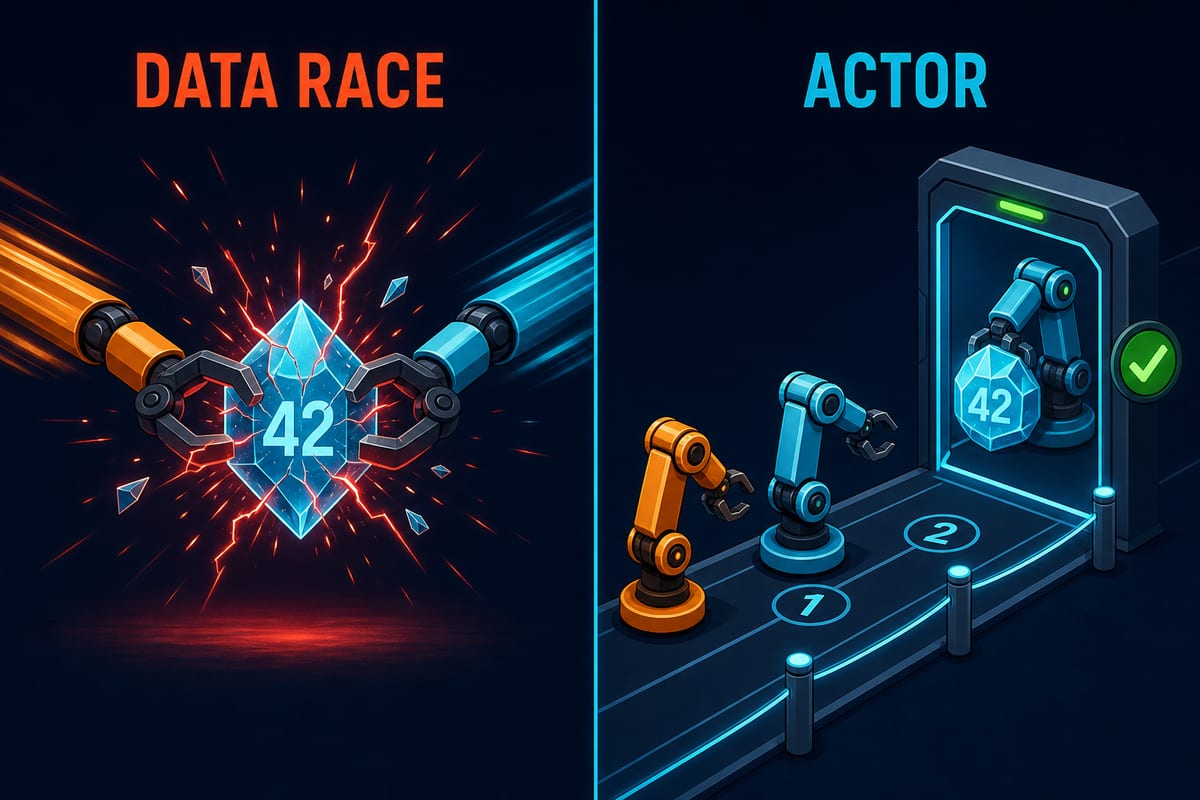
A data race has clear conditions: two or more threads access the same memory concurrently, and at least one access writes.
When these conditions hold, behavior is undefined. Values may corrupt, the app may crash, or nothing may appear to happen.
Which outcome occurs depends on that day’s scheduling luck.
final class Counter {
    var value = 0
    func increment() { value += 1 }  // read-add-write, 3steps
}
// when two threads call it simultaneously increment()
// 1000even if called valuemay not be 1000
value += 1is not atomic. If another thread gets in between reading, adding, and writing, the increment disappears.
This bug is nasty because it is hard to reproduce. It requires precise timing, so tests pass and intermittent crash reports arrive after release.
In the value types installment, I said that value types remove the premise of a race because they are not shared. What remains are reference types intended for sharing.
The traditional solutions were locks, semaphores, and serial DispatchQueue.
They all work, but share one weakness: protection depends entirely on developer discipline.
Forget to acquire the lock in one place and it is over; the compiler cannot see that mistake.
This pattern may sound familiar. Like nil checks in the optionals installment and retain cycles in the ARC installment, Swift elevates discipline-dependent rules into the type system.
Data races are next.
actor — the type that protects its own state
In one sentence, an actor is a reference type with built-in state protection.
actor Counter {
    var value = 0
    func increment() { value += 1 }
}
Simply changing a class to an actor gives this guarantee: only one execution at a time can access the type’s stored properties.
Each actor has a serial executor, so method calls queue and run one at a time. Nothing can interleave between increment’s three steps, so the race cannot occur.
The key is that the compiler enforces this. Code outside an actor must use await to access its state or methods.
let counter = Counter()
await counter.increment()          // outside, await required
print(await counter.value)
await exists for the same suspension reason explained in part 1. If the actor is busy, the request queues and yields without holding a thread.
It does not put a thread to sleep like a lock. The function suspends, then resumes when its turn arrives.
Code inside the actor can access its state freely without await because it is already isolated.
This boundary between inside and outside is the isolation introduced in part 1.
@MainActor is the global version: it turns the main thread into one serial context and isolates UI state.
The principle is identical to that of a custom actor.
reentrancy — the actor’s most famous trap
Actors may seem万能, but their design has one trap: they allow reentrancy.
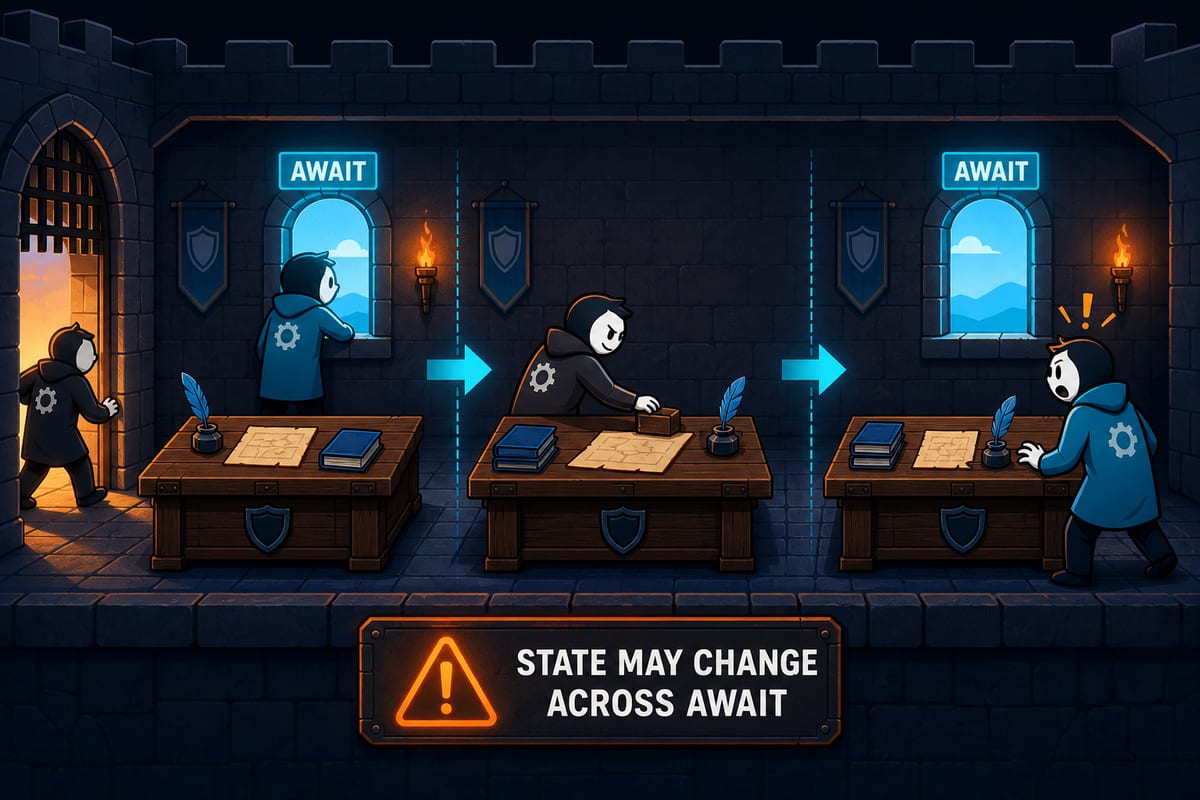
When an actor method reaches await, it suspends and the actor becomes available. Another call can enter and run in the meantime.
When the original method resumes, the actor’s state may differ from before suspension.
actor ImageCache {
    var cache: [URL: Image] = [:]

    func image(for url: URL) async -> Image {
        if let cached = cache[url] { return cached }
        let image = await download(url)   // suspension point — another call may enter during this interval
        cache[url] = image                // the same URLmay already be stored
        return image
    }
}
If two requests for the same URL arrive nearly simultaneously, both see a cache miss and download it. The data is safe—actor protection handles that—but the logic runs twice.
The key rule: actors prevent low-level data races, but do not preserve logical consistency across await.
You must still recheck assumptions around await. In this example, store the in-progress download Task in the cache to prevent duplicate work.
Why? Banning reentrancy would require locking the actor during await, allowing two mutually waiting actors to deadlock forever.
Swift chooses a deadlock-free system and leaves logical consistency to developers. Knowing the trade-off makes the trap predictable.
Practical placement — where to use actors
Actors fit one clear role: owners of mutable state shared by multiple asynchronous contexts.
Caches, connection pools, download managers, and session stores are examples. Whenever you need an answer to “who protects this state?”, an actor is a candidate.
They also clearly have poor fits. First: state that is not shared.
For a view model used by one screen, use an @MainActor class. A custom actor only adds unnecessary await to UI access.
Second: immutable data. There is no race, so a struct or let is enough—value types first.
Third: extremely hot paths. Crossing an actor boundary has serialization cost; hundreds of thousands of calls per second signal that the design needs review.
One more for balance: an actor may be excessive for protecting a single atomic counter or flag.
For such cases, a low-level tool like Mutex from Swift 6’s Synchronization module is lighter and needs no await. Actors shine when the protected state and its logic form one unit.
Summary
- A data race is undefined behavior caused by concurrent access plus at least one write, and it is especially nasty because it is hard to reproduce. Locks work but rely on discipline.
- An actor is a reference type with built-in state protection. Its serial executor queues access, and the compiler requires await from outside.
- @MainActor makes the main thread a global actor and is the standard for UI isolation.
- Actors allow reentrancy. State may change across await, so logical consistency still requires explicit protection beyond low-level race prevention.
- Use actors as owners of shared mutable state. They are excessive for unshared state, immutable data, and extreme hot paths.
The next installment covers Sendable, the final piece of isolation: types safe across isolation boundaries and how to read Swift 6 strict concurrency warnings in existing code.