
![Cover image for [iOS Architecture #10] Uber RIBs: Breaking Apps Down by Business Logic](/assets/images/posts/f06929f4-621d-40e7-88d9-8817b02ef56d/uber-ribs-architecture-hero-1.jpg)
In the VIPER (View·Interactor·Presenter·Entity·Router) article, I briefly mentioned “RIBs, created by Uber and inspired by VIPER.” This time, we’ll examine it properly. In Korea, it is also well known as the architecture adopted by Toss.
There is one key to understanding RIBs. Every architecture covered so far (MVC·MVVM·VIPER·ReactorKit) used screens as its basic unit. RIBs discard that premise. They split an app by business logic rather than screens.
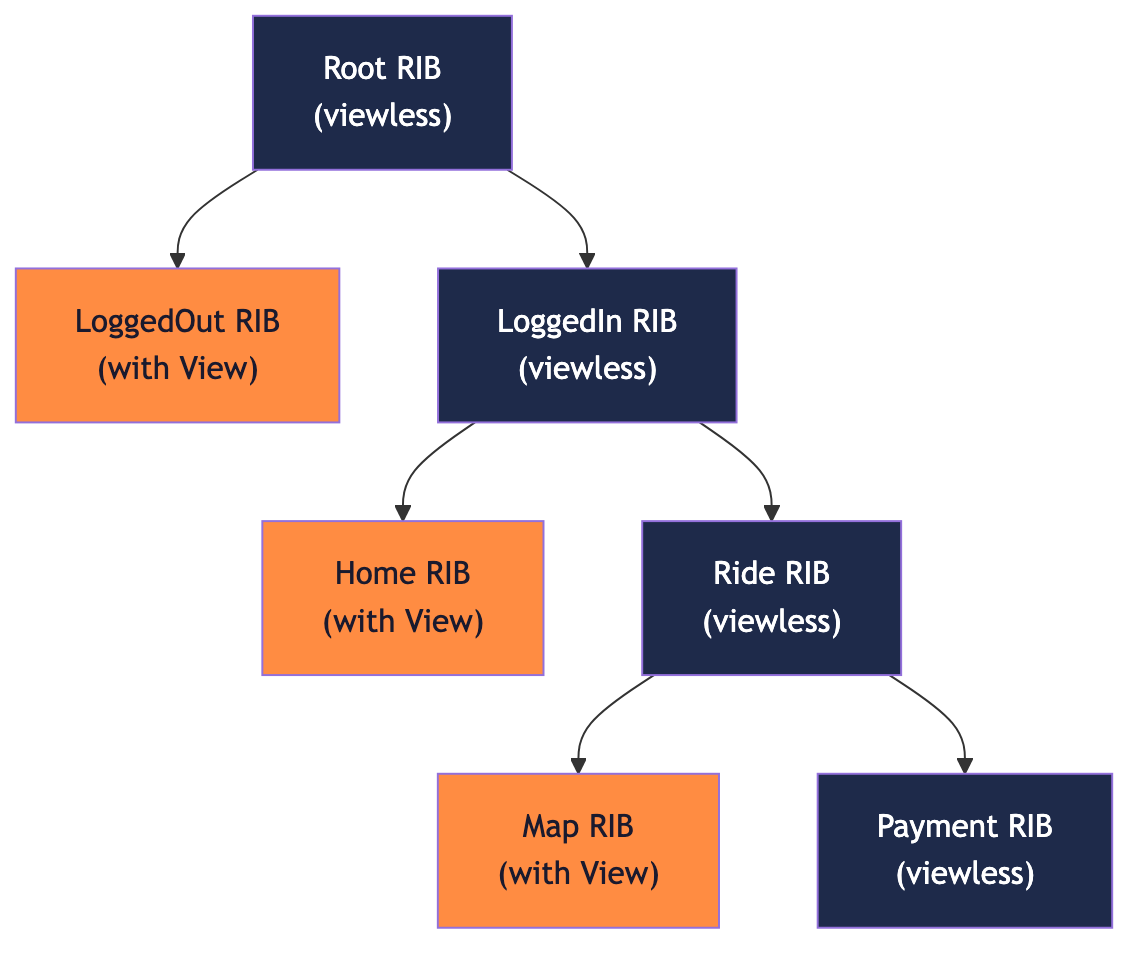
The Existence of Viewless Components
RIBs stands for Router·Interactor·Builder. These three are required in every component (RIB); Presenter and View are added only when needed.
- Interactor: The core of the business logic—the RIB’s brain.
- Router: Manages the tree by attaching and detaching child RIBs.
- Builder: Assembles a RIB and injects its dependencies.
- Presenter·View: Optional. Present only in RIBs that need a screen.
The fact that “View is optional” is decisive. Consider the “in ride” state of a ride-hailing app. It covers the map, driver-information card, and payment-preparation logic, but is not itself a single screen. In RIBs, this becomes a viewless RIB, with child RIBs that own the screens attached beneath it.
The entire app becomes a tree of RIBs. Changes in app state—such as login status and ride status—are changes in the tree’s shape. When the user logs out, the LoggedIn RIB is removed from the tree along with its screens and logic. State management is effectively tree management.
Why Is It Used Only by Very Large Organizations?
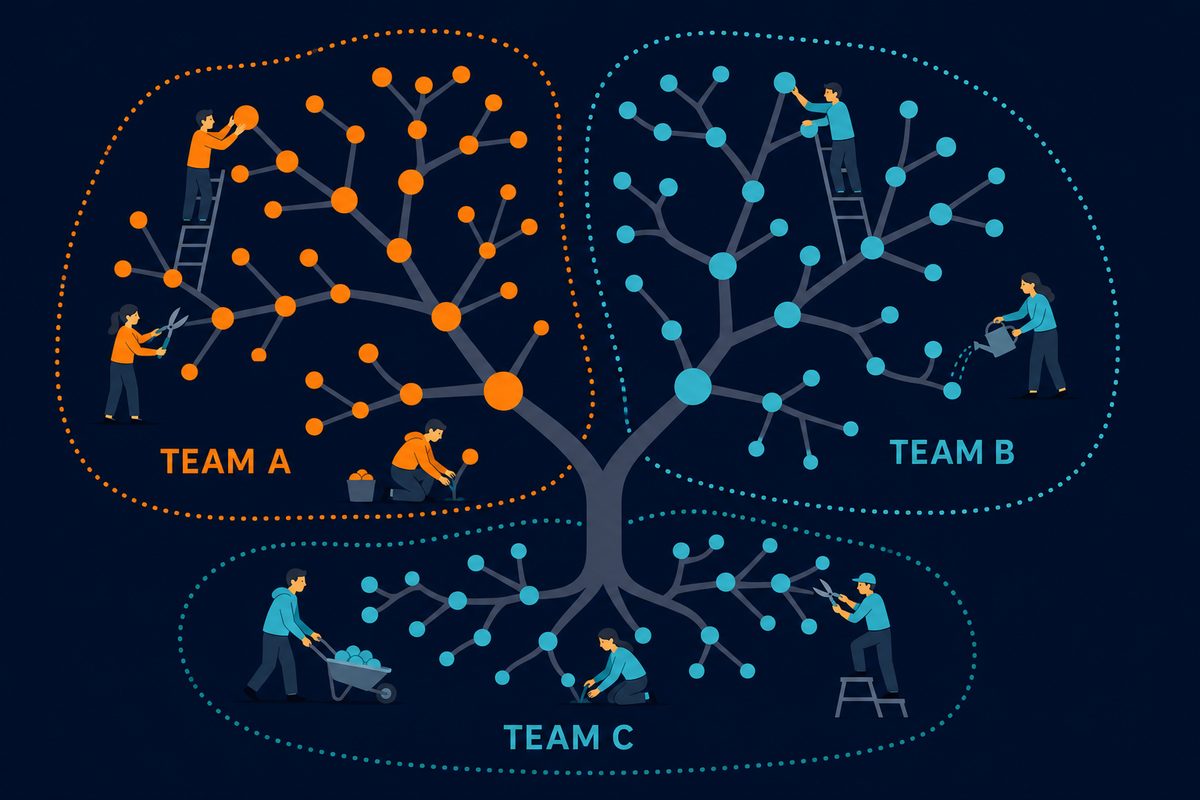
RIBs was designed from the start for “when hundreds of people build one app.” Dozens of teams contribute code to the Uber app simultaneously, and screen-based separation could not establish team boundaries. Logic from multiple teams ended up mixed within a single screen.
Splitting by RIB lets each team own its own RIB subtree. Because Builder enforces dependency-injection points, teams cannot reach into another team’s RIB internals. It enforces the “boundary enforcement” discussed in the modularization series at the architecture level.
Toss adopted RIBs for the same reason. In a super-app containing dozens of financial services, making each service one RIB subtree makes attaching and detaching services explicit.
Conversely, these advantages all become costs for a small team.
First, RIBs have even more boilerplate than VIPER. A single RIB typically creates four or five files. Uber provides code-generation templates for this reason.
Second, the learning curve is steep. The whole team must learn tree design, attach/detach timing, and dependency injection by scope to share the same mental model.
Third, it conflicts with screen-centered thinking. Product specifications usually describe screens, while RIBs split by state, so the design must translate between the two.
How Does It Differ from VIPER?
The component names make it look like a VIPER variant, but the difference is fundamental.
| VIPER | RIBs | |
|---|---|---|
| Basic unit | Screen | Business logic |
| Viewless component | Impossible | viewless RIB |
| Navigation | Router performs screen transitions | Router attaches/detaches the tree |
| Goal | Separate the responsibilities of one screen | Separate code ownership by organization |
VIPER’s Router handles “how do we move to the next screen?”, while a RIBs Router handles “which logic components should be alive in the current app state?” Same name, different question.
Summary
- RIBs is Uber’s architecture for splitting an app into a tree of business-logic components rather than screens.
- Viewless RIBs are allowed, and app-state changes are represented as tree attach/detach operations.
- Its goal is team-based code ownership and enforced boundaries, so it shines in organizations with hundreds of people. Uber and Toss are representative examples.
- For small teams, boilerplate and the learning curve outweigh the benefits. As discussed in the selection guide in Part 8, team size is the main deciding factor.
This completes the previously mentioned but unexplored pieces of the iOS architecture series. From MVC to RIBs, remember that every architecture offers a different answer to the same question: “Where should the logic go?”
Continue reading
iOS Architecture Series
- Previous article: [iOS Architecture #9] ReactorKit Summary: The Standard for Unidirectional Architecture
- Previous article: [iOS Architecture #8] iOS Architecture Selection Guide: Choosing by Team Size, App Lifespan, and State Complexity
- Previous article: [iOS Architecture #7] An Introduction to TCA (The Composable Architecture): A Complete Guide to Unidirectional Data Flow