
![Cover image for [AI Guide #4] Better answers with files, web search, and NotebookLM](/assets/images/posts/a29d928e-92af-453f-bb59-0870181556e7/feed-ai-your-docs-1.jpg)
The previous two articles boil down to this: AI fails when it relies on its own memory. When that memory is outdated (knowledge cutoff) or fuzzy (hallucinations), it starts filling gaps with plausible guesses. The solution is equally simple. Make AI answer from the sources you provide instead of its own memory. This article covers three methods: file uploads, web search, and NotebookLM.
Method 1: File uploads — the biggest upgrade you can use today
ChatGPT, Claude, and Gemini all let you drag files into the chat. PDFs, Word documents, spreadsheets, and images are supported. Yet many people surprisingly do not use this feature. They ask a question and leave the answer to AI’s memory.
The difference is substantial. Ask, “What should I watch out for when signing a rental deposit contract?” and you get general advice. Attach the contract PDF and ask, “Find clauses in this contract that disadvantage the tenant,” and you get a tailored answer pointing out the special terms in your contract.
File uploads are especially useful for tasks like these.
- Summary: Understand a dozens-of-pages report or paper in five minutes
- Review: Find conditions, exceptions, and unfavorable clauses in contracts or notices
- Conversion: Turn meeting minutes into action items and spreadsheet data into summary sentences
- Questions: Ask about a document as if searching it, such as “Find everything about penalties in this document”
Free plans often limit the number of daily uploads or file size. If you use AI frequently for document work, a paid plan may be worth considering.
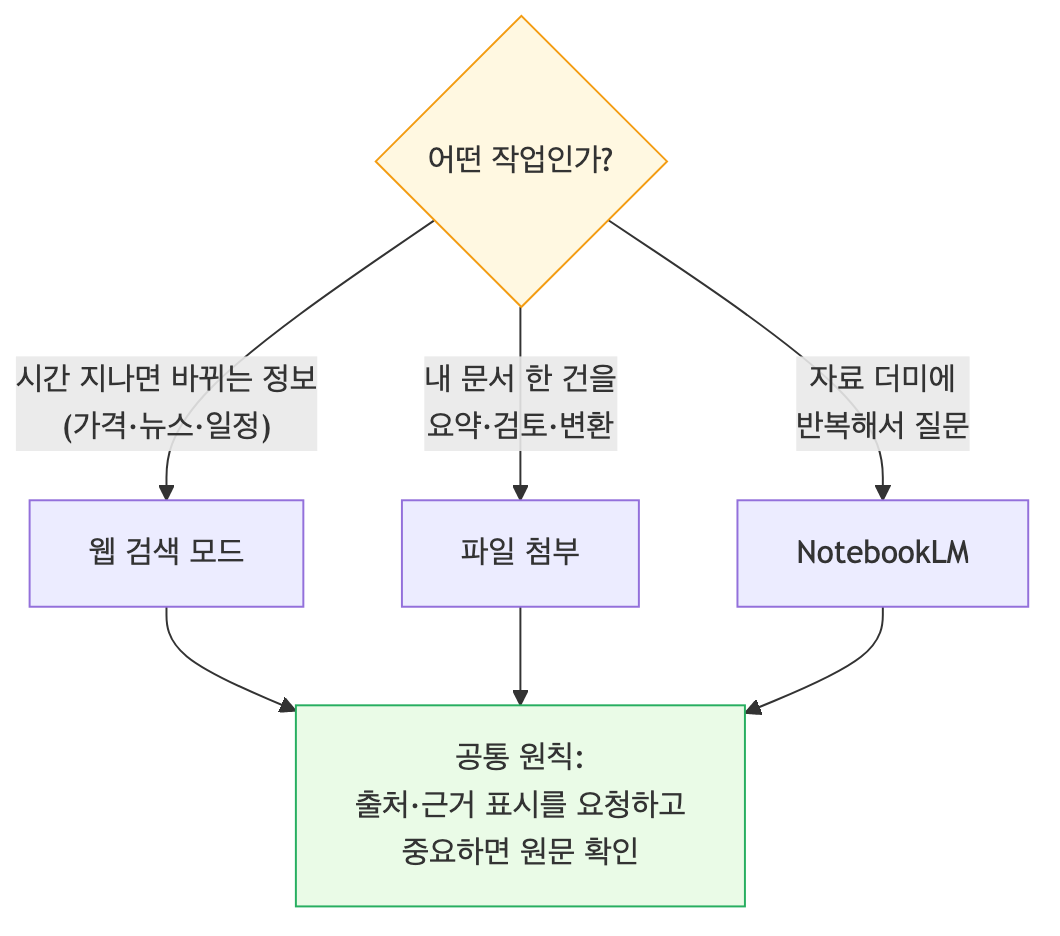
One more tip: ask, “Also show which item or clause in the document you found this in.” This speeds up source checking and sharply reduces the verification cost discussed in Part 2.
Method 2: Web search — current information comes from search, not memory
Modern AI services offer web search modes. The names differ—ChatGPT Search, Gemini’s Google Search integration, and Claude Web Search—but the structure is the same. AI searches first, builds an answer from the documents it finds, and adds source links at the end.
The right time to use it is clear: information that changes over time, such as prices, schedules, news, and legal amendments, plus the questions from Part 2 that are risky to answer from AI memory alone.
But keep one thing in mind. Adding search is not the end. AI may mis summarize search results or retrieve low-quality pages. Fortunately, web search mode includes source links, so open the original when the information matters. The fact that you can trace an answer back to its source is the mode’s greatest value.
Method 3: NotebookLM — AI that answers from only your sources
Google’s NotebookLM turns the “sources first” philosophy into an entire product. Its name is being changed to Gemini Notebook in July 2026, so the app may show the new name; it is the same product. I will call it NotebookLM here for familiarity. Create a notebook workspace and add sources such as PDFs, documents, web pages, or YouTube links. AI then answers based only on the registered sources. It does not fill gaps from its own memory like a general chatbot. It tends to say that information absent from the sources is unavailable. Every answer includes a footnote showing the source and passage, making it one click to verify the original.
It is well suited to “working with a pile of sources over an extended period.”
- Exam and certification study: Add textbooks and lecture materials, then study through Q&A
- Work handovers: Add manuals and policies so new employees can learn by asking questions
- Research: Add dozens of papers and articles, then organize common points and differences
If you will ask about the material only once, a chatbot upload is enough. If you will ask multiple questions about the same pile of sources, remember that NotebookLM is the better choice.
What source material cannot fix
You should also understand the limitations of these methods.
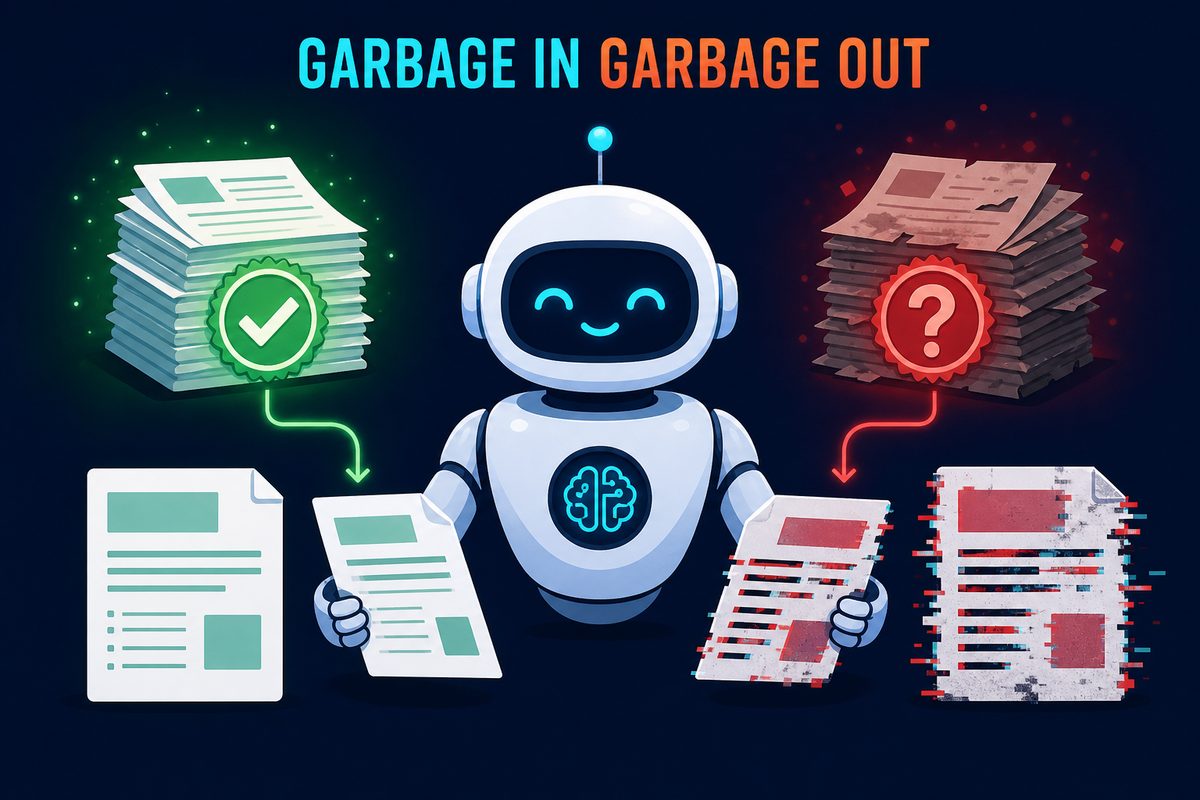
First, if the source is wrong, the answer is wrong. AI tends to trust uploaded material without criticism. Upload an unidentified document from the internet, and it may absorb the document’s errors as well.
Second, very long sources can get blurred. When hundreds of pages are uploaded at once, the middle sections may be processed vaguely. The reason connects directly to the topic of the next article, Part 5.
Third, think before uploading sensitive material. Uploading files containing company secrets or customers’ personal information to an external AI service is a separate issue. Part 7 addresses it directly.
Summary
- AI’s weaknesses—hallucinations and outdated knowledge—appear when it relies on its own memory. Give it sources
- Use file uploads for document work, web search for time-sensitive information, and NotebookLM for source piles you will revisit
- Requesting sources and supporting evidence lowers the verification cost
- If the source is wrong, the answer is wrong. Source reliability is your responsibility
Even when you provide good sources, a long conversation can make AI forget what it said earlier or miss the middle of a document. There is a reason “I told you that earlier” does not work. The next article explains why AI gets lost in long conversations and when to start a new chat.