
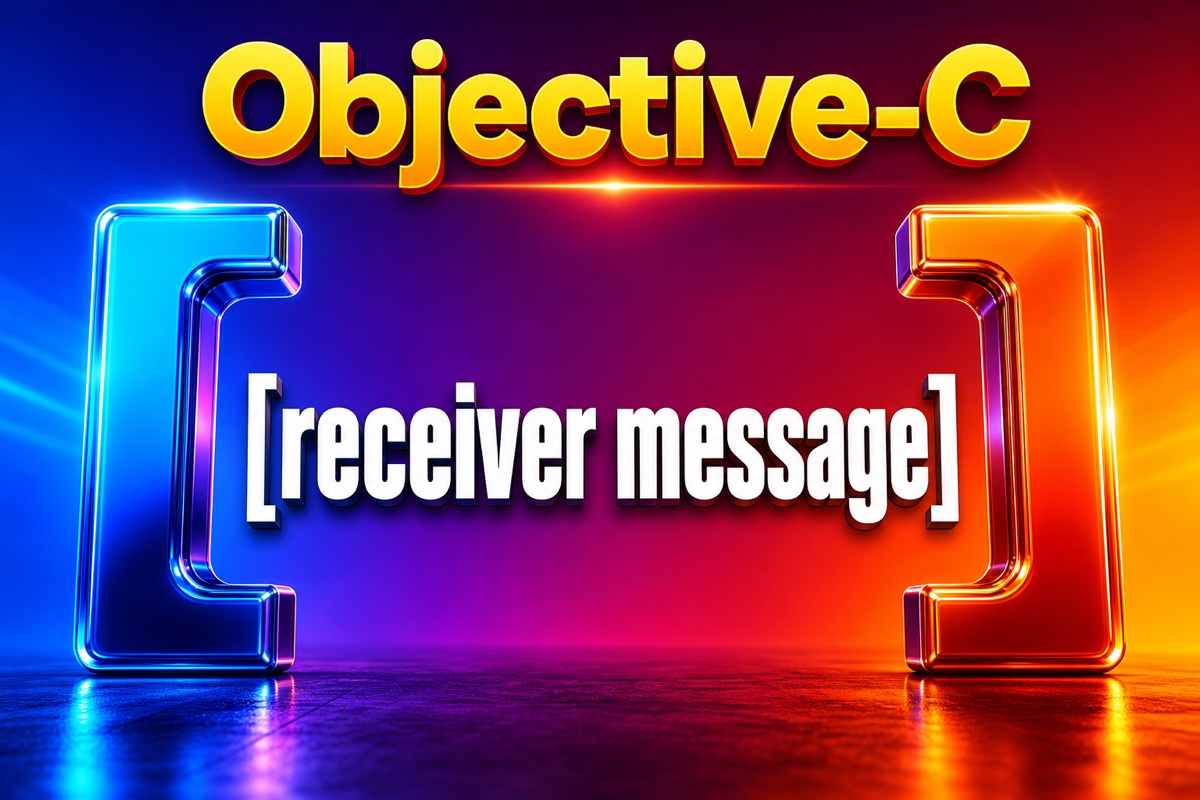
It’s easy to feel confused when you first encounter Objective-C code after starting to study iOS.
It’s full of square brackets [ ]. It looks like a function call, but the syntax is so different from other languages.
You naturally start wondering, “Why was it designed this way?”
The short answer is that Objective-C’s square brackets don’t “call” functions; they “send messages” to objects. Once you grasp this one idea, those unfamiliar brackets suddenly start to make sense.
Today, let’s casually explore why these brackets look the way they do, starting with their roots. 😊
Let’s start with the key takeaways
Here’s a summary of what you’ll learn from this article.
- Objective-C square brackets mean “send a message to an object”
- This syntax was inherited from a language called Smalltalk
- Most code becomes readable once you understand the
[객체 메서드]structure - Internally, it executes after being converted into a function called
objc_msgSend
Understanding these four points is enough to achieve today’s goal.
What exactly is Objective-C message-sending syntax?
In most other languages, you call a method like this.
object.method()
Objective-C, however, looks like this.
// dog Send a message to the bark object
[dog bark];

// count Send a value as an argument
[dog barkTimes:3];
The syntax looks unfamiliar, but the structure is simple.
[받는객체 보낼메시지]
Open the brackets, put the object receiving the message on the left, and write the message to send on the right.
So [dog bark] means, “Dog, please bark.”
I find it much easier once I think of this as “talking to an object” rather than “calling a function.”
With multiple arguments, the expression expands like this.
// The message name is split into setName:age: two parts
[person setName:@"Cheolsu" age:20];
You can think of one value being attached to each colon (:).
Why do the brackets look this way?
Objective-C’s square brackets are a trace of bringing Smalltalk’s “message-sending” philosophy into C.
The story goes back to the early 1980s.
Two people, Brad Cox and Tom Love, created Objective-C.
They wanted to keep using the popular C language while adding object-oriented concepts to it.
Smalltalk was their object-oriented role model.
Smalltalk’s core philosophy was that “everything is an object, and objects exchange messages.”
The challenge was adding this message concept without breaking C syntax.
So they took square brackets, which were rarely used in C syntax, and designated the contents as a space for sending messages.
This allowed them to coexist with existing C code without collisions.

NeXT later adopted the language, and when Apple acquired NeXT in 1996, it became the foundation for Mac and iPhone development.
The Cocoa framework we know also originated here.
That one unfamiliar pair of brackets carries a surprisingly long history.
How is it different from dot (.) syntax?
Modern Objective-C code often uses dot (.) syntax too.
For example, dog.name.
That can be confusing, so here’s their relationship in a table.
| Category | Square-bracket syntax | Dot (.) syntax |
|---|---|---|
| Form | [dog name] |
dog.name |
| Meaning | Message sending | Property access |
| Introduced | From the beginning | Since Objective-C 2.0 (2007) |
| Internal behavior | Method execution | Effectively converted into a method |
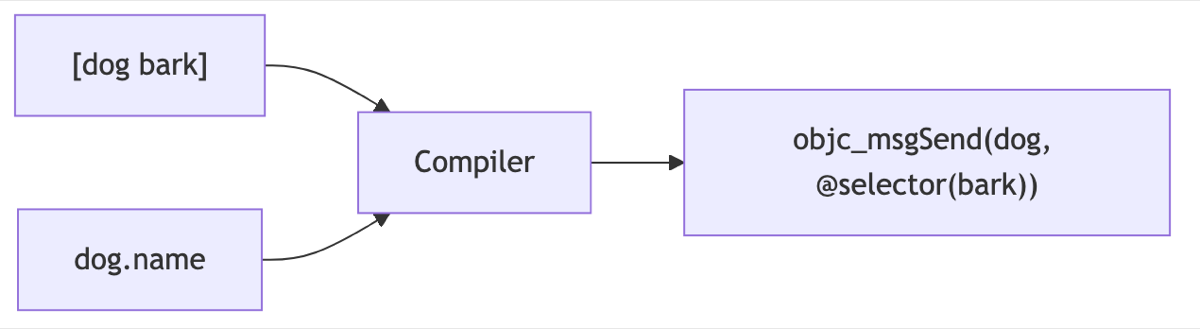
The interesting part is that dot syntax is ultimately converted into a bracket message internally too.
In other words, dog.name does the same thing as [dog name] when executed.
Dot syntax is simply a more readable outer layer.
That’s why I recommend that beginners first understand square brackets as the underlying concept.
What actually happens inside the brackets?
Let’s go a little deeper.
When you write [dog bark], the compiler converts it into a function call named objc_msgSend.
// Our code
[dog bark];

// Internally, it is roughly converted like this
objc_msgSend(dog, @selector(bark));
The first position contains the object receiving the message, and the second contains the name tag (selector) of the method to execute.
This approach is flexible because it determines which method to execute at runtime.
As a result, Objective-C was strong at dynamic features such as changing or adding methods during execution.
This flexible structure was hidden behind the outward appearance of square brackets.

Let’s wrap it up with a Q&A
Q. Do I really need to memorize square brackets?
Rather than memorizing them, just get a feel for the [받는객체 보낼메시지] structure and they’ll become natural to read.
Q. I use Swift now. Do I still need to know this?
Many older libraries and example projects are still written in Objective-C, so being able to read it is very helpful.
Q. What if there are brackets inside brackets?
The outer expression receives the result of the inner one. Read it from the inside out and it becomes clear.
Square brackets may look like a strange rule, but they feel much friendlier once you think of them as “syntax for talking to objects.”
The more unfamiliar the syntax, the longer it tends to stay with you once you understand its roots.
I hope this article helps you become a little more comfortable with Objective-C. You’ve got this! 🙌