
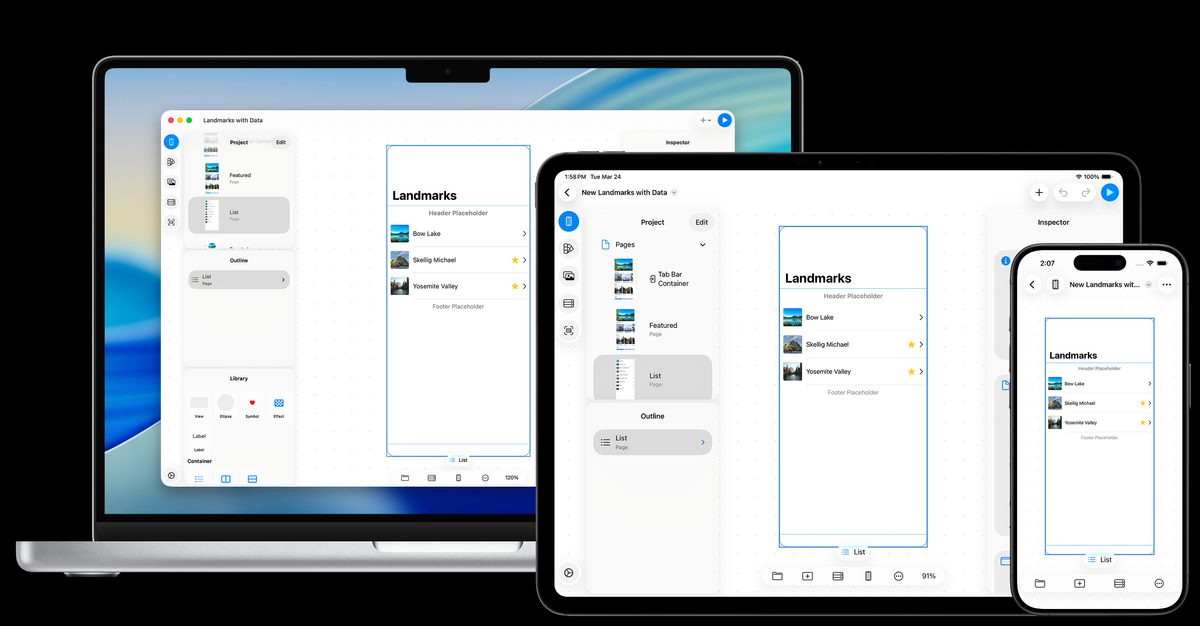
Screens made with prototyping tools merely “look” convincing. Tapping a button only takes you to a prelinked screen; no data is actually saved, and nothing communicates with a server. So validating an idea ultimately required someone to write code.
Layerz targets this gap. In short, it lets you define the design, data, behavior, and API integrations of an iOS app without code, then run it immediately where you designed it. Created by Layerz Corp., it is distributed free as an app for iPhone, iPad, and Mac.
Here is the core summary.
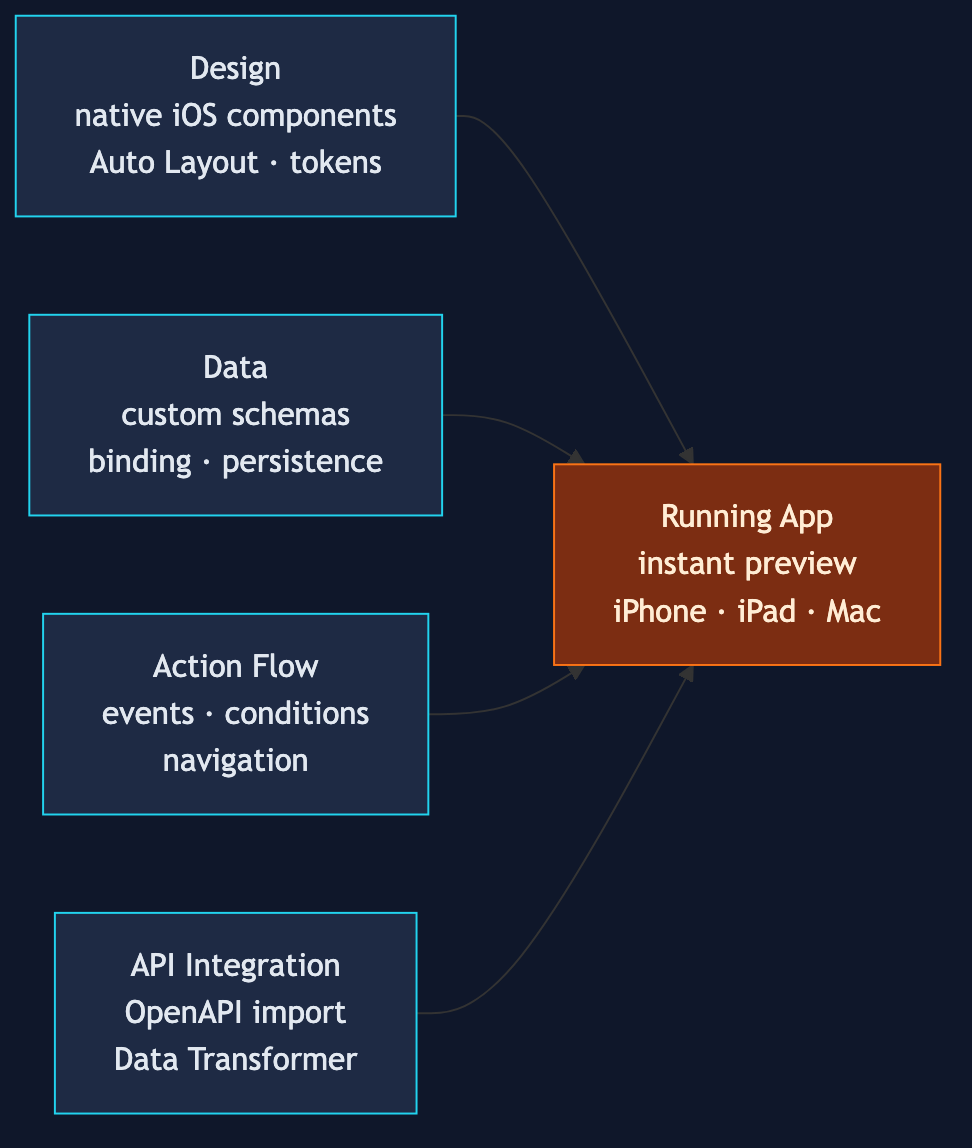
- Build screens by placing native iOS components—stacks, lists, tabs, and Auto Layout—on a canvas
- Define data schemas directly and bind them to the UI. Screens update automatically when data changes
- Connect “tap a button → check a condition → navigate/change data” as nodes in an Action Flow
- Import an OpenAPI (Swagger) specification and call real APIs. This is real communication, not a mock
- Run it instantly on iPhone, iPad, and Mac without building
Drawing screens as structure, not mockups
Layerz’s design editor differs from a freeform drawing tool. Instead of drawing a rectangle that merely looks like a button, you assemble real iOS layout components from the start—stacks, lists, and tab bar containers. Because it is based on Auto Layout, screens resize with the device.
Colors and typography are managed as design-system tokens, with support for switching between light and dark themes. Frequently used combinations can be grouped into reusable custom components. From a developer’s perspective, it is close to moving SwiftUI’s way of thinking—component composition, data binding, and tokenized styles—into a visual editor.
Data and behavior: the real differentiator
Data is where Layerz diverges from prototyping tools. You can define data schemas directly inside Layerz, specifying field types, enums, and even dates, then bind that data to UI components such as lists and text. You can create lists filtered and sorted by conditions, and data is stored on disk so it persists when the app is launched again.
Behavior is defined on a node canvas called Action Flow. Flows such as “button tap → validate input → branch on condition → add data → navigate to another screen” are built by connecting nodes instead of writing code. Native iOS behaviors such as alerts, input prompts, share sheets, sounds, and haptics are also available as nodes.
No-code API integration
API integration is the most ambitious part. Importing an OpenAPI/Swagger specification brings in the endpoint definitions as-is, and you can configure authentication, retries, and handling for responses by status. Mapping server responses (JSON) to the app’s data model is handled on a visual node canvas called Data Transformer.
This lets you create and run an app without code that “fetches a product list from a real server, displays it in a list, and navigates to details when an item is tapped.” The preview appears instantly without a build process, and you can open and work on the same project from any iPhone, iPad, or Mac.
Who is it useful for?
The official website highlights four target audiences.
- Maker: turning an idea into a working form without knowing how to code
- Product manager: validating an idea with a tangible prototype instead of a product brief
- Designer: elevating a prototype that merely “looks right” into one that “works with real data”
- Developer: quickly finalizing screen structure, data models, and behavior specifications before implementation
For developers in particular, it appears useful as a specification tool. Because screens, data, and flows are all structured, it can eliminate ambiguity during planning before code is written.

Where it fits, limitations included
Of course, the usual questions about no-code tools apply to Layerz as well. Complex business logic, custom animations, and integrations with third-party SDKs—work outside the nodes provided by the tool—ultimately belong in code. Layerz is better understood not as replacing app development, but as dramatically accelerating the stage of creating working prototypes and specifications.
Being dedicated to the iOS ecosystem (iPhone, iPad, and Mac) is both a characteristic and a constraint. Conversely, because it uses native iOS components and Auto Layout directly, the result also feels like a genuine iOS app.
If you have an idea but code has been holding you back, or you want to shorten your team’s idea-validation cycle, this is a tool worth trying. It is available for free from the App Store and Mac App Store.