
![Cover image for [Code Smell #4] God Object: A Complete Guide](/assets/images/posts/c44a316d-1d8c-4de3-8558-2b5452bdbcfe/god-object-dependency-overload.jpg)
Every project has one of those files. The kind whose scrollbar turns thread-thin the moment you open it.
This continues from the previous article Code Smell #3.
Its name might be AppManager, MainViewController, or DataStore. It is also the file that changes and conflicts most often on the team.
It is the God Object.
The 1998 book 『AntiPatterns』 calls this The Blob (Publication information). It describes a mass that keeps absorbing surrounding responsibilities and data as it grows.
What Is a God Object?
Lines alone do not determine it. Even a 2,000-line type is simply large if it does only one thing (Research on Identifying God Classes).
What distinguishes a God Object is the scope of what it knows. When all three overlap, it is almost certainly one.
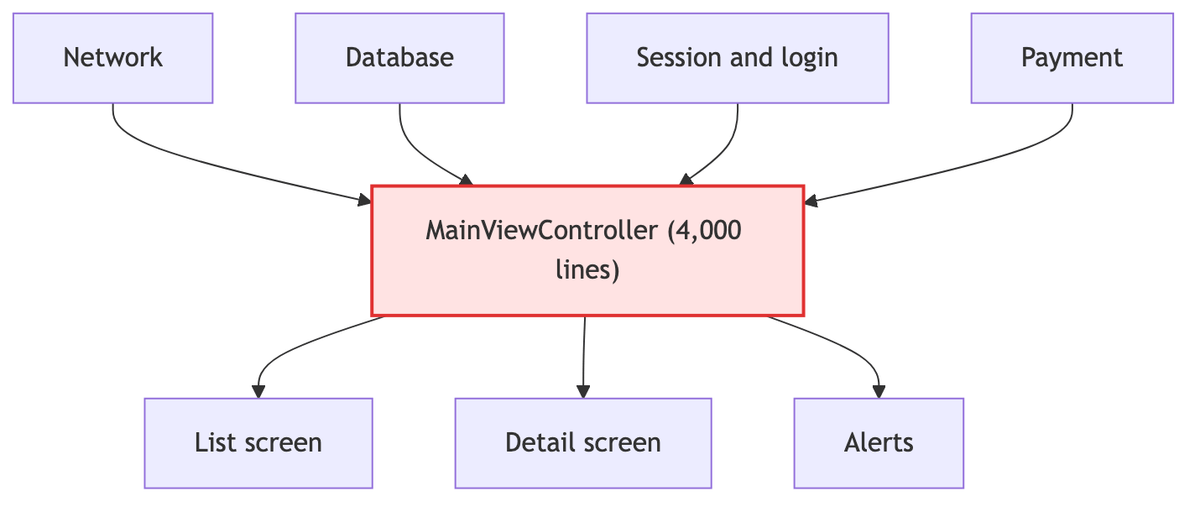
- It knows too much. Networking, the database, screen state, login information, and payments all live in one type.
importThe list alone gives it away. - Too many things know about it. This type is referenced throughout the project. If it is a singleton, the reference paths are even less visible in the code.
- Its state is scattered. It has thirty properties, but nobody knows which combinations are valid.
Nobody can answer whether isLoadingthis is true while errorthat is also non-nil.
On iOS, this role is usually obvious: the view controller.
A screen’s layout, network calls, table data source, navigation, and state management all end up in one file.
This structure is called a Massive View Controller. Types with AppDelegate and Manager in their names are also common offenders.
Why Does It Keep Growing?
Nobody set out to build it that way. That is the point.
A God Object is not a design decision; it is the result of gravity.
Suppose you need to add a feature. All the required data is already in this class.
| Choice | Cost |
|---|---|
| Add one method to the existing class | 20 minutes |
| Create a new type | Pass dependencies, initialization points, and lifecycle: half a day |
You make a reasonable choice every time, but it always points in the same direction. A 200-line file becomes 4,000 lines three years later.
Each stage of this growth comes with its own legitimate reason. That is why reversing it is difficult.
Then the broken-windows effect joins in. Nobody objects to adding 50 more lines to a file that already has 3,000.
The psychological resistance differs from adding 50 lines to a 200-line file.
Where Does It Hurt?
The damage appears in four ways.
- Testing becomes impossible. To create this one type, you need the network, database, and user session. You want to verify one pure calculation, but the server has to be running.
- Parallel work is blocked. Three teammates build different features, but all edit the same file. Conflicts are constant, and reviews show a tangled set of changes.
- You cannot know the impact of a change. To predict what a single property change will break, you would need to understand all 4,000 lines. In practice, nobody does, so they add another property instead. It grows again.
- It cannot be reused. Another screen needs its date-formatting logic, but extracting it drags along the whole class. So people copy and paste it.
The first problem is especially fatal. Without tests, you cannot split it; because you cannot split it, it keeps growing.
That cycle is the real reason a God Object survives so long.
How Do You Notice It Growing?
Use signals, not intuition.
Signal 1 · Git Change Frequency
This is the most practical metric. List the files modified most often over the past year, and the God Object will be near the top.
git log --format=format: --name-only --since=1.year.ago \
  | grep '\.swift$' | sort | uniq -c | sort -rn | head -20
Frequent changes signal that a file changes for different reasons. It is an empirical measure of violating the Single Responsibility Principle.
Signal 2 · Cohesion
If methods touch different sets of properties, the type is probably really two types.
If five methods use only properties A and B while six use only C and D, the candidate boundary is already visible.
Signal 3 · Type-Length Rules
If you use SwiftLint, type_body_length and file_length are enabled by default.
The default warning lines are 250 lines for a type body and 400 for a file; adjust them to fit the project. The numbers are arbitrary, but crossing the line is valuable because it starts a conversation.
The Extraction Order
Rewriting everything at once almost always fails. There is an order.
| # | Step | What to do |
|---|---|---|
| 1 | Cast the net | If there are no tests, start with characterization tests |
| 2 | Extract stateless logic | Start with date formatting, string validation, and amount calculations |
| 3 | Extract state clusters | Group properties that change together into one type |
| 4 | Separate by role | Split into a data source, coordinator, view model, and child view controllers |
| 5 | Block absorption paths | Decide where new code belongs and set a threshold |
A characterization test records how it behaves now, not whether the code is correct. Michael Feathers describes this technique in 『Working Effectively with Legacy Code』.
The goal is to move it while preserving behavior, so current behavior becomes the baseline.
Step two is easiest because it covers logic that does not use instance state. The file often shrinks noticeably here.
In step three, Swift’s enum is useful. If three screen states always change together, they are one state object.
// Before: invalid combinations can be represented
var isLoading = false
var items: [Item] = []
var error: Error?

// After: exactly one of the three exists
enum ViewState {
    case loading
    case loaded([Item])
    case failed(Error)
}
Using an enum eliminates impossible combinations altogether.
The iOS path for step four is established. Move the table data source into a separate type, navigation into a coordinator, screen state and presentation rules into a view model, and large screens into child view controllers.
If step five is skipped, the system returns to its old state in six months. Make the home for new code explicit, then add a threshold through file-length rules or review agreements so the next feature does not go back into that file.
Two Ways Splitting It Fails
| Failure mode | What happens |
|---|---|
| Only rename things | AppManager was split into UserManager, DataManager, and NetworkManager, but all three reference one another. The God Object has merely become a God Cluster. |
| Split too finely | Split a 4,000-line class into 40 types and the flow disappears. This is the Ravioli Code from the previous article. |
When splitting, also check whether dependencies flow in only one direction.
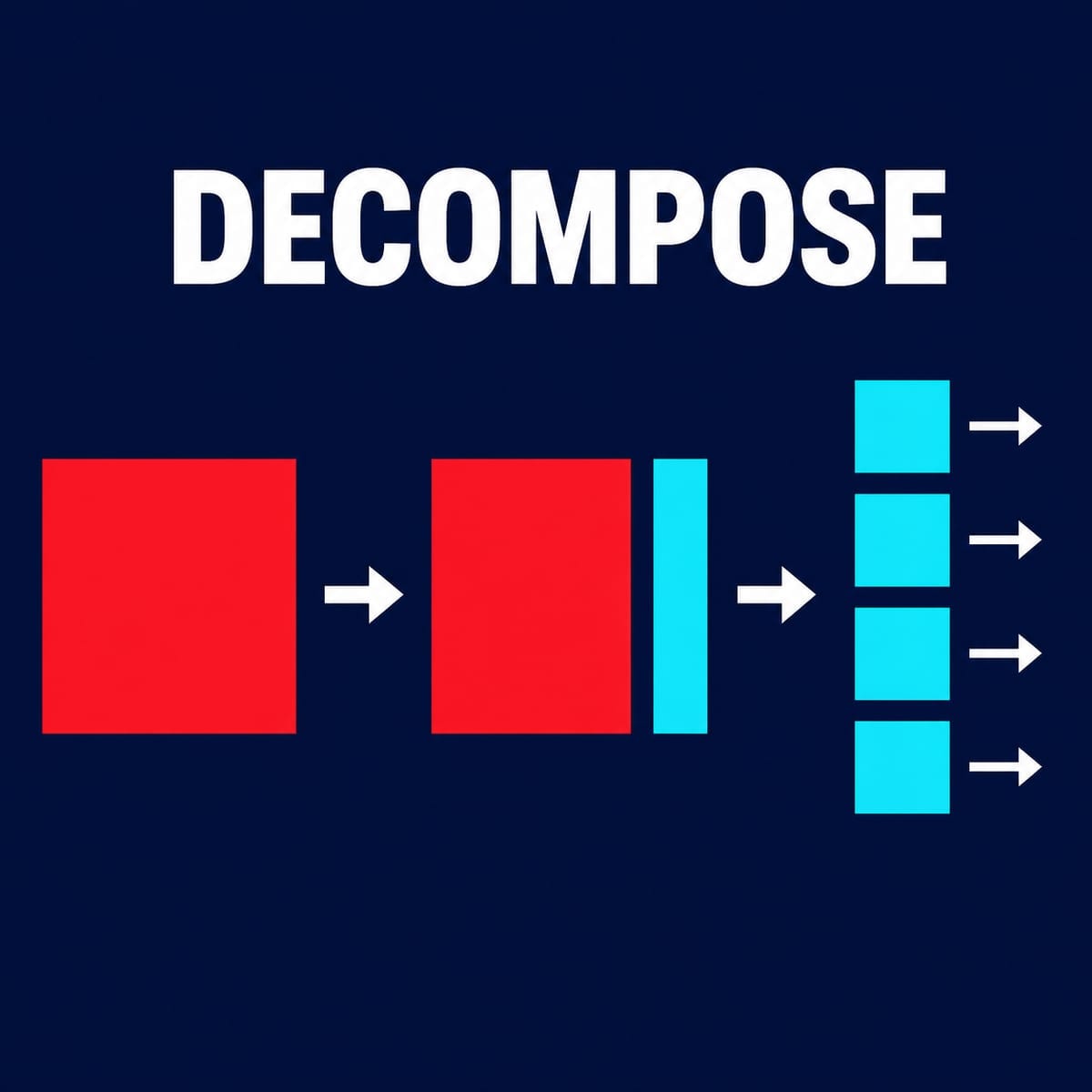
The goal of extraction is not to create pieces, but to make each piece change only for its own reason. The number of pieces is merely the result.
Summary
- A God Object is identified not by size, but by the scope of what it knows. It knows too much, too many things know about it, and its state is scattered.
- It grows not because the design is bad, but because the cheapest choice was made each time.
- The greatest damage is untestability. Without tests it cannot be split, and because it cannot be split, it keeps growing.
- The top list by Git change frequency is a useful empirical metric.
- Extract in this order: characterization tests → stateless logic → state clusters → role separation, then block the path that would make it grow again.
The next article covers what you encounter after splitting a God Object: shotgun surgery, where changing one feature requires editing twelve files.
Sources and Verification Criteria
- AntiPatterns — Wiley · official data · verified 2026-08-17 · basis: 1998 publication information for AntiPatterns and the context of The Blob
- Human Perception on God Class Detection — Springer Nature · original paper · verified 2026-08-17 · basis: controlled experiments on differences among people and tools in identifying God Classes